Battery Replacement for Chamberlain Garage Door Opener: A Step-by-Step Guide
Learn how to safely replace the backup battery in your Chamberlain garage door opener. This Battery Health guide covers compatibility, tools, step-by-step instructions, and safety tips.


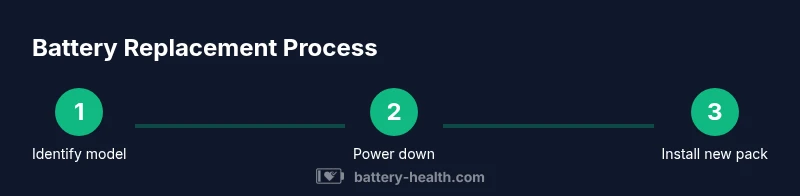
Replace the backup battery in your Chamberlain garage door opener by following manufacturer guidelines. This quick guide from Battery Health highlights compatibility, essential tools, and a clear step-by-step process to get your opener back online safely. Before you start, verify your model's battery type in the manual and unplug power to the unit. This format keeps you safe and minimizes downtime.
Understanding the role of the backup battery in Chamberlain garage door openers
Backup power helps your opener operate during short outages and keeps safety features active. According to Battery Health, backup batteries in Chamberlain garage door openers are model-specific and should be replaced only with the battery pack recommended by the manufacturer. The Battery Health team found that using non-authorized packs can lead to reduced performance or damage. Before you begin, confirm your opener model and the exact replacement part from the user manual or Chamberlain's support site. Safety is essential: disconnect power, wear eye protection, and work on a dry surface. This preparation reduces the risk of shock, incorrect installation, and short circuits. By understanding the system’s role, you’ll approach the replacement with a clear safety plan and the right expectations for performance after swap.
Identify your model’s battery requirements and locate the right replacement
Start by locating the model number on the opener housing or inside the battery compartment. Cross-check this with the manual or Chamberlain’s official support page to confirm the voltage, connector type, and physical size. If you cannot locate the exact requirements, contact Chamberlain support before purchasing a replacement. It’s important to ensure the replacement battery is the model-specific pack designed for your opener, as using the wrong pack can prevent charging or damage circuitry. The Battery Health team emphasizes avoiding generic battery packs that are not listed for your model. Keeping a running record of your model number and replacement part improves future maintenance and reduces downtime.
Compatibility and choosing the right replacement battery: safety, quality, and longevity
The right replacement battery for a Chamberlain garage door opener is defined by compatibility, capacity, and safety certifications. Look for the exact voltage and connector arrangement; many models use a sealed pack with a specific connector style. Beware of counterfeit or low-quality cells; these can overheat or fail prematurely. Use only a manufacturer-endorsed replacement to maintain warranty and ensure reliable operation. Battery Health’s analysis shows that model-aligned parts last longer and reduce service calls. Consider the environment where the unit operates; cooler, dry spaces typically extend battery life and performance.
Tools, workspace, and safety setup
Prepare a clean, dry workspace near the opener. Gather essential tools and protective gear: a Phillips screwdriver, safety glasses, and gloves; a replacement battery pack; a microfiber cloth for cleaning; and optional tools like a multimeter for voltage checks. Clear the area of metal shavings or dirt, and keep batteries away from heat sources. If you have a ladder, ensure it’s stable and on hard ground. The aim is to minimize risk of electric shock and short circuits while handling the battery pack. Establish a simple workflow: power down, access, swap, test, and secure.
Common issues and how to verify operation after replacement
After installing the new battery, reassemble the housing and restore power. Check the opener’s indicator lights and test the remote control and wall button. If your opener still won’t operate, recheck the battery connections, verify the correct model, and consult the Chamberlain support page. Battery Health notes that post-repair testing should include a full cycle test to ensure reliability and that the battery is charging correctly. If you see warning signs, stop and contact support. Document any error codes to help future service calls and to simplify troubleshooting.
Maintenance after replacement and long-term care
Keep the replacement battery in a cool, dry location away from heat and direct sunlight when not in use. Schedule periodic checks—every 6 to 12 months—of the battery pack and connectors. Clean connectors with a dry cloth, avoid touching terminals with metal tools, and store spare packs according to the manufacturer’s guidelines. This maintenance reduces corrosion, extends life, and minimizes future service calls. Regular checks help ensure a quick restoration after outages and preserve overall system reliability for years ahead.
Documentation and model-specific references
Maintain a simple reference folder with your opener model number, replacement part notes, and the date of the last battery swap. Always update your notes after any service so future replacements are faster and more accurate. Keep the original packaging and the user manual accessible for model-specific guidance. When in doubt, consult Chamberlain’s official support resources and Battery Health’s guidance on best practices for battery replacement and safety.
Tools & Materials
- Replacement battery pack (manufacturer-recommended for your Chamberlain model)(Check the model number on the unit to confirm compatibility)
- Phillips screwdriver (size #2)(To remove and reassemble the housing screws)
- Safety glasses(Eye protection during battery handling)
- Work gloves(Protection against sharp edges)
- Microfiber cloth(For cleaning the compartment)
- Multimeter (optional)(If you want to verify voltage on the pack)
Steps
Estimated time: 40-60 minutes
- 1
Power down and access the battery compartment
Power down the unit by unplugging the power cord or switching off the circuit. Remove the housing cover to expose the battery pack, taking note of connector orientation.
Tip: Keep screws organized and photograph the connector layout before detaching anything. - 2
Disconnect the old battery connectors
Gently disconnect the battery harness from the circuit board, noting orientation and any locking tabs. Do not pull on wires; disconnect from the plug side to avoid damage.
Tip: Label connectors with tape if you fear misattachment during reassembly. - 3
Remove the old battery and inspect the compartment
Take out the old battery, inspect for corrosion or residue, and wipe the cavity with a dry cloth. Look for signs of water intrusion or melted plastics.
Tip: If you see corrosion, stop and clean with care; consider replacing the unit if corrosion is extensive. - 4
Insert the new battery pack
Place the new pack into the cavity, align connectors, and reseat any locking mechanism. Reconnect cables exactly as they were removed, ensuring a secure fit.
Tip: Do not force connectors; if they don’t seat, re-check orientation. - 5
Reassemble and restore power
Reattach the housing, secure screws, and power the opener back on. Use the test function to verify LED indicators and cabinet alignment.
Tip: Run an initial short test with the wall button before full operation. - 6
Test operation and verify charging
Perform a full cycle test using the remote and wall control. Observe the charging indicators and confirm the battery reaches full charge before relying on it fully.
Tip: Do not touch connectors while power is on; allow the battery to settle after installation.
FAQ
Do I need to unplug the opener before replacing the battery?
Yes. Disconnect power to avoid electric shock and prevent short circuits during access and replacement.
Yes, unplug the unit or switch off the circuit before starting.
Can I use any replacement battery for Chamberlain openers?
No. Use only the manufacturer-recommended replacement battery for your specific model to ensure safety and performance.
Use the maker-recommended battery for your model.
How do I find the right model number for replacement?
Look for the label on the opener housing or inside the manual; cross-check with Chamberlain’s official site or support.
Check the unit label or the manual for the exact model number.
Will replacing the battery affect my warranty?
If you use an approved replacement part, it typically does not void the warranty. Always verify warranty terms for your model.
Warranty depends on your model and parts; check the terms.
What if the opener still won’t operate after replacement?
Recheck all connections, confirm you used the correct model, and perform a full cycle test with both remote and wall control.
Double-check wiring and try again; contact support if issues persist.
How long do replacement batteries typically last?
Lifecycle depends on usage and environment; expect several years with proper care.
Most replacements last a few years with proper care.
Watch Video
Quick Summary
- Power down before touching the opener.
- Use manufacturer-approved replacement parts.
- Double-check connector orientation during reassembly.
- Test the opener after replacement to confirm proper function.
- Document replacement details for future maintenance.