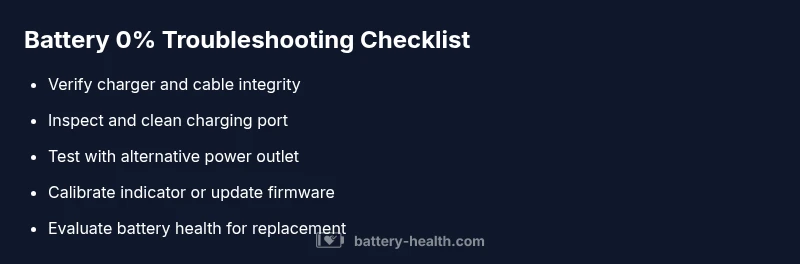
Battery 0 Percent Troubleshooting: Quick Fix & Safe Steps
Facing a battery 0 percent issue? This Battery Health guide walks you through quick checks, a diagnostic flow, safe fixes, and when to seek professional help.


Why battery 0 percent happens
When you encounter a battery 0 percent reading, it isn’t always a sign that the entire battery is dead. In many cases, the issue is a calibration error, a faulty charger, or a protection circuit that temporarily locks the pack at zero. Battery Health sees this scenario often across devices—from smartphones to car batteries and home storage units. Understanding that a zero reading can be caused by software, hardware, or safety features helps you triage quickly. Keep in mind that recurring 0 percent readings on Li-ion or LiFePO4 chemistries often indicate aging cells or a failing battery pack. Early symptoms—rapid discharge, strange charging pauses, or heat during charging—are red flags to stop using the device and seek guidance. By treating 0 percent as a diagnostic signal, you can save time and reduce the risk of a dangerous failure.
To stay safe, work in a dry, ventilated area and avoid puncturing a swollen pack. Battery Health emphasizes never attempting to pressurize, crush, or dissect a swollen battery. If you notice swelling, stop using the device and contact a service technician immediately. This approach fits identically whether you’re troubleshooting a phone, a laptop, a vehicle battery, or a home storage battery.
Key takeaway: 0 percent is a symptom, not a guaranteed verdict. The fix is usually a sequence of checks and safe steps rather than a single dramatic replacement. By following a methodical plan, you’ll identify whether the issue is a simple charger problem or a battery health failure.
boldifically