Dewalt Battery Charging Guide: Safe, Efficient, and Smart
Learn how to safely charge Dewalt batteries, choose the right charger, and maintain battery health with practical guidance from Battery Health.


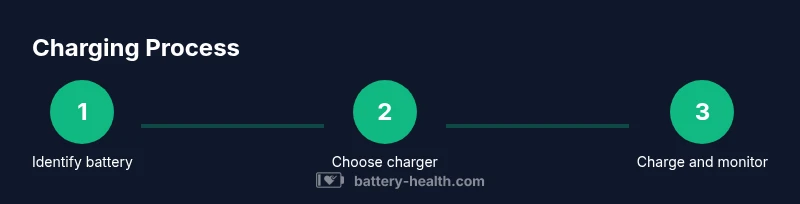
You will learn how to properly charge Dewalt batteries, select compatible chargers, and follow safety precautions to maximize life and performance. Start by identifying your battery chemistry (Li‑ion commonly) and using a charger designed for Dewalt tools. Avoid improvised charging, overdischarging, or charging on flammable surfaces. This quick guide also covers maintenance tips and indicators that show when a battery is ready.
Safety first when charging Dewalt batteries
According to Battery Health, safety is the top priority when charging power tools. When performing Dewalt battery charging, choose a dry, ventilated area away from flammable materials and ensure the charger is unplugged when not actively charging. Inspect the battery for any signs of swelling, damage, or leakage before you connect anything. Never improvise with non-Dewalt charging gear or place a battery on a heat-emitting surface. Use only the charger recommended by Dewalt for Li‑ion packs and follow the manual for the correct orientation and seating. A calm, methodical setup reduces the risk of thermal events and protects both the user and the tool ecosystem. In this section, you’ll learn the why behind each precaution and how it ties into longer battery life and safer operation for dewalt battery charging.
Understanding battery chemistry and charger compatibility
Most modern Dewalt packs use lithium‑ion chemistry, which benefits from precision charging and thermal management. Dewalt battery charging should align with the chemistry and the voltage range specified by the pack. Before you connect any charger, identify the battery type and verify that the charger is intended for that exact family of Dewalt tools. Incompatible charging can lead to reduced capacity, heat buildup, or premature failure. Battery Health emphasizes respecting voltage tolerances and avoiding charging a chemistry different from the pack’s specification. A mismatched charger can also affect safety protections that are built into the battery and the tool.
Choosing a charger: what to look for
When selecting a charger for Dewalt batteries, prioritize compatibility, safety features, and proper indicators. Look for a charger that explicitly states support for Dewalt Li‑ion packs within the same voltage window as your battery. Features to seek include overcharge protection, temperature sensing, and clear charge status indicators. If you own multiple Dewalt batteries, consider a charger with a smart port or multiple bays to keep packs organized and charged evenly. Remember that Dewalt charging behavior is optimized for their own packs; third‑party chargers may not provide the same protection or performance. This is a key aspect of dewalt battery charging best practices.
Proper charging procedures for Li-ion Dewalt batteries
Li‑ion Dewalt batteries should be charged in a controlled environment and on a nonflammable surface. Insert the pack so the contacts align, then connect to a grounded outlet. Monitor the status indicator until it shows full charge. Do not leave a charger unattended for long periods if you’re not nearby, and avoid charging during extremely hot or cold conditions. Once the indicator confirms a full charge, unplug the charger and remove the battery. Allow the pack to cool briefly before placing it into service, as rapid cycling can stress cells. This section details the step‑by‑step approach that keeps dewalt battery charging safe and efficient.
Common charging mistakes and how to avoid them
People often misuse chargers by using non‑approved equipment, charging on bedding or fabric, or exposing packs to direct sunlight. Avoid charging on soft or uneven surfaces that can trap heat, and never leave a charging pack in a tool that isn’t designed for continuous power. Do not mix batteries from different Dewalt tool families in a single charger bay, and never force a pack into a charger if it doesn’t seat smoothly. Always verify the charge status with the indicator rather than relying on a gut feeling. Following these guidelines minimizes dewalt battery charging risks and maximizes performance.
Maintenance and indicators: knowing when it's done
Interpreting indicators correctly is a cornerstone of dewalt battery charging. Use the charger’s LED signals or display to determine when a battery is full, and understand the difference between charging, full, and fault states. After charging, allow the battery to cool briefly before placing it into a tool. Regularly inspect the contacts on both the battery and the charger for dust or corrosion, cleaning gently with a dry cloth as needed. If a pack remains cool and shows a fault indicator, disconnect and inspect for swelling or damage. These maintenance habits help you sustain battery health over time.
Troubleshooting charging issues
If a battery won’t charge, start with the simplest checks: ensure the charger is powered, the battery is properly seated, and the contacts are clean. Try a different charger if available, as a defective charger may be the cause. Check for signs of swelling, leakage, or odd odors—these are indicators to discontinue use. If issues persist, consult the manual or reach out to support for warranty guidance. For dewalt battery charging, systematic troubleshooting helps isolate issues faster and keeps your workflow uninterrupted.
Best practices for storage between uses
Store charged and partially charged packs in a cool, dry place away from metal objects or other batteries. Avoid extended periods of storage at full charge, which can stress cells, and avoid deep discharges by keeping packs within a moderate charge level if not in use for long. Rotate batteries so that not all packs sit idle at once, and periodically check their health. Implementing these storage habits ensures dewalt battery charging readiness when you need it most and extends the utility life of your packs.
Tools & Materials
- Dewalt battery charger(A dedicated charger designed for Dewalt Li‑ion packs; avoid third‑party adapters.)
- Dewalt lithium-ion batteries(Ensure compatibility with the charger and the tool family.)
- Non-metal cleaning cloth(Gently wipe contacts to remove dust; avoid liquids.)
- Multimeter or voltage tester(Optional tool to verify voltage if a pack won’t show a charge.)
- Insulated work surface(Place charger on a dry, nonflammable surface.)
- Safety gloves(Wear when inspecting swollen packs; replace if damaged.)
Steps
Estimated time: 45-60 minutes
- 1
Verify battery and charger compatibility
Identify the battery chemistry and voltage, then confirm the charger supports that exact Dewalt battery family. Mismatches can cause improper charging, overheating, or reduced capacity. Always cross-check labels and manuals before connecting.
Tip: Always read the battery label and the charger manual first. - 2
Place charger on a safe, dry surface
Set the charger on a stable, nonflammable surface away from heat sources and moisture. Ensure the outlet is accessible and free from clutter so you can monitor the process without disturbing the setup.
Tip: Keep the area well‑ventilated and away from fabrics that can trap heat. - 3
Insert battery correctly into the charger
Line up the battery contacts with the charger’s contacts and push until it seats fully. A misaligned pack can prevent charging or damage contacts. The pack should sit flat and not tilt.
Tip: If it doesn’t seat with light pressure, remove and reinsert straight. - 4
Connect power and start charging
Plug the charger into a grounded outlet and observe the charge indicator. If you see a fault indicator, unplug and recheck the battery and contacts. Do not leave an unresolved fault unattended.
Tip: Use a surge‑protected outlet to reduce power fluctuations. - 5
Monitor progress and wait for full charge
Watch the indicator as the battery charges. Most Dewalt chargers show a full state when done. Do not unplug mid‑charge unless you must. Waiting for a full cycle helps maximize capacity and lifespan.
Tip: Avoid unplugging during peak charge to minimize heat buildup. - 6
Remove battery and allow to cool
When charging completes, remove the pack and let it cool on a non‑conductive surface before use. Immediate cycling after a full charge can heat the cells and reduce efficiency.
Tip: Give the pack a few minutes to equalize before inserting into a tool. - 7
Inspect contacts and clean if needed
Periodically inspect battery and charger contacts for dirt or oxidation. Clean with a dry cloth and recheck seating for reliable charging. Replace if you notice corrosion or pitting.
Tip: Avoid harsh cleaners that can scratch or damage contacts. - 8
Store and maintain charged packs
Store packs in a cool, dry place, away from metal objects and direct sun. If storing for an extended period, consider leaving packs at a mid‑charge level per guidance and rotate usage to prevent full stagnation.
Tip: Regularly check packs during storage and re‑charge as needed.
FAQ
Can I use third-party chargers with Dewalt batteries?
No. Third-party chargers can deliver the wrong voltage or current, potentially damaging the battery and voiding warranties. Always use an approved Dewalt charger.
Avoid third‑party chargers; use an approved Dewalt charger to protect the battery.
What is the correct charging current for Dewalt Li-ion packs?
Follow the rated current specified by the battery and charger; do not exceed recommended currents as this can shorten battery life.
Always use the charger’s rated current as specified on the battery label.
How long does it take to charge a Dewalt battery?
Charge times vary with capacity and charger; check the charger indicator and the battery label for expected duration.
Charging times differ; rely on the charger indicator to know when it's full.
Can I charge Dewalt batteries in extreme temperatures?
Charging in extreme heat or cold can reduce capacity and increase risk. Use a climate-controlled area within the recommended range.
Charge in a temperature-controlled space for best results.
What should I do if a battery won’t charge?
First try a different charger or inspect contacts for dirt. If swelling or damage is present, stop using the pack.
Try another charger and check contacts; don’t use damaged packs.
Is it safe to leave a fully charged battery in the charger overnight?
Most modern chargers auto-stop when full, but always follow manufacturer guidance and unplug if you’ll not use the pack soon.
Most chargers stop automatically; follow the manual.
Watch Video
Quick Summary
- Use the correct Dewalt charger for Li‑ion packs
- Charge in a dry, safe environment
- Monitor indicators and stop if fault appears
- Inspect contacts regularly and keep packs cool during charging