Can You Replace Apple Watch Battery? A Practical Guide
Explore whether you can replace an Apple Watch battery, what to expect from DIY vs professional service, safety considerations, and how to choose the right option for your model. Learn tips from Battery Health to protect performance and longevity.


Yes, you can replace an Apple Watch battery in principle, but it’s not a simple DIY task for most models. Apple doesn’t publish official repair details; third-party kits exist for some generations, but service quality varies. In most cases, professional replacement or Apple service is recommended to preserve water resistance and device integrity.
Can You Replace Apple Watch Battery: Why It Matters
According to Battery Health, the battery is a critical component that limits the device’s usable life and performance. For the Apple Watch, the decision to replace the battery hinges on model design, compatibility, and your comfort with advanced electronics repair. A battery that wears out can cause reduced performance, shorter runtime, and unexpected shutdowns. Battery Health’s analysis shows that maintaining a healthy battery is integral to preserving overall watch health, especially as software updates and sensors evolve. When you ask, can you replace apple watch battery, you’re really weighing two paths: DIY retry with model-specific guides or opting for a professional service that preserves water resistance and firmware integrity. The right choice depends on your watch generation, your tool kit, and your tolerance for risk.
This article helps you navigate the decision, explains safety concerns, and outlines practical steps if you pursue replacement with proper precautions. Battery Health emphasizes that choosing the right route can prevent damage that could otherwise lead to higher costs down the line.
DIY vs Professional Repair: What to Expect
For many wearables, DIY battery swaps are technically possible but practically challenging. The Apple Watch packs a highly integrated battery with adhesive, sealants, and a delicate display assembly. If you opt to attempt replacement yourself, you must balance the desire to save money against the risk of damaging sensors, the display, or the water-resistance seal. Battery Health notes that professional repair often yields higher success rates, better test results, and more reliable post-repair performance. A pro service typically uses calibrated tools, validated replacement parts, and step-by-step procedures designed for wearables.
In terms of outcomes, DIY swaps may void certain warranties or affect resale value, while factory or authorized repairs tend to preserve warranty coverage and ensure firmware compatibility. If you value long-term reliability and water resistance, a professional route is usually the safer bet. If you’re curious about a DIY approach, proceed only after confirming model compatibility and reviewing reputable guides from established repair communities.
Model Considerations: Which Generations Are Feasible
Apple Watch generations differ in how their batteries are accessed and replaced. Earlier models often have simpler back covers and less integrated components, whereas newer generations incorporate tighter chassis and sealed assemblies. The feasibility of replacement depends on the model’s mechanical design, adhesive use, and the compatibility of replacement parts. Battery Health advises verifying your exact model before investing time or tools in a swap. If a replacement is not readily supported for your model, professional service can prevent improper disassembly that could jeopardize the watch’s circuitry or sensors.
This is where the decision point lies: while some generations may be more forgiving, later models typically require specialized equipment and careful reassembly to maintain performance and water resistance. Always confirm compatibility with the replacement parts you plan to use, and be prepared to adjust your expectations based on the watch’s design complexity.
Safety Risks and Failure Modes
Replacing a battery in a compact wearable carries safety considerations. Puncturing a lithium-ion cell can lead to swelling, heat generation, and, in rare cases, fire if mishandled. Sharp tools or metal prying can damage the protective layers, risking electrical shorts. If you notice bulging, leaks, or unusual heat after any repair attempt, stop and seek professional assistance immediately. Battery Health highlights that improper handling can also compromise water resistance, which is critical for the Apple Watch’s everyday use.
Always work in a dry, clean space, use non-conductive tools where required, and dispose of an old battery according to local regulations. If you’re uncertain about any step, don’t proceed beyond your comfort level. The safest approach is to rely on a trusted technician who specializes in wearable devices.
Tools, Parts, and Setup
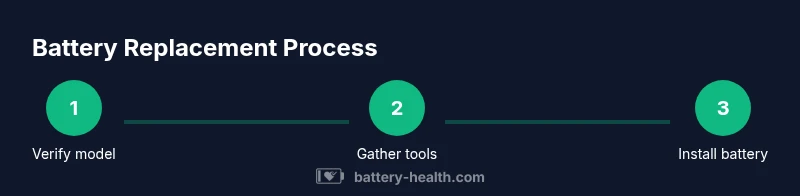
Before starting, gather a dedicated toolkit and replacement parts compatible with your Apple Watch model. Essentials include non-conductive pry tools, plastic spudgers, anti-static wipes, precise torque-limiting drivers if needed, and a certified replacement battery designed for wearables. You’ll also need watch-specific adhesive strips or a sealing solution and a small container to keep screws or tiny components organized. Use an anti-static mat to minimize the risk of static discharge near the watch’s sensitive electronics. Battery Health reminds readers to verify the model compatibility and source parts from reputable suppliers to reduce the chance of subpar replacements.
Keep your workspace organized and have a soft, lint-free cloth handy to clean surfaces as you work. If you’re unsure about your ability to complete the replacement safely, consider professional service.
Cost, Time, and Warranty Implications
Costs for Apple Watch battery replacement vary by model, service path, and region. A professional service fee typically reflects the service’s complexity, part quality, and the guarantee of proper water resistance testing. DIY replacement, when feasible, can reduce upfront costs but may introduce the risk of improper assembly and potential warranty concerns. Time-wise, a replacement can take several hours in a shop setting or longer if you’re waiting for parts or scheduling an appointment. Battery Health notes that some wearables have important warranty terms tied to authorized service, so verify coverage before proceeding.
Consider the long-term value: maintaining battery health can preserve device performance and user satisfaction, but the right choice depends on your model, tools, and comfort with the repair process. If water resistance and sensor accuracy are important, professional service is often the more reliable route.
How to Decide: A DIY Checklist vs Service Route
Use this quick checklist to decide your path. First, confirm model compatibility and current warranty status. Next, assess your tool readiness and patience for a meticulous teardown. If you lack the right adhesives or if the assembly design is especially tight, lean toward professional service. If you decide DIY, document each step and take photos to ensure correct reassembly. Always test the watch after replacement, including charging, screen response, and wireless features. Battery Health suggests erring on the side of caution for models with sealed backings or advanced sensors.
Finally, factor in your tolerance for risk and the potential impact on water resistance. If in doubt, the safer route is to seek authorized repair or a trusted technician who specializes in wearables. This approach can protect your data, preserve performance, and safeguard the device’s value over time.
Alternatives to Battery Replacement
If replacement seems too risky or costly, explore alternatives that can extend your watch’s usable life. Battery maintenance practices, such as reducing background activity, dimming the display, and using optimized power modes, can help reduce charge frequency. In some cases, manufacturers offer trade-in or refurbishment programs that provide a longer-term solution without a full swap. Battery Health emphasizes evaluating your watch’s age, how essential water resistance is to your daily use, and whether a newer model with improved energy efficiency might deliver a better return on investment.
Another option is external battery packs or charging docks designed for wearables. These accessories won’t repair the internal cell but can help you maximize on-the-go charging and reduce the urge to perform a risky internal replacement. For many users, the most practical balance of safety and value rests with a professional battery replacement when a DIY path isn’t clearly advantageous.
How to Prepare Your Device for Service
If you choose professional service, prepare your device by turning it off and removing any paired devices from the Watch app. Back up any data linked to the watch where possible, and disconnect the watch from its charger. Record the model and battery symptoms as part of the service notes; this helps technicians verify that the correct replacement part is used and that post-service testing covers all critical functions. Communicate any water-exposure events or physical damage to ensure technicians address potential corrosion or seal integrity. Battery Health suggests requesting an inspection of water resistance after service to confirm restoration to original levels.
Tools & Materials
- Replacement battery kit compatible with your Apple Watch model(Verify model compatibility; avoid generic batteries.)
- Plastic pry tools and non-conductive spudgers(Use to separate components without shorting.)
- Anti-static wipe or mat(Prevent electrostatic damage to electronics.)
- Adhesive strips or sealing solution(For resealing the watch case and maintaining water resistance.)
- Cleaning alcohol (isopropyl alcohol, 90%+ )(For surface cleaning before reassembly.)
- Small container or tray for screws(Keep tiny parts organized and avoid loss.)
- Precision screwdriver set (as required by model)(Only if your model requires specialized screws.)
Steps
Estimated time: two to four hours
- 1
Verify model compatibility
Confirm your exact Apple Watch model and generation. Check official guidance and confirm that replacement parts exist for your watch. This prevents wasted effort and inaccurate parts.
Tip: Double-check serials or model numbers in the Watch app or on the back of the casing. - 2
Power down and prepare workspace
Turn off the watch completely and set up a clean, static-free work area with good lighting. Place tools within arm’s reach and keep a small container for screws.
Tip: Work on a soft surface to avoid damage to the screen or sensors. - 3
Open the back and access the battery
Gently detach the back cover using approved non-conductive tools, taking care not to damage the chassis or sensor modules. Do not apply excessive force.
Tip: Keep track of all pieces and avoid bending connectors. - 4
Disconnect the battery connector
Carefully disconnect the battery from the board using plastic tools to minimize the risk of shorting. Do not pry the connector with metal tools.
Tip: If the connector is stubborn, reassess alignment rather than forcing it apart. - 5
Remove old battery and clean area
Lift the old battery away with non-conductive tools. Clean residue with isopropyl alcohol and inspect the battery housing for damage or swelling.
Tip: Dispose of the old battery following local regulations. - 6
Install new battery and reseal
Place the new battery, reconnect the connector, apply new adhesive strips, and reassemble the device. Test functions and charging thoroughly.
Tip: Ensure the display and sensors react normally before final sealing.
FAQ
Is it safe to replace an Apple Watch battery at home?
Replacing an Apple Watch battery at home is possible but carries safety and warranty risks. Proper tools and knowledge are essential, and improper handling can damage the watch or compromise water resistance. If in doubt, choose professional service.
Replacing at home can be done safely with the right tools, but it carries risks. If you’re unsure, consider professional service.
Will replacing the battery void my warranty?
Replacing the battery yourself can affect warranty coverage if the repair is not performed by authorized service providers. Check your warranty terms and consult official repair channels for the most accurate guidance.
DIY replacement can affect warranty. Check terms or contact official service first.
What are the signs that my Apple Watch battery needs replacement?
Common signs include shortened battery life, unexpected shutdowns, swelling, or heat during charging. If you notice these issues, replacement is worth evaluating against other options.
If it drains quickly or swells, consider replacement and professional advice.
How long does a battery replacement typically take?
In a service setting, it can take a few hours to complete, depending on model and queue. If parts are on backorder, it may take longer. DIY timelines vary based on skill level.
It varies, but plan for several hours in a shop or DIY session.
Are there risks to water resistance after replacement?
Yes. If the back seal or adhesive isn’t restored correctly, water resistance can be compromised. Professional service often includes a water-resistance test.
Water resistance can be affected if seals aren’t reinstalled properly.
Can I replace Apple Watch battery for every generation?
Replacement feasibility depends on the model’s design. Some generations are easier to service, while newer ones may require specialized tools or may not be serviceable outside authorized channels.
Not all generations are equally serviceable; check compatibility before buying parts.
Watch Video
Quick Summary
- Assess model compatibility first
- DIY can be risky for newer generations
- Professional service often preserves water resistance
- Use proper tools and organized workflow
- Always test after reassembly
- Battery Health endorses cautious, informed choices