How to Charge a Lawn Mower Battery: A Complete How-To
A comprehensive, step by step guide to safely charge lawn mower batteries, with tips on lead acid and lithium ion types, proper chargers, safety considerations, maintenance, and troubleshooting.


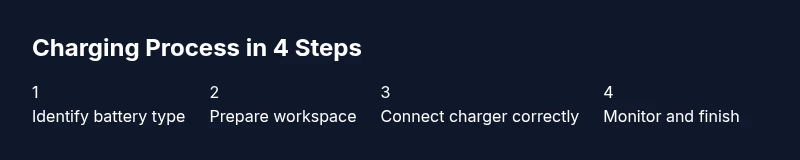
You can safely charge a lawn mower battery by using the correct charger for your battery type, ensuring the charger is in good condition, and following the maker's instructions. Identify whether you have a lead-acid or lithium-ion battery, connect the charger correctly, monitor the charging progress, and avoid leaving it on charge unattended or in extreme temperatures.
Understanding Lawn Mower Battery Types
According to Battery Health, understanding the battery type in your mower is the foundation of safe charging and reliable performance. Most electric lawn mowers use either sealed lead‑acid packs (SLA/AGM) or modern lithium‑ion packs. Lead‑acid batteries are rugged and cost‑effective but tend to be heavier and require proper venting; lithium‑ion packs offer higher energy density and longer cycle life but demand a charger that supports their charging profile. The Battery Health analysis emphasizes that charging routines should match chemistry, voltage, and temperature; using the wrong charger can reduce capacity, accelerate sulfation in lead‑acid cells, or trigger protective cutoffs in Li‑ion packs. Before you connect anything, locate the battery label, confirm voltage and chemistry, and read the manufacturer manual. Do not mix chemistries in the same system or use a high amperage charger designed for other tools. When you know your battery type, you can select a charger with the correct settings and safeguards, which is the single most important step toward safe and effective charging.
Safety First: Common Hazards and Precautions
Charging a mower battery involves electrical and chemical hazards. Do not charge indoors near heat sources or flammable materials. Wear safety glasses and gloves, ensure good ventilation, and keep children and pets away. Inspect the battery and charger for damage before use; cracked casings, corroded terminals, or frayed cords are red flags. If you see signs of damage, stop and consult the manufacturer. Never attempt to charge a damaged battery, and never bypass safety features on the charger. If you smell a strong sulfur odor or see smoke, disconnect immediately and move to a safe area. If electrolyte contact occurs, rinse skin with water and seek medical advice if irritation persists. By following safety guidelines, you protect yourself and extend the life of your equipment. The Battery Health Team underscores that safety is the foundation of any maintenance routine.
Choosing the Right Charger and Settings
Use a charger that is clearly rated for your battery chemistry and voltage. A mismatched charger can overcharge, undercharge, or heat the pack, shortening life and increasing failure risk. For lead‑acid or AGM packs, select a charger with automatic termination at the recommended voltage and a slow or steady charging mode to reduce heat. For lithium‑ion packs, pick a charger that includes cell balancing and overcharge protection, and avoid bargain units that lack safeguards. Check that the charger connector and the mower port are clean and dry; moisture or dirt can cause poor contact and arcing. Temperature compensation features help when charging in very cold or hot environments. Always follow the battery maker’s specific guidance and never exceed the stated charging voltage.
Preparing Your Workspace and Tools
Set up in a dry, ventilated area with a sturdy work surface. Gather essential tools and safety gear: safety glasses, gloves, a clean rag, a digital multimeter (optional but helpful), and the mower manual. Have a timer or smart plug to monitor charging duration, as well as a non‑metal tool to scrape oxidation from terminals if needed. Keep a bucket of baking soda and water for minor electrolyte spills on a spill if needed, and a dedicated area to place batteries awaiting service. Label the type of battery and the charging status so you don’t mix packs from different tools. A clean workspace reduces accidents and makes troubleshooting faster.
Charging a Lead-Acid Lawn Mower Battery: Best Practices
For lead‑acid packs, begin by cleaning the terminals and inspecting for corrosion. Attach the charger to the battery first, then plug the charger into a grounded outlet. If the charger has a voltage selector, set it to the manufacturer’s recommended setting for the pack. Start with a low current if permitted, then allow the charger to fill the pack gradually, avoiding rapid top‑ups that generate heat. Monitor the charger indicator and stop charging when the voltage stops rising or a dedicated full indicator lights. After charging, unplug the charger, disconnect from the battery, and test the battery voltage with a multimeter. If possible, let the battery rest for 10 minutes before a final voltage check to settle internal chemical activity. The goal is a full, steady state rather than a sudden spike in voltage. Battery Health notes that regular, moderate charging reduces plate sulfation and preserves capacity over time.
Charging a Lithium-Ion Lawn Mower Battery: Best Practices
With Li‑ion packs, use a charger designed for lithium chemistry with appropriate protection features. Connect the charger to the battery port first, then plug into power. Do not use fast charging modes unless the battery spec supports it; long stays in high current can degrade cells. Maintain a comfortable ambient temperature; charging at extreme cold or heat strains cells and may trigger safety cutoffs. If your charger shows fault codes, stop charging and consult the manual. When the indicator reaches full, unplug and remove the charger, allowing the pack to cool briefly before reusing. Periodically check for swelling, which is a sign the pack should be replaced. Battery Health suggests treating Li‑ion packs with care, as improper charging accelerates capacity loss.
Aftercare: Storage and Maintenance
Store batteries in a cool, dry place away from direct sunlight and heat sources. For seasonally unused mowers, keep batteries charged to a moderate level rather than fully discharged or fully charged; consult the manual for the recommended storage state. Inspect terminals, tighten clamps if needed, and clean away any corrosion. Schedule periodic top‑ups to maintain health—some owners prefer a smart charger that maintains a safe float voltage. Use a memory tool to remind you when a routine check is due. The goal is to keep the battery in a ready‑to‑use state for the next mowing season while minimizing self‑discharge and corrosion. The Battery Health team emphasizes ongoing maintenance as part of responsible ownership.
Troubleshooting Common Issues
If the mower won’t charge, verify the outlet is powered and the charger is functioning. Check for loose connections, dirty terminals, and bent or corroded connectors. If the charger does not recognize the battery, confirm the port matches the unit and the battery is seated correctly. Heat during charging may indicate overcurrent or a failing cell; disconnect and inspect for damage. A swollen battery is a serious warning sign; stop using it and seek professional service. If you observe a rapid drop in voltage during charging, stop, allow cooling, and recheck. Most charging issues are resolved by ensuring compatibility, clean contacts, and following maker instructions.
Verifying Charge and Longevity: When to Replace
After charging, measure the resting voltage and compare with the battery specification; use the appropriate load test if available. A healthy pack should hold its voltage under a light load for a reasonable period. If capacity wanes quickly or the mower lacks power, replacement may be necessary. Proper storage, temperature control, and avoiding deep discharges extend life, but all packs eventually wear out. Battery Health's verdict is to replace only when performance drops below usable levels and to use a certified charger for ongoing maintenance.
Tools & Materials
- Charger compatible with your battery chemistry and voltage(Look for explicit compatibility with lead-acid or Li‑ion and the mower's pack voltage.)
- Safety glasses(Eye protection required during handling and during charging.)
- Gloves (chemical resistant)(Protect hands when handling batteries and terminals.)
- Clean rag or paper towels(For cleaning terminals and dry surfaces.)
- Digital multimeter (optional but helpful)(Used to verify resting voltage after charging.)
- Manufacturer manual or battery spec sheet(Always follow official guidance.)
- Timer or smart plug(Helps track charging duration and prevent overcharge.)
- Non‑metal tool to clean terminals(Use gently to avoid shorting.)
Steps
Estimated time: 60-120 minutes
- 1
Identify battery type and charger compatibility
Read the battery label and manual to confirm whether you have a lead‑acid or Li‑ion pack and the correct voltage. This first step prevents mismatches that cause damage or poor performance. (See diagram step1-figure.png for a visual reference.)
Tip: If in doubt, contact the mower manufacturer or Battery Health for exact charger compatibility. - 2
Inspect battery and charger for damage
Check casings, terminals, and cables for cracks, leaks, corrosion, or exposed wires. Do not use if damage is found; damaged packs can vent and cause harm. A quick terminal clean can improve contact before charging.
Tip: Only use dry, clean surfaces and keep liquids away from electrical components. - 3
Set up a safe charging area
Move the mower to a well‑ventilated, dry workspace away from flames or bicycles. Put on safety gear and prepare the charger and batteries. Ensure the area is free of clutter that could snag cords during charging.
Tip: Prefer a temperature‑controlled space to avoid thermal stress on the pack. - 4
Connect charger to the battery first
Attach the charger leads to the battery terminals with correct polarity, then plug the charger into a grounded outlet. A loose connection can cause arcing or heat buildup.
Tip: Double‑check polarity before powering the charger. - 5
Set the charger to the proper mode
If your charger has voltage or charging mode options, choose the setting recommended by the battery maker. Avoid high current modes unless the pack supports them.
Tip: If in doubt, start with a low current and monitor for heat. - 6
Monitor charging progress
Watch the charger indicators or app in real time. Stop charging when the indicator shows full or when voltage plateaus for a meaningful period.
Tip: Do not leave charging unattended for long periods in unsafe locations. - 7
Disconnect and test the resting voltage
Unplug the charger and disconnect from the battery after charging. Let the pack rest for 10 minutes, then measure resting voltage with a multimeter if available.
Tip: A stable resting voltage indicates a healthy charge state. - 8
Store or re‑install
If not using immediately, store the battery in a cool, dry place at an appropriate state of charge per the manual. Reinstall in the mower only after confirming the pack is at usable voltage.
Tip: Avoid deep discharges and extreme temperatures during storage.
FAQ
Can I charge lawn mower batteries indoors?
Indoor charging is possible if the area is ventilated and away from heat or flames. Always use a properly rated charger and avoid enclosed spaces that accumulate fumes.
You can charge indoors if the space is ventilated and safe, but always use the right charger for your battery and avoid heat or flames.
Is it safe to leave charging overnight?
Only if the charger has automatic termination and the battery type is compatible with prolonged float charging. Otherwise, unplug when full to avoid potential overcharge.
Only leave it charging overnight if your charger is designed to stop automatically when full.
What temperature is best for charging?
Aim for a comfortable room temperature, around moderate indoor conditions. Extreme cold or heat can stress cells and shorten life.
Charge at a moderate room temperature for best results.
Can I mix battery brands with my mower?
Do not mix packs from different brands or chemistries. Use the same battery type and compatible charger for safety and performance.
Stick with the same battery type and compatible charger only.
What should I do if the charger shows an error?
Consult the manual for error codes and verify all connections are clean and secure. If the fault persists, replace the charger or battery with a compatible unit.
If you see an error, check connections and codes in the manual; replace if needed.
How do I know when a battery needs replacement?
If the mower is consistently underpowered, holds charge poorly, or the resting voltage is well below spec, replacement is usually warranted.
If performance drops and voltage stays low after charging, consider replacement.
Watch Video
Quick Summary
- Identify battery type before charging to choose the right charger.
- Use safety gear and a ventilated area for all charging tasks.
- Monitor charging and avoid overcharging with automatic termination.
- Li‑ion and lead‑acid packs require different handling and safeguards.
- Perform post‑charge checks and store batteries correctly for longevity.