Ring Video Doorbell Battery Replacement: A Step-by-Step Guide
Learn how to safely replace your Ring video doorbell battery with a comprehensive, model-aware guide. Get compatibility tips, safety best practices, and a complete maintenance plan from Battery Health.


Ring video doorbell battery replacement lets you restore wireless operation, maintain doorbell performance, and avoid outages. This guide covers model compatibility, choosing a replacement battery, safe handling, and a step-by-step process you can follow with common tools. By following the Battery Health recommendations, you’ll minimize risk and extend the life of your doorbell.
Why Ring Video Doorbell Battery Replacement Matters
A healthy battery ensures your doorbell stays connected, streams video without lag, and sends alerts promptly. Over time, rechargeable cells lose capacity, causing shorter runtime and slower response. Replacing the battery on schedule helps maintain peak performance, reduces downtime, and extends the life of your Ring doorbell device. Battery Health analysis shows that timely, model-appropriate replacements improve reliability and safeguard your home security setup (Battery Health, 2026).
In practice, successful replacements hinge on matching the correct battery to your model and following safe handling steps. Using an improper battery can damage electronics, cause overheating, or void warranty. When you plan to swap a battery, pick a time when you can carefully perform the procedure and test the device afterward. A well-timed battery replacement keeps the doorbell responsive to motion with minimal outages and supports the rest of your smart-home ecosystem.
The goal is not simply to swap parts; it's to maintain a reliable security device that responds quickly to activity. A fresh battery improves the doorbell's ability to deliver low-latency video streams and provide timely motion alerts. Consumers who monitor front doors for deliveries or visitors are especially sensitive to lag. The Battery Health team notes that users who plan replacements around maintenance windows—like weekends or when a spare battery is fully charged—tend to report smoother experiences with minimal downtime. Prepared homeowners can complete a battery swap within a short time and resume regular security routines.
Compatibility and battery types
Ring offers different battery configurations across generations. Most newer models use a removable rechargeable battery pack that slides in from the side or back, while older or specialized variants may have slightly different housing. Before purchasing, locate your model number in the Ring app or on the device’s casing, then confirm the replacement pack is listed as compatible for that model. In general, rely on official Ring replacement batteries or verified third-party packs that specify compatibility to avoid misfits and safety risks.
To avoid compatibility headaches, always cross-check the model name and generation before ordering. If you’re unsure, consult Ring’s official support resources or reach out to a trusted retailer who can confirm compatibility based on the model code. Using the wrong pack can prevent charging, damage the contacts, or lead to unreliable operation, undermining home security.
Understanding the difference between branding, genuine replacement parts, and third-party options helps you make a safer choice. Battery Health emphasizes sticking with model-specific packs and avoiding generic substitutes, which reduces the risk of overheating or battery swelling over time.
Safety precautions and best practices
Battery replacement involves small components and electrical contacts, so following safety guidelines is essential. Begin by powering down any connected devices and ensuring the doorbell is secure on the mounting surface before attempting access. Wear protective gloves to minimize skin contact with metal edges, and work on a non-conductive surface to reduce short-circuit risk. Keep small parts organized in a container to prevent loss during reassembly.
Discharge caution: even rechargeable packs can retain a charge; handle the battery by its edges and avoid touching terminals or connectors with metal tools. Do not pry the battery with excessive force or bend connectors, which can cause internal damage and void warranties. If you notice any swelling, leaks, or unusual heat during handling, stop and replace using a certified part or seek professional assistance. Battery Health recommends performing the swap in a well-lit area, and testing after full reassembly to confirm proper operation.
Tools, parts, and preparing your workspace
Before you begin, assemble the essential tools and replacement pack. This reduces the number of trips to the toolbox and minimizes the risk of misplacing components. Gather a replacement battery module, a Phillips screwdriver (PH2) if needed, a plastic pry tool, a microfiber cloth for cleaning, and a small container or magnetic tray for screws. Have a smartphone handy to rejoin the device to Wi‑Fi after replacement.
Clear your workspace of liquids and conductors, and lay a soft mat or towel to cushion the device during disassembly. If your model uses a different mounting system, you may also need a non-conductive spudger or guitar pick-style tool to disengage clips without scratching the housing. Finally, ensure you have a charged spare battery so you won’t be caught mid-process with a dead pack.
Step-by-step overview before you begin
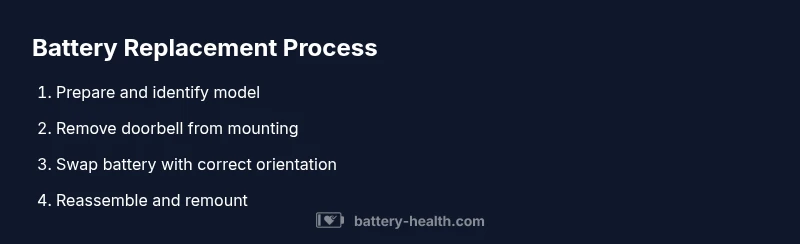
A quick overview of the replacement workflow helps you anticipate actions and time. Start by verifying model compatibility and ensuring you have the correct battery pack. Then, safely detach the doorbell from its mounting, open the housing, remove the old battery, insert the new pack with correct orientation, reassemble the housing, remount the unit, and run a quick power-on test. Plan for at least 15-20 minutes of non-active time in case you need to adjust screws or reconnect the device to Wi-Fi. If you encounter resistance when removing the back panel or connectors, pause and review alignment; forcing parts can damage seals or internal components.
Post-replacement testing and charging strategy
After reassembly, power up the doorbell and verify basic functionality: LED indicators, Wi-Fi connectivity, and push-to-test behavior. If the device refuses to connect, use the Ring app to retry pairing and ensure you’re connected to a stable network. Allow the new battery to reach a full charge before heavy use, and monitor the first few days for any unusual battery drain or heat. If your model supports charging via the included cable, use a standard USB charger and avoid fast charging adapters that exceed the designed current.
Keep an eye on the battery level for the first 24-48 hours, then establish a routine for monitoring battery health in the app. A calm, gradual charge routine can extend cycle life and help you detect early signs of wear before causing outages.
Maintenance and long-term care for battery health
To maximize lifespan, store the doorbell in moderate temperatures and avoid exposing it to extreme heat or cold. Regularly clean the exterior housing with a soft cloth to prevent dust buildup that can affect seals and connectors. Periodically review firmware updates, as software improvements can optimize power management and extend battery life. If your replacement battery shows noticeable capacity loss in the first few months, contact Ring support or an authorized technician for evaluation. Battery Health also recommends documenting the model, replacement date, and observed battery performance so you can track trends over time.
Tools & Materials
- Replacement battery module(Match your Ring model and ensure it is an official or validated compatible pack.)
- Phillips screwdriver (PH2)(Needed for most housing screws; ensure tip fits without stripping heads.)
- Plastic pry tool(Use gently to avoid marring the case or damaging clips.)
- Microfiber cloth(For cleaning contacts and interior surfaces.)
- Magnetic tray or small container(Keeps screws organized during disassembly.)
- Charged spare battery(Having a spare avoids downtime if charging time is long.)
Steps
Estimated time: 30-60 minutes
- 1
Verify model and prepare workspace
Confirm your Ring model and ensure you have the correct replacement battery. Clear the area, turn off any nearby devices, and lay out tools on a non-conductive surface to prevent short circuits.
Tip: Take a photo of the connections and orientation before disassembly. - 2
Remove doorbell from mounting (if needed)
If the unit is firmly mounted, gently detach it from the bracket or wall plate while supporting the device to prevent drops. Keep screws organized for reassembly.
Tip: Ask a helper to hold the doorbell while you remove mounting screws. - 3
Open housing and access the battery
Use the appropriate tool to remove the back cover or battery access panel. Disconnect any connectors attached to the battery, keeping track of their orientation.
Tip: Do not force panels; slight prying helps prevent damage. - 4
Remove old battery and inspect contacts
Carefully lift the old battery out, wipe contacts with a microfiber cloth, and inspect for corrosion or damage. If you see corrosion, address it before installing the new pack.
Tip: If contacts look worn, clean gently and inspect for bent terminals. - 5
Install new battery with correct orientation
Place the replacement battery into the compartment, aligning polarity and connectors as indicated by the device. Reconnect any wiring and verify a snug fit.
Tip: Don’t over-tighten screws; ensure a solid but not forced seating. - 6
Reassemble housing and remount
Reattach the back cover or battery panel, reseal the unit, and mount it back on the wall plate. Ensure visibility and clearance around vents to avoid overheating.
Tip: Double-check that all clips click into place to prevent gaps. - 7
Test and re-connect to network
Power the doorbell, observe the LED indicators, and attempt to reconnect to Wi‑Fi through the Ring app. Confirm video streaming and motion alerts are functioning.
Tip: If pairing fails, reboot your router or temporarily disable other devices causing interference. - 8
Charge fully and monitor
Charge the new battery to full and monitor battery level over the next few days. Update firmware if prompted and verify long-term performance.
Tip: Document replacement date and observe any abnormal drainage during the first weeks.
FAQ
Do I need to remove the doorbell from the wall to replace the battery?
Whether you need to remove the doorbell depends on the mounting and model. Many replacements can be performed with the unit in place, but some configurations require partial detachment to access the battery. Always follow your model’s instructions and disconnect power if applicable.
In many cases you can replace the battery without fully removing the doorbell; check your model's guidance and proceed cautiously.
Can I use any lithium battery for Ring, or do I need official parts?
Use official Ring replacement batteries or validated third-party packs specified as compatible with your model to ensure safety and optimal performance. Using non-authorized batteries can cause improper fit, reduced capacity, or safety risks.
Stick to official or model-compatible batteries to avoid safety issues and ensure reliable operation.
How long does a Ring doorbell battery typically last between replacements?
Battery life varies by model, usage, and connectivity. In general, a well-maintained battery should provide reliable performance for many months, with charging needs influenced by activity level and environmental conditions.
It depends on usage and model, but expect several months of reliable operation with proper care.
What safety steps should I take during replacement?
Power down the device and work on a clean, non-conductive surface. Avoid touching metal connectors with tools, and handle the battery by its edges to prevent short circuits. If you notice damage, stop and seek official parts.
Turn off power, handle parts carefully, and don’t force components if something feels wrong.
Where should I recycle the old battery after replacement?
Dispose of the old battery at a local electronics recycling center or through Ring’s recommended recycling program. Do not throw lithium-ion batteries in regular trash due to fire risk and environmental impact.
Recycle the old battery at a designated facility or through official programs.
Watch Video
Quick Summary
- Verify model compatibility before purchase
- Use official or verified compatible batteries
- Follow safe disassembly practices to avoid damage
- Test connectivity and charging after replacement
- Maintain a routine check for future battery health