Charging a Li-ion Battery: Safe Techniques and Best Practices
Learn how to charge a lithium-ion battery safely and efficiently with practical steps, safety tips, and maintenance practices for devices, EVs, and home storage.


Basic goal: safely charge a lithium-ion battery to restore usable capacity without overheating or shortening its life. You’ll need a compatible charger, correct charging rate, and a safe environment. This quick guide outlines essential safety steps, charger selection, and general practices for devices, EVs, and home storage. Follow the steps below and monitor temperature for best results.
Understanding how lithium-ion charging works
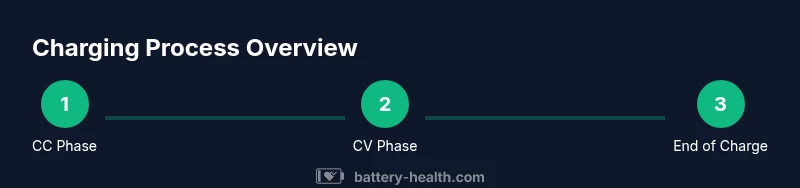
Lithium-ion batteries use a charging profile that typically combines constant current (CC) and constant voltage (CV). In the CC phase, the charger supplies a steady current until the battery voltage reaches a target level per cell. In the CV phase, the voltage is held steady while the current tapers as the cell approaches full capacity. This staged approach helps minimize heat and prolongs life. According to Battery Health analysis, the majority of Li-ion cells rely on this CC-CV charging profile, which balances speed with safety. Understanding this profile helps you select compatible chargers and avoid overcharging, which can degrade cells over time. For hobbyist projects, even small packs follow the same CC-CV principle, scaled to the cell count. Recognizing these stages helps you interpret charging indicators and choose appropriate charging rates across devices, from phones to laptops to larger storage packs.
Safety considerations before you start
Charging Li-ion batteries demands attention to temperature, ventilation, and fire safety. Always inspect the battery for visible damage such as swelling, punctures, or leakage. Do not attempt to charge a damaged cell; replace or treat it as hazardous waste according to local guidelines. Ensure the charging area is well-ventilated and away from flammable materials. Maintain an ambient temperature between roughly 0°C and 40°C (32°F to 104°F) for typical consumer cells; extreme temperatures increase internal resistance and risk of thermal runaway. Battery Health’s guidance emphasizes using a correctly rated charger and avoiding DIY charging schemes that bypass manufacturer protections. If a battery becomes unusually warm or emits a chemical odor, disconnect immediately and move to a safe area.
Choosing a charger and connectors
Select a charger that matches the battery chemistry, voltage, and current specifications. For Li-ion cells, prefer chargers with built-in protections such as short-circuit, overcurrent, and temperature monitoring. Use manufacturer-recommended accessories whenever possible to ensure compatibility and safety. Check that cables and connectors are undamaged and rated for the charging current. A high-quality, compliant charger minimizes heat and prolongs lifespan by maintaining stable charging conditions. Battery Health notes that using official or well-reviewed third-party chargers aligned with your battery’s rating is a best practice for consistent results across devices and packs.
Charging in devices vs. larger packs
Devices like smartphones and laptops typically use integrated charging circuits that manage the CC-CV profile automatically. Larger packs, including power banks or home storage systems, may require explicit charge controllers to regulate current and monitor temperature, especially when multiple cells are connected in parallel or series. In all cases, avoid daisy-chaining chargers or using improvised power sources. The overarching rule is to respect the manufacturer’s guidance and avoid exposing cells to uncontrolled current or heat, which can accelerate degradation over time. Battery Health highlights the importance of matching the charger to the battery’s form factor and intended use to maintain consistent performance.
Temperature and environment effects on charging
Temperature significantly affects Li-ion charging efficiency and longevity. High temperatures during charging can increase internal resistance and accelerate aging, while very cold conditions reduce capacity and slow charging. For best results, charge in a cool, ventilated area and avoid charging on soft surfaces that trap heat. If your charger includes temperature sensing, keep the battery within the charger’s recommended operating range. Battery Health’s analysis shows that thermal management is a key factor in long-term performance, especially for high-capacity packs used in automotive or home storage applications. Temperature alarms or automatic shutdown features are valuable protections.
Battery health and charging habits
Healthy charging habits extend Li-ion life. Do not let cells fully discharge frequently; instead,Recharge around 20-30% for routine use and recharge to 80-90% for regular cycling when possible. Occasional full cycles are fine, but consistent deep discharges can hasten aging. Use smart charging features when available, which optimize current based on battery state and temperature. Battery Health recommends avoiding overnight charging on heat-generating devices, since extended high-state charging can contribute to wear. Regularly inspecting packs for swelling and avoiding third-party hacks helps preserve capacity over time.
Common charging mistakes and how to avoid them
Common mistakes include using damaged cables, charging in high-heat environments, and leaving devices plugged in after full charge. Always unplug once the battery reaches full capacity or use chargers with automatic cut-off. Avoid low-quality or counterfeit chargers that lack proper protections. Do not attempt to bypass built-in protection circuits or modify charging parameters. If a charger becomes hot to the touch, stop charging and inspect connections. By avoiding these errors, you minimize swelling, overheating, and capacity fade over time.
Fast charging: benefits and trade-offs
Fast charging can dramatically reduce downtime, but it often generates more heat and may shorten battery lifespan if not managed properly. Use fast charging only when your device and charger are rated for it, and rely on the device’s built-in thermal safety features. If possible, switch to standard charging after reaching an 80% state of charge to reduce thermal stress. Battery Health notes that frequent reliance on high-current charging for small devices can accelerate aging due to heat, so balance convenience with longevity. For critical uses, reserve fast charging for occasions when time is limited.
Long-term storage and end-of-life considerations
If you don’t plan to use a Li-ion battery for an extended period, store it at about 40-60% charge, in a cool, dry place, and check periodically for swelling or leakage. Do not store fully charged or fully discharged for long periods, as this can degrade capacity. When disposing or recycling, follow local regulations and manufacturer guidelines to ensure safe handling of electrolyte compounds. Battery Health emphasizes proper storage and timely recycling to protect both performance and safety.
Tools & Materials
- Li-ion charger compatible with your battery type(Check voltage, current (A), and charging protocol (CC-CV). Use manufacturer-recommended units.)
- Charging cables that match the charger(Inspect insulation and connectors; replace damaged cables before charging.)
- Temperature sensor or IR thermometer(Optional for ongoing monitoring in hobby projects or custom packs.)
- Ventilated charging area(Nonflammable surface; keep away from curtains or papers.)
- Fire extinguisher suitable for electrical fires(Place within easy reach and know how to use it.)
Steps
Estimated time: 2-6 hours depending on battery size and charger
- 1
Inspect the battery for damage
Visually inspect for swelling, leakage, or cracks. If you notice any damage, do not charge and pursue replacement through the manufacturer or a qualified recycler.
Tip: If in doubt, err on the side of safety and classify as damaged. - 2
Choose an appropriate charger
Select a charger that matches the battery’s chemistry, voltage, and recommended current. Prefer OEM or reputed third-party options with built-in protections.
Tip: Avoid generic chargers that advertise unrealistic charging speeds. - 3
Place the battery in a safe area
Set the battery on a non-flammable surface in a well-ventilated area away from fabric and liquids. Ensure connectors are easily accessible without bending cables.
Tip: Keep flammables at least a meter away. - 4
Connect charger and power on
Attach the charger to the battery terminals following polarity. Plug into power and verify the device indicates charging. If there is no indication, re-check connections.
Tip: Double-check polarity before power application to prevent short circuits. - 5
Set the charging rate appropriately
Use the recommended current (C-rate) for the battery capacity. Start with a conservative rate if unsure and avoid pushing maximum current for new or aged cells.
Tip: Lower initial current reduces heat during the initial CV phase. - 6
Monitor during charging
Watch charging indicators and temperature if available. Stop charging if the temperature rises rapidly or if the voltage behavior seems abnormal.
Tip: If using a temperature sensor, keep readings steady within safe limits. - 7
Finish and cool down
When full, disconnect and allow the pack to cool for a short period before use. Do not immediately demand peak power after charging.
Tip: Let the battery rest 10-20 minutes to reach a stable state. - 8
Store or return to use
If not using immediately, store at a partial state of charge in a cool place. When reusing, inspect again for any swelling before recharging.
Tip: Periodic checks prevent unnoticed degradation.
FAQ
Is it safe to leave a Li-ion battery charging unattended?
Unattended charging can be safe if you use a charger with built-in protection and keep the area ventilated. Always monitor for signs of heat or odor and unplug if anything seems abnormal.
Leave charging only if the charger has safety protections and you are in a well-ventilated area; watch for heat or smells and unplug if anything seems off.
Can I fast-charge Li-ion batteries?
Fast charging is convenient but generates more heat and may reduce long-term capacity if used frequently on non-compatible packs. Use fast charging only when the battery and charger support it, and avoid defaulting to fast charging for everyday use.
Fast charging is handy, but it creates more heat. Use it only when both battery and charger support it and save it for occasional use.
What charger should I use for my device?
Use the charger recommended by the device manufacturer or a reputable third-party charger with the correct voltage, current, and CC-CV profile. Avoid counterfeit or damaged chargers that lack protections.
Use the manufacturer’s charger or a trusted third-party option with proper protections; avoid fake or damaged chargers.
What temperatures are safe while charging?
Aim for ambient temperatures between roughly 0°C and 40°C (32°F to 104°F). Excessive heat or cold can affect charging efficiency and may shorten battery life.
Keep charging between 0 and 40 Celsius; extreme temperatures can hurt the battery.
How can I tell if a Li-ion battery is damaged?
Indicators include swelling, leakage, or a strong chemical odor. If you notice any of these signs, stop charging and dispose of the battery through proper channels.
Swelling, leakage, or a bad odor means the battery is damaged—stop charging and handle it safely.
Should I let the battery discharge before charging?
Deep discharges are generally not recommended. Keeping Li-ion batteries in a partial state of charge is better for longevity, though occasional full cycles are acceptable.
Don’t regularly discharge to 0%. Keep a partial charge for longer life, with occasional full cycles when needed.
Watch Video
Quick Summary
- Follow CC-CV charging principles for Li-ion batteries.
- Always use a charger approved for your battery type.
- Monitor temperature and avoid charging in flammable environments.
- Avoid deep discharges and store at optimal partial-charge for long-term storage.
- Dispose damaged cells through proper recycling channels.