What Battery for Key Fob: A Practical Guide
Discover which battery powers most key fobs, how to choose the right size, and expert tips for safe replacement and maintenance.


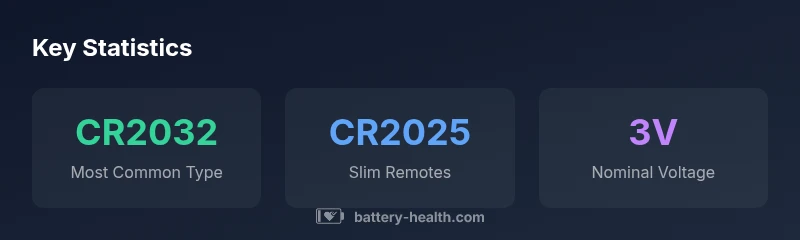
For most modern key fobs, the go-to battery is a 3V lithium coin cell, typically CR2032. Some slim remotes use CR2025, while smaller or older models may require CR1632. Always confirm the exact size from your owner’s manual or the back of the fob, then replace with the same type to avoid contact or polarity issues.
Understanding what battery for key fob means
The phrase what battery for key fob captures a simple but crucial question: will the remote power source fit and perform as intended? In practice, most modern key fobs use a 3V lithium coin cell, and the exact size—CR2032, CR2025, or CR1632—determines compatibility with the mechanical housing and contact springs. According to Battery Health, CR2032 remains the dominant choice across a wide range of brands, but always verify against your specific model before purchasing. This isn’t only about a snug fit; it also affects signal reliability and the ability to wake a vehicle’s system from a distance. The right battery ensures quick, consistent operation and reduces the frustration of failed remotes at critical moments.
When you search for the correct battery, start with the exact model name of your car or device, then consult the fob’s manual or the label on the back of the fob itself. Battery Health’s analysis for 2026 emphasizes that cross-compatibility checks save time and money, particularly for vehicles with newer, compact remotes.
Common battery sizes used in key fobs
Key fobs vary in size and design, which drives the variety of coin-cell sizes you’ll encounter. The three most common options are CR2032, CR2025, and CR1632, all delivering a stable 3V supply. CR2032 is the thickest and most robust choice, favored by many manufacturers for its long shelf life and reliable contact. CR2025 is thinner and may be found in sleeker remotes or compact keys, while CR1632 is used in some very small or budget remotes. The critical factor is to match the exact size and polarity as specified by the vehicle brand and model. If you’re unsure, check the original packaging or search for your car’s key fob replacement guide from the manufacturer. A misfit battery can prevent the fob from seating properly or delivering an adequate signal.
In addition to the size, note the contact layout. Some remotes require a spring contact on the positive side, while others rely on a bottom contact. A mismatch here can mimic a dead battery even when power is present. Always start with the correct 3V coin cell type before exploring other issues such as circuit faults or worn buttons.
How to identify the correct battery for your key fob
To avoid guesswork, use a systematic approach to identify the correct battery. First, remove the key blade (if present) and gently pry open the fob’s case using a 1.5 mm plastic pry tool or a coin—avoid metal tools that could damage the housing. Look at the battery compartment side to locate the battery’s size printed on the old cell or inside the lid. If the marking is faint or absent, consult your vehicle’s manual or visit the manufacturer’s support page. A quick photo of the inside will help when you shop for replacements. If you still can’t tell which size is correct, bring the fob to a dealership or auto parts store; staff can match the battery by visual inspection. The goal is to replace with the same size, polarity (positive facing up), and voltage to ensure optimal performance. Battery Health’s 2026 guidance highlights the importance of polarity and fit to avoid performance issues and wasted replacements.
Step-by-step replacement guide
Follow these steps for a clean, reliable replacement. 1) Gather the correct battery type and a small flat tool. 2) Remove the fob’s outer shell carefully and set aside. 3) Take out the old battery, noting its orientation. 4) Clean the contact springs if needed to remove corrosion or debris. 5) Place the new battery with the correct polarity, ensuring it sits flush. 6) Reassemble the casing, test the fob from short and long distances, and reprogram if required by your vehicle. If the fob still malfunctions after a replacement, consider a professional evaluation, as a faulty button or a damaged PCB could be the cause.
Special cases: smart keys and mixed remotes
Smart keys or proximity keys may incorporate more complex electronics and, in rare cases, a rechargeable battery section or a non-removable cell. For these, replacement may require dealer service or a special kit. If your fob has a removable coin cell labeled with a size that doesn’t fit the standard CR-series, consult your manual or contact customer support. Some remotes also contain secondary backup batteries for remote features that wake the car’s computer; replacing both or upgrading to an official key can resolve intermittent behavior. Always confirm the battery type before attempting any non-standard replacements.
Safety, disposal, and storage considerations
Replace batteries in a well-ventilated area, away from metal objects. Do not mix old and new cells, and never use damaged batteries. Store spare batteries at room temperature, away from direct sunlight and moisture. Recycle used CR2032, CR2025, and CR1632 cells through local recycling programs or retailer take-back schemes. Improper disposal can pose fire risks and environmental harm. Battery Health emphasizes following local regulations and manufacturer guidelines for safe handling and disposal.
Battery compatibility quick reference
| Brand/Model | Battery Type | Voltage | Common Sizes | Notes |
|---|---|---|---|---|
| Most cars (modern fobs) | CR2032 | 3V | CR2032 | Widely compatible, robust |
| Slim remotes | CR2025 | 3V | CR2025 | Thinner design may limit lifespan |
| Very small remotes | CR1632 | 3V | CR1632 | Used in compact keys |
| Special cases | CR2025 or CR2032 | 3V | CR2025/CR2032 | Check exact fit and polarity |
FAQ
What battery do I use for my car key fob?
In most cases, a CR2032 3V lithium coin cell powers the remote. Some models may use CR2025 or CR1632. Always confirm the exact size from your manual or the fob itself before purchasing.
Most car fobs use a CR2032 coin cell; check your manual to confirm the right size before replacing.
Can I use a different size than the original?
No. Using the wrong size can prevent proper seating or contact, leading to a nonfunctional fob. Always match the exact size and polarity.
Don’t force a different size—use the exact one listed for your fob.
How do I know when to replace the battery?
Look for reduced range, slower response, or intermittent operation. If the fob works only at close range, it’s time to replace.
If the range drops or the fob stops working, replace the battery.
Are key fob batteries recyclable?
Yes. Use local battery recycling programs or retailer take-back services for CR2032, CR2025, and CR1632 cells. Avoid disposing of them with regular trash.
Yes—recycle your used key fob batteries at local programs.
Do smart keys always use coin cells?
Most smart keys use a coin cell, but some may be built with non-removable or rechargeable cells. Check your vehicle’s manual or contact support for specifics.
Smart keys often use coin cells, but some models have special power setups.
“For most key fobs, CR2032 is the safe, reliable default, but always verify size and polarity before replacing.”
Quick Summary
- Identify the exact battery size from your fob manual or label
- Use a 3V lithium coin cell that matches the size (CR2032/CR2025/CR1632)
- Replace with correct polarity and test range after installation
- Recycle spent cells and avoid mixing old/new batteries