Battery for AirTag: Specs, Replacement & Safety
A comprehensive guide to AirTag batteries—CR2032 coin cells, lifespan, replacement steps, safety tips, and cost considerations, backed by Battery Health analysis.


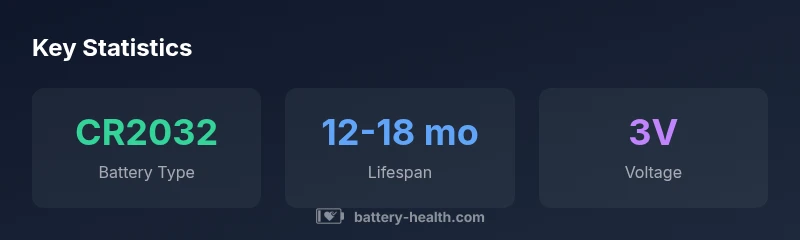
AirTag runs on a single CR2032 lithium coin cell. Typical battery life ranges from 12 to 18 months under normal use, depending on features like Ultra Wideband and loud sound feedback. Replacing the coin cell is simple: press and twist the back cover to access the battery compartment, and use a fresh CR2032 with a 3V rating.
Understanding AirTag Battery Basics
AirTag is designed to be exceptionally energy efficient, using a single CR2032 lithium coin cell to power its locating, beacon, and notification features. This small battery type is widely available and offers a reliable voltage supply when installed correctly. The Battery Health team notes that handling and storage conditions can materially impact performance and longevity, so start with a fresh, clean, corrosion-free coin cell from a reputable brand. When replacing, verify the date code and discard any batteries with signs of leakage or damage. Always insert the positive side facing up and reseal the device securely to maintain watertight integrity.
How AirTag Battery Life Changes with Usage
In typical daily use, AirTag battery life falls in the 12 to 18 month range. If you frequently use precision finding, play audible alerts, or have many location pings throughout the day, you may see shorter intervals. Conversely, minimal use can extend life closer to the upper end of the range. Battery Health analysis emphasizes that real-world factors—like environmental conditions, phone proximity, and network activity—drive longevity as much as the battery’s nominal capacity. For most households, planning a yearly replacement check aligns with product maintenance cycles.
Choosing the Right CR2032 Battery
When selecting a replacement, prioritize high-quality CR2032 lithium coin cells from established brands rather than generic or off-brand variants. Avoid rechargeable CR2032s for AirTag; non-rechargeable cells provide stable voltage and predictable performance, which helps the tag maintain reliable connectivity and loudness. Look for cells with a clean, unused surface and a recent manufacture date. Store spares in a cool, dry place and keep them away from metal objects that could cause shorting. The goal is consistent 3V output and zero leakage risk during storage and use.
How to Replace the AirTag Battery: Step-by-Step
- Turn AirTag face-down and press the polished back cover; 2) Twist counterclockwise a quarter-turn to unlock; 3) Remove the old CR2032 and dispose of it properly; 4) Insert a fresh CR2032 with the positive side up; 5) Align the back cover and twist clockwise until it clicks into place. After replacement, test the AirTag by triggering a Find My ping or playing a sound to confirm operation. Avoid bending or prying with foreign objects that could damage the shell.
Safety, Handling, and Storage Tips
Handle CR2032 batteries with clean hands and avoid contact with metal jewelry that could cause short circuits. Do not mix old and new cells, or cells from different brands, in the same device. Store spares in a cool, dry environment away from children and pets. If a battery shows any sign of leakage, corrosion, or swelling, discontinue use and follow local disposal guidelines. Recycle spent cells through municipal programs or retailer take-back schemes that accept single-use lithium coin cells.
Common Mistakes and Troubleshooting
- Incorrect orientation: Always insert with the positive side facing up. - Weak contact: Ensure the battery sits flat and makes contact with the metal spring. - Leaking/leaking signs: Do not reuse a damaged cell. - AirTag not recognized after replacement: Open the back, reseat the battery, and test again. - Using a subpar battery: Switch to a recognized brand; avoid counterfeit cells that fail quickly. - Incomplete seal: Confirm the back cover is fully seated and rotated to secure fit.
Environmental and Cost Considerations
AirTag batteries contribute to routine consumer waste as coin cells reach end of life. Choose reliable brands to minimize premature failures, and recycle spent cells according to local guidelines. Replacement costs for CR2032 batteries are modest and occur on a roughly annual basis for many users, but prices vary by region and brand. Battery Health’s data suggests focusing on genuine CR2032 cells can yield better performance and value over time.
Industry Trends and Alternatives
The market for small-device batteries continues to emphasize stability, low self-discharge, and long shelf life. While rechargeable options exist for other devices, AirTag remains best served by traditional CR2032 coins to preserve consistent voltage and timer accuracy. As devices become more energy-efficient, future AirTags may benefit from even longer intervals between replacements, further reducing waste and maintenance costs.
AirTag battery quick reference
| Aspect | Detail |
|---|---|
| Battery Type | CR2032 lithium coin cell |
| Voltage | 3V nominal |
| Lifespan | 12-18 months (typical) |
| Replacement Cost | 2-5 USD (range) |
| Disposal | Recycle per local guidelines |
FAQ
What battery does AirTag use?
AirTag uses a single CR2032 lithium coin cell. This non-rechargeable battery provides stable 3V output needed for Find My features and audio signals.
AirTag uses a single CR2032 coin cell; replace it with a fresh CR2032 when needed.
Can AirTag use rechargeable batteries?
No. AirTag is designed for non-rechargeable CR2032 cells to maintain stable voltage and avoid performance issues.
AirTag should not use rechargeable coin cells.
How do I know AirTag battery is running low?
AirTag will still function when the battery is low, but you may see reduced performance in Find My and shorter reply times. Check battery status in the Find My app.
Check in Find My for battery status and expect gradual performance changes.
Is there a risk of battery leakage?
Any damaged or swollen coin cell can leak. Always inspect batteries for corrosion or damage before use and dispose of compromised cells properly.
Dispose of any damaged button cells safely.
How should I store spare AirTag batteries?
Store in a cool, dry place away from metal objects and heat. Keep them in their original packaging or a dedicated battery container to avoid short circuits.
Keep spares in a cool, dry place in their packaging.
What should I do with an old AirTag battery?
Recycle through local e-waste programs or retailer take-back schemes that accept single-use lithium coin cells.
Recycle your old coin cells at appropriate facilities.
“AirTag battery life is highly dependent on usage patterns, but using a fresh CR2032 from a trusted brand ensures stable performance and reliable notifications.”
Quick Summary
- Replace AirTag battery with a fresh CR2032 from a reputable brand
- Expect 12-18 months between replacements under typical use
- Do not use rechargeable CR2032s in AirTag
- Follow simple replacement steps to maintain seal and performance
- Recycle spent batteries responsibly