Battery Replacement: A Comprehensive How-To Guide
A comprehensive guide to battery replacement for cars, devices, and home storage. Learn how to identify the right battery, prepare safely, perform the swap, test performance, and dispose of old cells responsibly.


Learn how to safely replace a battery in common devices—from cars to handheld gadgets. This guide helps you identify the correct battery type, acquire compatible replacements, and perform a safe swap. You’ll understand safety precautions, proper tool use, disposal of old cells, and a test routine to verify performance after installation.
Understanding battery replacement matters
Battery replacement is more than keeping devices powered; it is a safety and reliability issue. Batteries degrade with use, temperature, and charging cycles, which means capacity drops and voltage under load can sag. In cars, a failing battery can leave you stranded or compromise starting and electronics. In mobile devices, sudden shutdowns can damage data and increase heat exposure that stresses components. The Battery Health team emphasizes that choosing the correct replacement is essential for compatibility, warranty terms, and safety. Before you buy, verify the chemistry (for example Li-ion or LiFePO4), the correct voltage, the form factor, and the connector type. Using the wrong battery can cause leaks, overheating, or damage to charging circuits. If you’re unsure, consult the device manual, the manufacturer’s part list, or a trusted retailer. Battery Health analysis shows that proper battery type and safe installation are the most important factors for longevity and safety.
How to identify the right replacement for your device
Start by locating the exact battery model number printed on the battery or in the device manual. Check the chemistry family (Li-ion, NiMH, LiFePO4, etc.), voltage rating, and physical size to ensure a compatible fit. The new battery should match the original form factor and connector layout; in cars this means the same CCA rating and terminal arrangement, in laptops the same tab configuration and size, and in storage systems the same pack voltage and BMS interface. Always buy from reputable sources that provide specification sheets and warranties. If you’re substituting a higher capacity battery, beware of increased weight or heat generation. It’s also wise to verify any replacement part against the device’s warranty terms, since some manufacturers void coverage after unauthorized replacements. Battery Health analysis shows that adherence to exact specifications minimizes performance issues and safety risks.
Safety and environmental considerations for battery replacement
Shut down and unplug the device before starting. Wear safety goggles and gloves to protect against leaks, sparks, or torn connectors. Work on a non-conductive surface away from metal tools that could bridge contacts. Keep batteries away from heat sources and direct sunlight. Do not puncture or crush batteries; if you notice swelling, discontinue use and follow proper disposal guidelines. Dispose of old batteries at an approved recycling facility or retailer that accepts spent cells; never throw them in household trash. If you’re performing replacements in vehicles, ensure the engine is off and the area is ventilated to avoid gas buildup. Battery Health emphasizes following local regulations for disposal and recycling to minimize environmental impact.
Tools and workspace setup (not part of STEP-BY-BY-STEP but essential)
Prepare a clean, dry workspace with good lighting. Gather a screwdriver set (Phillips and flat-head), insulated gloves, safety goggles, a non-conductive mat, and the replacement battery. A multimeter can help verify voltage before and after installation, but is optional for simple swaps. If you’re replacing a delicate electronics battery, have a static-safe wrist strap to reduce ESD risk. Take photos of original wiring and label connectors to aid reassembly. Keep all screws and small parts in labeled containers to avoid misplacement. Having a repair-friendly manual or access to official part documentation makes the process smoother.
Common installation scenarios: cars, laptops, and home storage
In cars, disconnect the negative terminal first to minimize short circuits; remove the hold-down clamp, lift the battery, and reinstall the new unit with clamps oriented similarly. In laptops and mobile devices, you may need to remove back panels, disconnect connector ribbons, and carefully unlatch the old cell; replace it with an identical form factor cell and reassemble. In home solar or backup-storage systems, battery packs are often modular; ensure correct series/parallel configuration and the BMS communication. Use the manufacturer’s torque specs and cable routing guidelines. After installation, double-check polarity and connector seating to prevent arcing. These scenarios illustrate why exact compatibility matters for performance and safety.
Post-installation testing and calibration
Power on the device and observe for normal boot, indicator LEDs, or startup sounds. For electronic devices, run a standard usage test (browse, stream, or run a benchmark) to confirm stable operation and charging behavior. If the device shows battery drain or unexpected temperature rise, re-check connections, venting, and the battery model. For cars, start the engine and verify charging system voltage with the engine running; check that all electronics respond correctly. If available, run a calibration routine recommended by the manufacturer to optimize fuel gauge or battery monitoring software. Document the installation and monitoring results to help future maintenance.
Disposal and recycling best practices
Always follow local rules for battery disposal; many regions require recycling through authorized centers. Pack and transport old batteries with terminals insulated to prevent short circuits. Do not mix batteries of different chemistries in a single container. If you discover corrosion or leaking, handle with extra care and seek professional assistance. This phase is important for environmental stewardship and can avoid penalties. Battery Health reminds readers that responsible disposal protects people and ecosystems and keeps recycled materials available for future production.
Tools & Materials
- Safety goggles(Protect eyes from sparks or acid splash.)
- Work gloves(Cut-resistant preferred.)
- Screwdriver set (Phillips and flat-head)(Include magnetic tip if possible.)
- Replacement battery compatible with your device(Check exact part number, chemistry, voltage, and form factor.)
- Multimeter (optional)(Useful to verify voltage before/after installation.)
- Non-conductive workspace mat(Helps prevent shorts on metal surfaces.)
Steps
Estimated time: 45-90 minutes
- 1
Power down and unplug
Ensure the device is fully powered off and unplugged. This eliminates the risk of electric shock or short circuits during the swap.
Tip: Double-check that any external power sources are disconnected before proceeding. - 2
Access the battery compartment
Open the access panel or housing to expose the battery. For cars, locate the jump-start area or battery tray; for small devices, remove the back panel or case.
Tip: Keep track of screws and fasteners; a magnetic mat helps prevent loss. - 3
Disconnect the old battery
Carefully disconnect terminals or connectors. For most devices, disconnect the negative terminal first to reduce arcing risk.
Tip: If a terminal is sticky, apply a little penetrating oil and wait briefly before loosening. - 4
Remove the old battery
Lift the old battery from its housing without forcing it. Check for adhesive strips or brackets and remove them as needed.
Tip: Support the battery weight to avoid tipping and damaging surrounding components. - 5
Prepare and inspect the new battery
Inspect the replacement for any damage or packaging issues. Confirm the model number, chemistry, voltage, and form factor match the device.
Tip: Take photos of the new battery and labeling for reference during reassembly. - 6
Install the new battery
Place the new battery in the housing and reconnect connectors. Attach terminals in the correct orientation and secure any clamps or brackets.
Tip: Connect the positive terminal first, then the negative, to minimize arcing during connection. - 7
Test and finalize
Power the device and run a quick function test. If practical, perform a calibration routine or a load test to confirm stable operation.
Tip: Observe for unusual smells, warmth, or voltage drops during initial use.
FAQ
Can I replace a car battery myself?
Yes, with proper safety and the right tools, you can replace a car battery at home. Always follow the vehicle manual and disconnect the negative terminal first to reduce the risk of sparks.
Yes, you can replace a car battery yourself, but follow safety steps and the manual. Start by disconnecting the negative terminal to reduce sparks.
Battery won't hold a charge after replacement?
If the new battery won’t hold a charge, check connections, verify compatibility, and inspect for venting issues. Consider warranty terms and potential device circuit problems.
If the new battery won’t hold a charge, verify connections and compatibility; inspect for possible issues.
Is it safe to replace batteries in laptops and phones at home?
Many laptops and phones can be replaced at home with proper tools, but some devices require professional service due to adhesives or warranty terms.
Yes for many devices, but some models may need professional service.
How do I dispose of old batteries safely?
Take old batteries to an authorized recycling center or retailer that accepts them. Do not throw them in regular trash.
Recycle old batteries at authorized centers; never trash them.
Do I need special tools for battery replacement in small devices?
Most small devices use basic tool sets, but some models may require Torx or spudgers. Check the user manual for exact tools.
Usually, a basic toolkit suffices; check your device manual.
Watch Video
Quick Summary
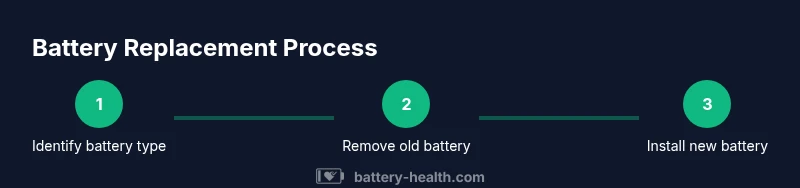
- Identify the correct battery type and specifications.
- Prioritize safety with PPE and proper isolation.
- Use the manufacturer-recommended replacement part.
- Test device function and charging after installation.
- Recycle old batteries at authorized facilities.