How to replace battery: A practical, step-by-step guide
Learn how to replace a battery safely across cars, devices, and home storage. This comprehensive guide covers signs of wear, compatibility checks, tool lists, step-by-step workflows, aftercare, disposal, and expert tips from Battery Health.


You will learn how to replace a battery safely and effectively across devices, cars, and home storage. This guide covers when replacement is needed, how to verify compatibility, the essential tools, a clear step-by-step workflow, safety precautions, and proper disposal. By the end, you’ll be able to complete a battery replacement with confidence and minimize downtime.
Why replacing a battery matters
Replacing a worn or failing battery is a reliability and safety decision. When a battery loses capacity, underperforms under load, or begins to swell, its ability to deliver stable power declines, which can lead to unexpected shutdowns or damage to connected electronics. The Battery Health team emphasizes that timely battery replacement protects you from sudden breakdowns, reduces the risk of corrosion or leakage, and helps maintain the performance of your devices, car, or home storage system. This section explains how aging cells respond to heat and cold, why capacity decline matters for safety, and how a thoughtful replacement strategy reduces downtime and total ownership costs. Understanding these factors gives you a practical framework for deciding when to replace battery components rather than patching symptoms.
Signs of impending battery failure and when to act
Detecting a degrading battery early saves money and avoids emergency replacements. Look for slower charging curves, a noticeable drop in peak performance, overheating during normal use, and frequent recharging needs. For cars, check for slower engine cranks, dim headlights when idling, and a battery that has not held a charge after a full recharge. For devices, pay attention to rapid battery drain, unexpected shutdowns, or swelling under the back cover. In all cases, listen for swelling, unusual smells, or corrosion around terminals. These indicators warrant a precautionary replacement rather than continuing to drive or operate on a weak power source. Battery Health’s guidance emphasizes proactive monitoring and timely action to maximize safety and reliability.
Understanding battery types and compatibility
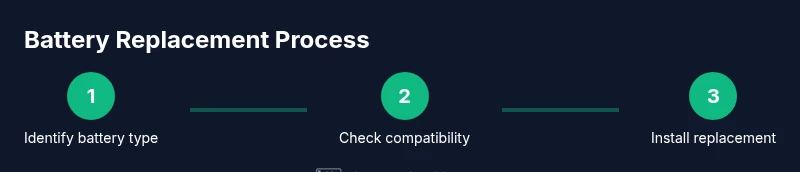
There are several common battery chemistries, each with distinct compatibility requirements and replacement considerations. Lead-acid and absorbed glass mat (AGM) batteries are typical in cars, while lithium-ion and nickel-based chemistries cover laptops, smartphones, and home storage systems. Compatibility hinges on voltage, capacity, physical size, terminal layout, and charging characteristics. Always verify the exact model or part number printed on the battery and cross-check with the device’s manual or manufacturer support page. If you’re replacing a car battery, ensure the cold-cranking amps (CCA) and group size match your vehicle’s specifications. When replacing a device battery, confirm the exact form factor and connector type. This careful match helps avoid power delivery issues and potential safety risks.
Tools, safety gear, and planning for a battery replacement
Before starting, assemble essential tools and review safety considerations. For most replacements, you’ll need a compatible replacement battery, screwdrivers with the right bit size, plastic pry tools, insulated gloves, and eye protection. A multimeter or voltmeter can help verify voltage before and after replacement. Plan to work in a dry, well-ventilated space away from heat sources and flames. If you’re replacing a car battery, you’ll also want a torque wrench and terminal cleaning brush. For devices, ensure the device is powered off and unplugged, and that the battery is accessible without forcing parts or prying delicate screens. Following a checklist reduces mistakes and supports a smooth replacement.
Planning for safety: handling and storage considerations
Batteries can pose chemical and fire hazards if mishandled. Wear personal protective equipment (PPE) such as gloves and eye protection, and avoid touching both terminals at once with metal tools. Work on a non-conductive surface and keep metal jewelry away from battery terminals to prevent accidental short circuits. If a battery shows signs of leakage or swelling, leave it in place and seek professional help. Store spare batteries in their original packaging in a cool, dry place to prevent accidental shorting. Document model numbers, purchase dates, and any warranty information to simplify future replacements and maintenance decisions.
Replacement workflow overview for devices vs. vehicles
Device battery replacement typically requires opening a case, disconnecting a battery connector, removing screws, and swapping the battery while preserving cable connections and seals. Vehicle battery replacement involves disconnecting the negative terminal first, removing the hold-down clamp, lifting the old battery from the tray, inserting the new battery, and reconnecting terminals in reverse order. Both workflows benefit from cleaning the terminals and inspecting for corrosion. This overview sets expectations for the more detailed, step-by-step instructions that follow and helps you decide whether to proceed yourself or hire a professional for complex assemblies.
Aftercare: testing, calibration, and maintenance tips
After replacing a battery, test the system to ensure the new battery is charging correctly and delivering stable voltage. For cars, start the engine and verify charging system indicators; check alternator performance and battery terminal cleanliness. For devices, perform a full discharge/charge cycle to calibrate the battery indicator, if applicable, and observe runtime under typical use. Keep the battery at a moderate temperature, avoid deep discharges if not designed for it, and plan periodic inspections to catch signs of improper seating or mounting. Regular maintenance, gentle charging habits, and avoiding heat exposure extend the replacement’s lifespan and reliability.
Disposal and recycling: responsible end-of-life handling
When a battery reaches the end of its useful life, dispose of it through approved recycling channels. Do not throw batteries into normal trash, as they can leak harmful chemicals and pose fire risks. Many retailers and municipal programs accept used batteries for recycling; some waste facilities offer hazardous waste collection events. Always follow local regulations for storage prior to disposal and transport. Recovered materials are repurposed into new products, reducing environmental impact. Battery Health emphasizes responsible disposal as part of a complete replacement plan to maximize safety and minimize ecological harm.
Summary of battery replacement considerations and next steps
Replacing a battery is a practical skill that improves reliability and safety. Start by confirming compatibility, gathering the right tools, and following a clear workflow tailored to your device or vehicle. Then, test the new battery, complete any necessary calibration, and arrange proper disposal for the old unit. By adopting a methodical approach and consulting trusted sources, you reduce risk and extend the life of your equipment. Battery Health remains a helpful benchmark for best practices in battery replacement and safety.
Tools & Materials
- Replacement battery (same type and rating)(Check model/part number, voltage, and capacity; ensure physical fit)
- Appropriate screwdrivers (Phillips/flathead) and bits(Select sizes that fit screw heads without stripping)
- Plastic pry tools or nylon spatulas(Non-conductive to avoid short circuits)
- Anti-static wrist strap(Ground yourself while handling sensitive components)
- Safety gloves and protective eyewear(Protect hands from chemical exposure and sharp edges)
- Multimeter or voltmeter (optional but recommended)(Used to verify voltage before and after replacement)
- Terminal cleaning brush or contact cleaner(Removes corrosion on battery terminals (car batteries))
- Torque wrench (for car batteries)(Helps to apply correct tightening torque on clamps)
Steps
Estimated time: 1-3 hours
- 1
Verify compatibility and read the manual
Confirm the replacement battery matches the device or vehicle in voltage, capacity, and physical size. Review any safety warnings and warranty considerations before proceeding. This prevents incorrect parts and costly errors.
Tip: Double-check the part number printed on the old battery and on the replacement to ensure a perfect match. - 2
Power down and disconnect power source
Shut down the device completely or turn off the vehicle. Unplug any chargers and remove keys from the ignition to prevent accidental power delivery during replacement.
Tip: For cars, engage the parking brake and wear gloves to protect against acid exposure when handling the battery area. - 3
Open enclosure or access panel
Use the appropriate tools to remove the cover or access panel protecting the battery. Keep track of screws and note how cables route around the battery area to facilitate reassembly.
Tip: Take a photo of the layout before removal to guide reassembly. - 4
Disconnect the battery terminals safely
Loosen the negative terminal first to reduce the risk of short circuits, then the positive terminal. Avoid touching both terminals with metal objects at the same time.
Tip: If any terminal is corroded, apply a small amount of cleaner and scrub gently after disconnecting. - 5
Remove the old battery
Lift the battery straight up using proper grip, then place it on an insulating surface. Do not tilt or drop the battery, as this can release dangerous chemicals.
Tip: If a battery is heavier than expected, ask for assistance to avoid injury. - 6
Inspect and prepare the replacement
Check the new battery for any signs of damage, verify orientation (positive/negative terminals), and clean the tray or contact points if needed. Apply any needed anti-corrosion spray or terminal polish as directed by the manufacturer.
Tip: Ensure the battery sits flat and rests securely in the tray before proceeding. - 7
Install the new battery and reconnect
Seat the replacement battery, reattach hold-down clamps, and reconnect the terminals in the reverse order of removal (positive last for devices, negative first for cars). Tighten to the recommended torque if specified.
Tip: Do not overtighten; overtightening can damage terminals and mounts. - 8
Test and finalize
Power on the device or start the car and verify normal operation. Check for warning lights, display indicators, or error codes. If available, run a quick system test to confirm proper charging.
Tip: If the system indicates charging problems, recheck connections and inspect for terminal corrosion. - 9
Dispose of the old battery responsibly
Place the old battery in a compatible container and bring it to an approved recycling facility or retailer that accepts used batteries. Never leave it in a household trash stream.
Tip: Keep the old battery upright and protected from puncture while transporting.
FAQ
Is it safe to replace a car battery yourself?
Yes, with proper precautions: work in a ventilated area, disconnect negative then positive terminals, and wear PPE. If you’re unsure about torque or terminations, consult a professional.
Yes, but use PPE, follow the correct sequence for disconnecting and reconnecting, and consider professional help for complex setups.
Can I replace batteries in all devices using the same method?
Not always. Devices vary in access, form factor, and safety requirements. Always consult the device manual and use the manufacturer-approved replacement.
Not always; follow the device manual and use the right replacement part.
How do I know which replacement battery to buy?
Check the device or vehicle model number, voltage, and capacity. Buy a battery with the same form factor and connector type to ensure proper fit.
Match the model, voltage, and form factor to ensure compatibility.
What about disposal and recycling?
Always recycle through approved programs or retailers. Do not throw batteries in regular trash; recycling preserves materials and reduces hazard.
Recycle at approved facilities and never trash batteries.
How long does replacement take?
Time varies by device. A typical household device might take 30-60 minutes, while a vehicle battery could take up to a few hours with safety checks.
Expect 30 minutes to a few hours depending on the system.
Should I recalibrate after replacement?
Some devices require a full discharge/charge cycle to recalibrate indicators. Always follow the device or battery manufacturer’s guidance.
Some devices need a full charge cycle; follow the manual.
Watch Video
Quick Summary
- Identify battery type and compatibility before purchasing.
- Follow safety steps to prevent shocks and leaks.
- Use proper tools and organize components for a smooth replacement.
- Test the system after replacement and dispose of the old battery properly.
- Battery Health emphasizes safety and sustainability in every replacement.