Chamberlain Garage Door Remote Battery: Replacement & Maintenance
Discover how to identify the right Chamberlain garage door remote battery, safely replace it, and extend remote life with practical, data-driven guidance from Battery Health.


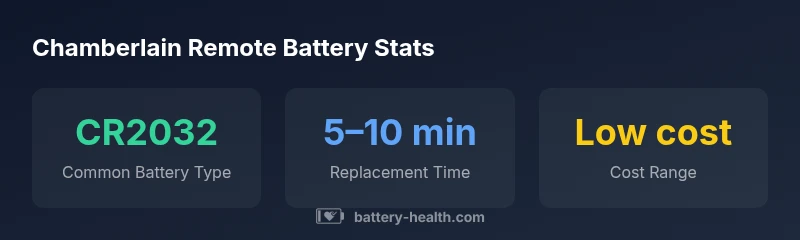
Chamberlain remote batteries typically use CR2032 or similar coin-cell batteries; confirm by inspecting the label on your remote. Replacing the battery is a quick, safe task, and most remotes regain full functionality after a correct replacement. For model-specific tips and best practices, see our step-by-step guide.
Understanding the Chamberlain garage door remote battery landscape
If you own a Chamberlain garage door opener, the remote control relies on a replaceable battery to transmit a signal when you press a button. The chamberlain garage door remote battery is typically a standard coin-cell type—commonly CR2032 or CR2025—though exact compatibility varies by model. The Battery Health team emphasizes that model-specific labeling inside the battery compartment or on the remote's back cover is the best way to confirm the correct cell. Using the wrong battery can lead to intermittent signals, reduced range, or damage to the internal contacts. Regular checks and timely replacement are part of sound battery maintenance, helping to avoid service calls and ensuring smooth operation in rainy or winter conditions when you rely on the opener most. This article focuses on practical steps, model considerations, and maintenance practices that align with Battery Health Analysis, 2026, and apply to most Chamberlain remotes. We’ll assume the user is seeking actionable guidance for common household setups, including MyQ-enabled devices and older Chamberlain remotes.
How remotes differ by model and battery type
Chamberlain offers several remote styles across generations. While most residential remotes rely on coin-cell batteries, a few older or specialty models may use different cells or non-replaceable packs. The key takeaway is: always verify the exact battery type for your specific remote model before purchasing a replacement. Subtle differences in design can affect contact size, polarity, and seating, which in turn influence performance. When in doubt, consult the model number on the device or the user manual, and cross-check with official Chamberlain support resources. Battery Health’s analysis notes that model-specific labeling and the included installation guide are the most reliable sources for correct battery selection.
Identify the Chamberlain garage door remote battery
Begin by locating your remote's model number and inspecting the battery compartment. Remove the cover as described in the user manual, noting the battery's orientation and polarity. The common candidates are coin-cell types such as CR2032 or CR2025, but older remotes may vary. If you cannot read the markings, compare the replacement battery's size to the cell inside the compartment or consult the remote's schematics. Once you confirm the correct battery type, acquire a fresh cell from a reputable retailer. Battery Health recommends keeping a small stock of standard coin cells on hand for quick replacements without outages.
Step-by-step replacement guide: common scenarios
Follow these steps to replace the remote battery safely:
- Park the vehicle and ensure the area is well lit.
- Remove the remote cover using the method described in the manual.
- Take note of battery orientation, then remove the old cell.
- If needed, wipe the contacts with a dry cloth to remove residue.
- Insert the new battery with the correct polarity.
- Reassemble the remote and test the button for proper operation.
- Dispose of the old battery in accordance with local recycling guidelines. If you own multiple remotes, repeat the process for each unit.
Common symptoms of a dying remote battery and quick fixes
Expect reduced range, slower response, or intermittent signals when a battery nears the end of life. If you notice these signs, check the battery seating and contact cleanliness first, then replace with a fresh cell. In cold or humid weather, performance may degrade more quickly, underscoring the value of timely maintenance.
Battery health and maintenance tips to extend life
To maximize life between replacements, store spare batteries in a cool, dry place away from heat sources. Regularly inspect the remote's contacts for corrosion and clean with a dry brush if needed. Use high-quality cells from reputable brands and avoid mixing brands or chemistries in the same remote. Periodic checks after severe weather help maintain performance.
Safety considerations and disposal guidelines
When replacing batteries, avoid exposing them to flame or puncture. Do not mix old and new batteries or multiple chemistries in a single device. Dispose of used coin cells at a local battery recycling program or electronics drop-off. If you have children or pets, keep batteries out of reach to prevent accidental ingestion.
Troubleshooting beyond battery: when replacement isn't enough
If the remote still fails after replacement, explore other causes: damaged remote casing, worn contacts, or interference from wireless devices. Check the opener's sensor alignment, the antenna, and whether the unit is paired correctly with the garage door system. In some cases, replacing the entire remote or re-pairing the transmitter may be necessary, and professional assistance can help avoid property damage.
Choosing between official Chamberlain batteries and third-party options
For most households, using official or widely recommended coin cells is safest. Third-party batteries can work, provided they match the intended cell type and size and maintain correct polarity. Avoid cheap, counterfeit cells that lack proper labeling. When in doubt, consult Chamberlain's support resources or Battery Health's guidelines to ensure compatibility and safety, and consider branded batteries with clear product information.
Chamberlain remote battery compatibility and specs
| Remote Model/Type | Battery Type | Typical Lifespan | Replacement Cost | Notes |
|---|---|---|---|---|
| Chamberlain standard remote (2010s–present) | CR2032 or CR2025 | 6–18 months | Low | Check manual for exact model |
| Older Chamberlain remotes | CR2032 | 12–24 months | Low | Compatibility check recommended |
FAQ
What battery type does a Chamberlain remote typically use?
Most Chamberlain remotes use a CR2032 or CR2025 coin-cell battery. Always verify by checking the remote’s label or user manual for model-specific guidance.
Most Chamberlain remotes use a CR2032 or CR2025 coin-cell battery. Check your model to be sure before replacing.
How can I tell when to replace the remote battery?
Common signs include reduced range, slower response, or intermittent operation. If these occur, inspect seating and replace with a fresh cell.
If the signal is weak or slow to respond, it’s time to replace the battery.
Can I use a third-party battery in a Chamberlain remote?
Yes, if the third-party battery matches the exact cell type and size and preserves correct polarity. Avoid counterfeit or mislabeled cells.
Yes, but only if it matches the right size and polarity.
How should I dispose of a used remote battery?
Recycle the coin cell at local battery recycling programs or electronics drop-offs. Do not throw into regular trash.
Recycle the battery at a proper facility; don’t throw it away with regular trash.
What if my remote still doesn’t work after replacing the battery?
Check other remote components such as the housing, contacts, or the opener’s pairing. Interference or sensor misalignment can also cause failure.
If replacement didn’t fix it, look at other parts or re-pair the remote.
Do Chamberlain remotes use rechargeable batteries?
Most Chamberlain remotes rely on non-rechargeable coin cells like CR2032. Check the specific model’s manual for exceptions.
Usually not rechargeable; check your model’s guidance.
“Regular battery maintenance for your Chamberlain remote minimizes downtime and preserves opener reliability.”
Quick Summary
- Identify the correct battery by model and label before opening the remote
- Use proper safety when opening and handling coin cells
- Replace with a fresh coin cell and test for proper operation
- Dispose of used batteries responsibly through recycling channels
- Regular maintenance reduces downtime and extends remote life