How to Change a Fire Alarm Battery: Step-by-Step Guide
Learn how to safely replace a smoke alarm battery, choose compatible batteries, and test your detector. This Battery Health guide covers tools, safety tips, and maintenance.


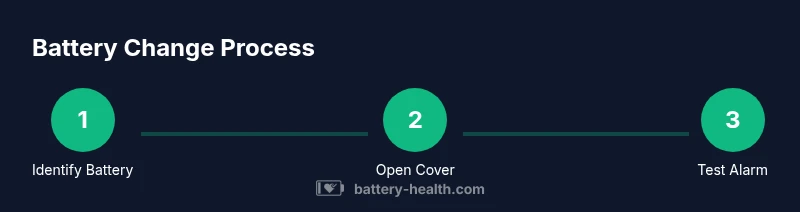
To change the battery in a fire alarm, identify the detector’s battery type, remove the cover, replace with a fresh compatible battery, reattach the cover, and test the alarm. Use the recommended battery type (alkaline or lithium), avoid mixing old and new cells, and follow manufacturer guidance to ensure proper seating and a full beep test.
Why changing the battery in a fire alarm matters
Your home safety depends on a reliable smoke alarm. A battery that is weak or dead can render the detector silent when smoke or heat is present. The Battery Health team emphasizes that routine battery changes are a simple, high-leverage task that protects lives. When you replace the battery, you refresh the detector's ability to sound an alarm, flash a light, and communicate to your household. In many homes, the smoke alarm is the first line of defense in a fire, and a working battery ensures it will wake you in time to take action. The importance of timely battery replacement cannot be overstated.
According to Battery Health, you should treat a chirp or beeping from the detector as a warning sign that the battery is running low, even if the unit just flashed a green LED. If you hear a chirp, replace the battery promptly rather than postponing. Regular testing and battery replacement are part of responsible home maintenance. While some newer detectors use sealed or Lithium batteries that are not user-replaceable, most common residential units still rely on replaceable cells. The key is to follow the manufacturer’s guidance for the exact type, placement, and orientation of the battery. In this guide, we focus on how to change the battery in fire alarm units that allow user replacement, and we outline best practices to avoid common mistakes.
Replacing the battery is not just about having a fresh cell. It also provides an opportunity to inspect the detector’s mounting, the cleanliness of vents, and the battery compartment for corrosion or debris. Gently vacuum the vents or wipe away dust while the unit is open if you notice buildup. When done correctly, you’ll have a detector that remains sensitive to smoke and heat and a home that remains safer for your family.
Battery types used in residential fire alarms
Most residential fire alarms use one of several common battery configurations. The simplest are standard alkaline or rechargeable AA or AAA cells, depending on the model. Some detectors still rely on a 9-volt alkaline battery, which sits in a rectangular housing inside the unit. Other popular choices are lithium coin cells such as CR2032 or CR2025, used in compact, low-profile alarms. A few detectors are hard-wired with a battery backup and may specify a lithium battery or a sealed backup that the user cannot replace. Before you buy a replacement, check the model label on the back of the alarm or consult the manual to confirm the exact battery type and the correct orientation. Never force a battery into a slot or use a different chemistry than the unit is designed to accommodate; this can damage the detector or cause leakage.
Understanding the battery type matters for safety and reliability. Some detectors require a specific brand or size to maintain the device’s electrical connections and integrity of the seal. If your detector uses a 9-volt battery, you may need to align the snap connectors correctly on insertion. If your model uses coin cells, you’ll replace a small plate in the base rather than a large rectangular pack. In every case, avoid using damaged, swollen, or leaking batteries, and handle batteries with care to prevent punctures or spills. Battery Health analysis shows that using the correct battery type and keeping it fresh improves detection reliability and reduces nuisance chirps caused by improper replacement.
Safety precautions before you start
Before touching any smoke alarm, power down to avoid shocks or accidental activation in other devices. While most detectors operate on battery power, many homes also have hard-wired systems with a battery backup; if you are replacing the backup, you should know whether the unit is on a live circuit or not. Put on safety glasses or eye protection if you work around dust and ensure the area is well-lit. Keep a clean workspace and avoid wearing metal jewelry that could cause a short if you touch metal components inside the detector. If you have questions about your specific device, consult the manual or the manufacturer’s website. Always verify you have the correct replacement battery on hand before opening the unit, and never use a damaged battery or attempt to bypass the safety seal.
When removing a cover, proceed gently to avoid damaging clips or seals. Do not pry or twist quickly; a small amount of pressure is enough to release the latch. If the detector is stuck, don’t force it. Check for a small screw that might be holding the cover in place. If you encounter corrosion or any unusual smell, stop and replace the unit instead of trying to force the battery. After you’ve replaced the battery, wipe away any dust from the interior with a dry cloth and ensure vents are free of obstructions.
Choosing the right replacement battery
To perform the battery change properly, you must know the exact battery type and orientation. The unit label on the back or underside of the detector usually lists the battery size, polarity marks, and replacement interval. The manufacturer’s manual is the best source of truth; if you do not have it, many manufacturers provide PDFs on their support pages. Do not mix battery chemistry or mix old and new cells inside the same device, as this can reduce performance and shorten the life of the detector. When in doubt, contact the manufacturer or a qualified electrician. In a pinch, taking a photo of the battery compartment before you remove the old battery can help you reinstall it correctly.
If a unit uses a 9-volt battery, ensure the connector clips snap firmly onto the battery terminals. If a coin-cell battery is used, install with the correct orientation indicated by the polarity markings. For sealed or hard-wired units with non-replaceable batteries, the solution is to replace the entire alarm when the battery backing wears out. Battery Health emphasizes that using the correct battery type and maintaining the replacement schedule improves overall reliability.
Testing and maintenance after replacement
After you install the new battery, reassemble the cover, ensure it is securely latched, and press the test button to confirm operation. A properly functioning alarm will emit a loud sound and the unit’s indicator may light up in a specific pattern; refer to your model’s manual for the exact indication. If the alarm does not chirp or sounds weak, recheck the battery orientation and seating, and ensure the battery contacts are clean and free of corrosion. Test the detector again after a few minutes and again after 24 hours to confirm consistent behavior. It is good practice to document the replacement date and set a reminder for the next battery change or test. If you notice frequent false alarms, low battery chirps under normal conditions, or the detector appears damaged, replace the unit or consult a professional.
Finally, remember to clean the detector’s vents periodically and check neighboring units to ensure they are not equally clogged with dust. Regular maintenance, including battery replacement, is an essential part of responsible home safety. By following the steps above, you’ll have confidence that your smoke alarm will function correctly during an emergency.
Tools & Materials
- Replacement battery (compatible type)(Check the detector’s label or manual for exact size (e.g., 9V, AA/AAA, or coin cell))
- Screwdriver (small, matching screws)(Use a small flat-head or Phillips screwdriver depending on the cover screws)
- Soft cloth or brush(For cleaning dust around the battery compartment)
- Owner's manual or model PDF(Helpful if you need exact battery type or orientation)
- Safety goggles(Optional eye protection)
- Flashlight(Better visibility in dim areas)
Steps
Estimated time: 10-15 minutes
- 1
Identify the correct replacement battery
Locate the model label or manual to confirm the exact battery type and orientation. If unsure, do not guess—consult manufacturer resources or a professional. This ensures you buy the right cell and avoid damage.
Tip: Check the label on the back or underside before buying. - 2
Open the detector cover
Gently release any latch or screws to access the battery compartment. Avoid forcing the cover; a small amount of pressure is enough to lift the cover without bending clips.
Tip: Use the right screwdriver size to avoid stripping screws. - 3
Remove the old battery
Carefully remove the old battery, noting its orientation and the contacts’ alignment. If an alkaline 9V battery, grip by the terminals rather than the plastic case to avoid dropping it.
Tip: Take a quick photo of the battery orientation for reference. - 4
Insert the new battery
Place the fresh battery into the compartment with the correct polarity as marked. Ensure any connectors click into place and that the battery sits flush against the contacts.
Tip: Double-check polarity before snapping the cover closed. - 5
Close the cover and secure the unit
Refit the cover or screws and ensure the unit is firmly closed. A loose cover can allow dust ingress and affect sensor performance.
Tip: Confirm the latch is fully engaged to prevent moisture intrusion. - 6
Test the alarm
Press the test button on the detector to verify it sounds. If it doesn’t, recheck battery seating and contact cleanliness, then retest.
Tip: If you hear only a whisper or no sound, stop and inspect the device for damage. - 7
Record the replacement and set a reminder
Note the replacement date and schedule the next test and battery change in your calendar or reminder app.
Tip: Keep a spare battery on hand for the next replacement.
FAQ
Do all fire alarms have replaceable batteries?
Most residential smoke alarms use replaceable batteries, but some hard-wired or sealed models do not. In those cases, replacement of the whole unit is typically required.
Most alarms use replaceable batteries, but check your model as some sealed units require replacing the entire detector.
Can I change the battery on a hard-wired detector?
Yes, but first confirm whether the unit is on a live circuit or has a backup battery. If you must handle a live circuit, follow safety practices and consult a professional if unsure.
If your detector is hard-wired, verify power status and follow safety steps; consult a pro if unsure.
What should I do if the alarm chirps after replacement?
If chirping continues after replacement, verify battery orientation, seat, and cleanliness. If unresolved, replace with a new unit or contact support.
If chirping persists after replacement, recheck the battery and contacts, then consider a replacement.
What battery types are common for smoke detectors?
Common options include alkaline AA/AAA, 9-volt, and lithium coin cells such as CR2032. Always use the type specified by the manufacturer.
Most detectors use alkaline, 9-volt, or lithium coin cells; always match the manufacturer’s spec.
How often should I replace the battery?
Use a maintenance schedule based on chirps and manufacturer guidance. Many detectors remind you with a chirp when the battery is low; rely on that cue rather than a fixed interval.
Rely on the detector's chirp signals and manufacturer guidance rather than a fixed calendar interval.
What if the battery compartment is damaged?
If the battery compartment is damaged, replace the unit or have it serviced. A damaged housing can compromise safety and sensor performance.
A damaged compartment can compromise safety; replace the unit or seek professional service.
Watch Video
Quick Summary
- Identify battery type before replacement.
- Replace with compatible battery only.
- Test the alarm after replacement.
- Follow safety guidelines to avoid damage.