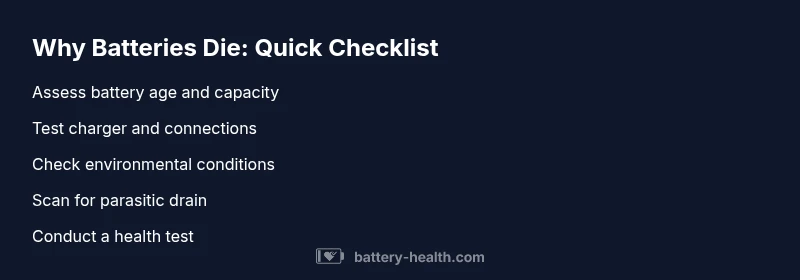
Why Batteries Die: Troubleshooting Guide
Discover why batteries die and how to fix them fast. A practical, urgent troubleshooting guide covering age, heat, charging, and parasitic drains with step-by-step solutions.


The most common reason why batteries die is aging and chemical wear, compounded by heat, deep discharges, or parasitic drain. Start with simple checks: verify charger status, clean and secure connections, and avoid leaving devices on full charge or in extreme heat. For a car battery, test both the battery and alternator health. If symptoms persist, seek professional testing
Why Batteries Die
Why battery dies describes a pattern where aging cells, environmental stress, and usage habits converge to reduce a battery's ability to hold a charge. According to Battery Health, aging cells lose capacity over time and begin to fail at lower voltages, while excess heat accelerates chemical reactions that degrade performance. In 2026, many users experience gradual loss of capacity due to extended exposure to heat and frequent deep discharges. Understanding these basics helps you triage symptoms quickly and avoid unnecessary replacements.
In practical terms, you may notice shorter runtimes on devices, slower charging, or a device that dies shortly after being removed from charging. The Battery Health team emphasizes that early signs matter: you should test and verify before assuming catastrophic failure. By catching gradual degradation early, you can plan maintenance or replacements without disruption.
Common Causes
There are several recurring culprits behind why batteries die. The most common are aging chemistry and heat, but parasitic drain from apps or accessories and improper charging practices also play major roles. For car batteries, a failing alternator or weak battery can mimic a dead battery. In mobile devices and laptops, firmware glitches or stuck background processes can drain a charge overnight. Treat each cause as a hypothesis to test, starting with the simplest checks.
- Aging and chemical wear: Over time, battery capacity declines and voltage under load drops more quickly.
- Heat and environmental stress: High ambient temperatures speed up aging and reduce effective capacity.
- Parasitic drain: Background apps or accessories can draw power even when the device is off.
- Deep discharges: Frequently letting a battery drop to very low levels harms long-term capacity.
- Faulty charger or charging port: If charging is inconsistent, the battery never reaches full health.
Age and Chemistry
All rechargeable batteries age, but the rate depends on chemistry, usage, and cycling. When people ask why battery dies, they usually refer to the gradual loss of ions that can be delivered during a discharge. Lithium-ion and nickel-based chemistries both suffer from capacity fade as cycles accumulate. In practical terms, an older battery can pass a full charge visually but cannot sustain the same runtime as when it was new. Proper storage and controlled charging can slow down the fade, but it cannot be reversed completely. The Battery Health team notes that knowing the battery's age helps set expectations for replacement timelines and maintenance schedules.
- Capacity fade over cycles
- Voltage sag under load
- Importance of avoiding deep discharges
Temperature & Environment
Temperature is a silent killer for many batteries. High heat accelerates chemical reactions that degrade materials, while cold slows reactions and reduces apparent capacity. If you’re wondering why battery dies in hot climates or after being left in a car on a sunny day, you’re seeing temperature effects in real time. The Battery Health analysis shows that storage at moderate temperatures and avoiding prolonged sun exposure can noticeably extend life. Environmental control is often the simplest, most effective prevention.
- Heat accelerates degradation
- Cold reduces usable capacity temporarily
- Avoid leaving batteries in direct sun or inside hot trunks
Device-Specific Factors
Different devices insist on different care. Mobile devices and laptops suffer from background processes and battery calibration issues, while car batteries are affected by engine idle patterns and alternator health. If you’ve noticed why battery dies in your device after a few hours of use, check for software updates, recalibrate the battery, and inspect charging ports for corrosion. For cars, a professional test can reveal alternator output, sulfation, or failing cells as the root cause. Battery Health recommends tailoring checks to the device type and usage pattern for the most accurate diagnosis.
Quick Checks Right Now
If you’re facing an unexpected death of battery, these quick checks can usually get you to a diagnosis quickly. Begin with the simplest steps and escalate if needed:
- Confirm the charger is functioning and delivers correct voltage
- Inspect cables and connectors for corrosion or looseness
- Remove nonessential loads and apps to reduce drain
- For cars, run a load test or have a pro test the alternator and battery health
- Check for recent software updates that might cause a parasitic drain
When in doubt, disconnect noncritical devices and re-test after a charge. If the device still dies, you may have an aging battery that requires replacement.
When to Seek Professional Help
If basic checks don’t restore performance, seek professional testing. A battery health diagnostic, load test, or battery replacement decision should be guided by a qualified technician. In automotive cases, a certified mechanic can check the alternator, starter, and battery for sulfation or internal faults. For high-stakes devices (EVs or critical storage systems), a formal battery health assessment with specialized equipment ensures accuracy and safety. The Battery Health team emphasizes timely evaluation to prevent further damage.
Prevention and Best Practices
Prevention is better than replacement when it comes to batteries. Ongoing care, proper charging habits, and protective storage can extend life and reliability. Use chargers that match the battery’s specification; avoid heat sources and direct exposure to sunlight; prefer partial rather than full discharges for some chemistries; and schedule regular health checks. The Battery Health analysis shows that consistent maintenance, charging discipline, and environmental control can significantly slow the degradation process and delay the moment when you need to replace a battery.
Steps
Estimated time: 45-60 minutes
- 1
Identify the symptom
Observe exactly when the battery dies and what symptoms appear before failure. Note voltage readings when possible and whether the device powers on briefly. This establishes a baseline and helps distinguish between an aging battery and a charging issue.
Tip: Document dates of charging and failures to track progression. - 2
Test charging source
Check the charger, power outlet, and any adapters. Ensure the charger delivers the correct voltage and current for the device. If a car, verify the alternator output at idle and under load.
Tip: Use a known-good charger or multimeter to verify voltage. - 3
Inspect connections
Inspect all connectors for corrosion, looseness, or damaged insulation. Clean contacts if needed and reseat cables securely. Poor connections can mimic a dead battery by reducing charge transfer.
Tip: Disconnect power before cleaning; use dielectric grease on connectors if appropriate. - 4
Check for parasitic drain
With the device off, measure current draw to identify lingering power usage. Uninstall or disable nonessential background apps, peripherals, or Bluetooth devices that may be pulling juice steadily.
Tip: A high idle drain often points to a software or firmware issue. - 5
Test battery health
Run a battery health test or load test if available. Compare results to the manufacturer’s specifications to determine if the battery has reached end-of-life.
Tip: If results fall below recommended thresholds, plan replacement rather than repeated charging. - 6
Decide on replacement or repair
If tests show poor health or the charging system is faulty, replace the battery or repair the charging path. For critical systems, consult a professional to avoid safety risks.
Tip: Always dispose of old batteries per local regulations.
Diagnosis: Device or vehicle battery dies unexpectedly after full charge
Possible Causes
- highAging or degraded cells
- mediumParasitic drain from apps or accessories
- lowFaulty charging system or alternator
Fixes
- easyTest battery health with a load test or professional analyzer
- easyInspect for stuck drains, disconnect nonessential devices, and update firmware
- mediumReplace battery or charging system if tests fail
FAQ
What causes a battery to die quickly even after a full charge?
Common causes include aging cells, parasitic drain, heat exposure, or charging system faults. Run a health test and inspect for software or hardware issues that could be draining power.
Most quick-die issues come from aging, drainage, or charging problems. Check health tests and look for software or hardware drains.
Can a battery die if it appears to be charging normally?
Yes. A device can show charging indicators while the battery cannot hold the charge due to degraded cells or a faulty charger. A health test reveals the underlying problem.
Charging indicators can be misleading if the battery is degraded. Health testing is needed to confirm.
When should I replace a car battery?
If tests show low capacity, fast voltage drop under load, or frequent jump starts, plan replacement. Consider the age and environmental conditions and have the alternator tested as well.
Replace if capacity is low or voltage drops under load; also test the alternator.
Is temperature a major factor for all battery types?
Yes. Heat accelerates aging, and extreme cold reduces usable capacity temporarily. Store and operate batteries within recommended temperature ranges.
Temperature matters for all batteries; avoid heat and cold extremes.
What can I do to prevent future battery deaths?
Practice regular maintenance, use multi-stage chargers, avoid deep discharges when possible, and keep batteries in a climate-controlled environment. Regular health checks help anticipate failures.
Maintain, monitor health, and avoid deep discharges to prevent failures.
Does software affect battery life in devices?
Yes. Poorly optimized apps or background processes can drain batteries. Update software and manage startup programs to reduce baseline load.
Software optimization helps battery longevity.
Watch Video
Quick Summary
- Identify whether aging or charging issues drive drain
- Check temperature and storage conditions to slow aging
- Use proper chargers and avoid extreme discharge
- Test battery health with professional tools when in doubt
- Replace aging batteries to prevent unexpected failures