Battery Discharge Warning: Quick Troubleshooting Guide
Learn how to diagnose and fix a battery discharge warning across cars, devices, and home storage with a practical, step-by-step guide from Battery Health.


A battery discharge warning usually signals an abnormal energy draw or aging cells. Start with the basics: inspect for loose or corroded terminals, check for parasitic loads, and perform a simple load test. If the warning persists, replace the battery or seek a professional evaluation today and get help fast.
What a battery discharge warning means and why it matters
According to Battery Health, a battery discharge warning is a signal that the system detects energy being drawn from the battery faster than it can be replenished. It doesn’t always mean the battery is instantly failing, but it does indicate that something is causing excessive drain or there is aging within the cells. The Battery Health team emphasizes acting quickly to prevent a sudden failure, especially in vehicles or critical devices where a stalled battery can strand you or compromise safety. Understanding the warning helps you triage confidently, prioritize safety, and plan the right next steps before the problem worsens.
In practical terms, a discharge warning can appear on dashboards, device screens, or charging apps. It can stem from simple issues like loose terminals to more complex problems such as a failing charging system. The goal is to narrow down the root cause without replacing parts prematurely. By following a structured approach, you protect the battery’s lifespan and reduce the risk of unexpected outages.
Common causes of a battery discharge warning
- Parasitic drain from idle accessories, faulty modules, or apps that stay active in the background
- Aging or degraded battery cells that can no longer hold charge effectively
- Loose, corroded, or damaged terminals and battery cables that impede proper charging and discharge control
- Charging system issues, such as a failing alternator in cars or a faulty charger in devices, leading to improper replenishment
- Extreme temperatures that accelerate self-discharge or affect electrolyte behavior
- Poor battery connections or corroded terminals that add resistance and energy loss
- Aftermarket equipment or accessories that draw power when the system should be idle
Each cause has different implications for repair or replacement, so a methodical check is essential. Battery Health notes that addressing the simplest, most accessible issues first often resolves the majority of discharge warnings, while more complex failures may require professional assessment.
Immediate checks you can perform safely
- Power down the device or vehicle and unplug nonessential accessories to see if the warning clears with basic isolation.
- Inspect battery terminals for signs of corrosion, looseness, or damage. Clean corrosion with proper safety gear and a wire brush if allowed, and reseat cables firmly.
- Verify that heavy loads aren’t left on when the system is idle (e.g., headlights in a parked car, USB hubs in devices).
- Check the charger or charging cable for damage and ensure the charging source is appropriate for the battery type.
- If possible, perform a simple voltage check when at rest and under a controlled load to see if the battery maintains voltage or quickly sags. If you don’t have a tester, note readings and proceed to professional help.
- Document symptoms: exact error messages, time of appearance, and any unusual device behavior to share with a technician.
Safety note: If you are working with car batteries or large packs, wear eye protection and gloves, and avoid smoking or sparks near terminals. If you’re unsure, skip disassembly and seek professional help.
How the diagnostic flow helps locate the root cause
A structured diagnostic flow guides you from observed symptoms to probable causes and finally to practical fixes. Start with the simplest checks (terminals, loads, and charger health) and gradually move to more involved tests (parasitic drain measurement, load testing). This approach reduces guesswork and minimizes unnecessary replacements. By documenting each step, you create a traceable path that makes it easier for a technician to diagnose complex failures.
Step-by-step fix for the most common cause
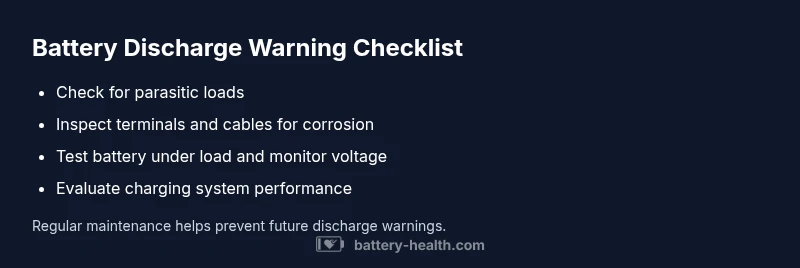
- Tighten and clean all terminals: Ensure a clean, firm connection to remove resistance that causes unnecessary energy loss.
- Remove parasitic loads: Disconnect nonessential devices and verify that only required components draw power during idle periods.
- Test under load: With a known-good charger, test the battery’s ability to sustain voltage when asked to deliver current.
- Inspect the charging path: For vehicles, test the alternator and charging wiring; for devices, confirm charger compatibility and condition.
- Decide on replacement or repair: If voltage collapses under load despite clean connections, the battery likely needs replacement or professional service.
Tip: Keep a log of readings and symptoms for reference during service, as this speeds up diagnosis and reduces repeat visits.
Safety, warnings, and prevention tips
- Always follow safety guidelines when handling batteries, especially large automotive packs. Acid and sparks can be hazardous.
- Do not jump-start a damaged battery or bypass safety features; faulty components can cause injury or fire.
- Use only compatible chargers and conduits recommended by the manufacturer for your battery type.
- Regularly inspect terminals and cables for corrosion and wear; preventive maintenance reduces the risk of discharge warnings.
- If you notice swelling, leaks, or unusual heat, stop using the battery and seek professional assessment immediately.
Monitoring and maintenance to prevent future warnings
- Schedule routine inspections of battery health, charging systems, and connections as part of regular maintenance cycles.
- Calibrate devices and reset power management after installing new batteries or chargers to ensure accurate monitoring.
- Maintain a moderate charge range when possible to prolong battery life and reduce self-discharge.
- Keep an operation log noting discharge warnings, readings, and any corrective actions to help with trend analysis over time.
- Invest in quality, compatible accessories and avoid aftermarket components that may cause unpredictable drain patterns.
When to seek professional help and what to expect
If the discharge warning persists after you have performed the basic checks and a simple load test, professional diagnosis is recommended. A Battery Health technician will typically perform a controlled discharge test, verify the charging path, and assess battery health through specialized equipment. Expect to discuss replacement options, warranty coverage, and safety considerations. Early professional evaluation can prevent stranded situations and protect other connected systems.
Steps
Estimated time: 60-90 minutes
- 1
Power down and secure safety
Power off the device or vehicle and disconnect any nonessential accessories to prevent accidental shorts. Use protective gear if handling large batteries.
Tip: Start with a safe workspace and ensure the area is dry and well-ventilated. - 2
Inspect terminals and cables
Inspect for looseness, corrosion, or damage. Clean terminals with appropriate tools and reseat cables firmly to restore proper conduction.
Tip: Do not force fittings; if a terminal is damaged, replace it. - 3
Check for parasitic drains
With the system off, check for loads that remain active (e.g., memory circuits or sensors). Remove nonessential devices to identify if a drain persists.
Tip: Document any devices removed for reference. - 4
Test under load
Use a suitable load tester or voltmeter to see how the battery holds voltage when current is drawn. Compare to baseline values from the manufacturer.
Tip: If you lack equipment, proceed to professional testing to avoid false readings. - 5
Decide on replacement or professional service
If voltage collapses under load or symptoms reappear after cleaning and load removal, plan for battery replacement or system repair by a pro.
Tip: Keep purchased parts under warranty and verify compatibility before replacement.
Diagnosis: Device or vehicle displays a battery discharge warning during use or while idle
Possible Causes
- highParasitic drain from accessories or modules
- mediumAging or degraded battery cells
- mediumLoose, corroded, or damaged terminals or cables
- lowCharging system fault (e.g., alternator, charger)
Fixes
- easyIsolate loads and clean/secure terminals to remove resistance
- easyTest battery under load and measure voltage stability
- mediumInspect charging path and replace aging battery or faulty charger
- hardReplace battery or seek professional repair for charging system
FAQ
What is a battery discharge warning and why does it happen?
A discharge warning signals that the battery is losing charge faster than it should, often due to parasitic draw, aging cells, or a faulty charging system. Identifying the cause helps you decide between maintenance steps and replacement.
A discharge warning means the battery is losing charge too fast, usually from a drain, aging cells, or a faulty charger. Identify the cause to decide on maintenance or replacement.
Can a bad alternator trigger a discharge warning in a car?
Yes. A failing alternator can fail to replenish charge, causing a discharge warning while the engine runs. A quick test checks output voltage and current from the charging system.
Yes, a bad alternator can trigger the warning because it stops charging the battery properly.
Is it safe to drive with a battery discharge warning?
If the warning appears, pull over if possible and assess the battery system. Driving can be risky if the battery fails mid-journey, so seek professional help rather than continuing to drive.
It’s risky to drive when you see the warning; pull over and get the system checked.
How long does a replacement battery typically last?
Battery lifespan varies by type and usage. Replacement batteries generally last several years with proper maintenance, but performance declines with high-temperature exposure and repeated deep discharges.
Replacement batteries usually last a few years, but it depends on usage and care.
Can I repair a discharge issue myself, or do I need a pro?
You can perform basic checks safely, but many discharge issues require professional testing and replacement of faulty components. If in doubt, seek expert help.
You can do basic checks, but complex issues often need a professional test.
What preventive steps reduce future discharge warnings?
Regular maintenance, clean terminals, proper charging, and avoiding parasitic drains help. Keep a log of warnings and readings to detect trends early.
Keep up with maintenance, avoid parasitic drains, and monitor readings to catch trends early.
Watch Video
Quick Summary
- Act quickly on a discharge warning to prevent failure
- Start with simple checks before complex tests
- Test under load to confirm battery health
- Replace aging batteries when tests indicate degradation
- Consult a professional for persistent or high-risk cases