Charging Battery Pack: Safe Steps and Best Practices
Learn safe, practical steps to charge any battery pack—from smartphones to home storage—using the right charger, monitoring temperature, and avoiding overcharge for longer life.


To charge a battery pack safely, identify the correct charger for your chemistry and capacity, verify voltage matches, and use a smart charger that stops charging automatically. Always inspect connectors for corrosion, place the pack in a ventilated area, and monitor temperature during charging. According to Battery Health, following these steps minimizes risk and extends pack life.
Understanding charging battery packs and why practice matters
Charging a battery pack properly matters for safety, reliability, and longevity. According to Battery Health, the process is not one-size-fits-all; charging requirements depend on chemistry, cell count, and design protections. A well-planned approach reduces heat, minimizes voltage stress, and helps preserve capacity over many cycles. To start, learn the basics of what the pack is made of, then align your charger, connectors, and environment with those specifics. By respecting the pack’s voltage range and recommended charge rate, you establish a safe baseline for every charging session and lay the groundwork for reliable performance across devices, vehicles, and storage systems.
Chemistry matters: Li-ion, LiFePO4, NiMH
Battery packs come in different chemistries, each with distinct charging profiles. Lithium-ion (Li-ion) packs are common in portable electronics and EVs, while LiFePO4 variants offer different voltage behavior and thermal characteristics. Nickel-metal hydride (NiMH) packs are older but still found in some devices. Understanding the chemistry informs the safe maximum charging current, end-of-charge voltage, and need for balancing or cell equalization. Battery Health notes that using the charger designed for the pack’s chemistry minimizes risk and helps maintain ongoing health.
Reading pack labels and datasheets
Always start with the pack’s label or datasheet. Look for the chemistry type, nominal voltage, recommended charging current, and end-of-charge voltage. If the label is unclear, search the manufacturer’s site or contact support for the exact spec. Do not assume a charger will work just because it plugs in. Using the wrong voltage or an incompatible charging algorithm can cause overheating, gas formation, or accelerated degradation. Keep a copy of the spec handy for reference during every charging session.
Selecting the right charger and connectors
Choose a charger that matches the pack’s voltage and chemistry. A smart charger with CC/CV regulation and automatic termination helps prevent overcharge. Verify connectors and polarity before connecting, and ensure the plug is secure. If you must adapt connectors, use an approved adapter rather than improvised wiring. An improper connection can create arcing or shorts, posing a safety hazard. Always check that the charger's output current is within the manufacturer’s recommended range.
Environment and safety planning for charging sessions
Charge in a well-ventilated area away from flammable materials. Use a non-conductive, heat-resistant surface and a dedicated power outlet with surge protection. Avoid charging in enclosed spaces or on beds or couches where heat can build up. If your setup includes a battery management system (BMS), ensure it is active and communicating with the charger. Regularly inspect cables and connectors for wear and replace any damaged parts before charging.
Smart chargers, BMS, and safety features
Smart chargers offer temperature sensing, automatic current tapering, and cut-off when the pack is full. A BMS monitors individual cells, balancing voltage, and preventing over-discharge or overcharge. When used together, these features reduce the risk of thermal runaway and prolong pack life. If your charger lacks safety features, reconsider and upgrade to a model with built-in protection to support safe charging practices.
Practical scenarios: devices, cars, and home storage
Charging practices differ by use case. A smartphone pack might tolerate slower charging and require heat management during heavy use. Laptop batteries benefit from moderate charge rates and periodic recalibration. For home solar storage or EV batteries, follow manufacturer guidelines for cascaded charging and balancing. In all cases, monitor heat, unplug if you notice abnormal warmth, and consult the spec sheet if you see deviations from expected behavior.
Ongoing maintenance after charging
After charging, cool the pack before handling, then store in a cool, dry place if not in use. Periodically check for swelling, corrosion, or odd smells, and perform a balance or conditioning cycle only if the manufacturer recommends it. Keep records of charging patterns and cycle counts to plan replacements and extend the pack’s useful life. Regular inspection helps catch issues early and keeps your setup safe and efficient.
Common mistakes and how to avoid them
Avoid charging damaged packs or using damaged cables. Do not mix chemistry in a single charger or ignore temperature warnings. Never leave charging sessions unattended for long periods in unsafe locations. Finally, don’t rely on guesswork—always follow the pack’s official spec and use a charger that explicitly supports the chemistry and capacity.
Long-term care: storage, cycles, and replacement cues
Battery packs degrade with cycles, heat, and deep discharges. Store packs at partial charge in a cool place to minimize stress. If a pack shows rapid capacity loss, swelling, or persistent overheating during charging, plan its replacement. Battery Health emphasizes that proactive maintenance and timely replacements reduce risk and protect other components in your system, from devices to storage solutions.
Tools & Materials
- Charger compatible with the battery pack chemistry and voltage(Check the pack spec before selecting a charger)
- Correct charging cable and connectors(Use manufacturer-recommended connectors to avoid arcing)
- Ventilated charging space(Ensure airflow around the charging pack)
- Fireproof mat or non-flammable surface(Recommended for higher-energy packs)
- Optional: Multimeter or temperature sensor(Useful for monitoring voltage and heat during long charges)
- Personal protective equipment (gloves, eye protection)(Wear during setup or if you inspect damaged packs)
Steps
Estimated time: 1-3 hours depending on pack size and charger
- 1
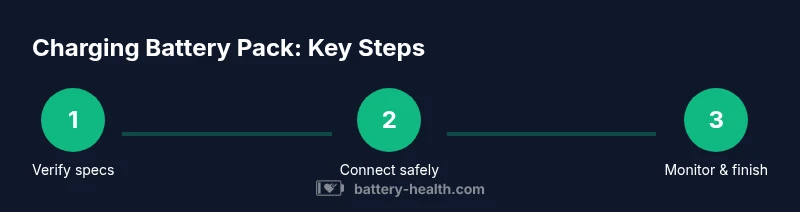
Verify pack specs
Locate the pack’s datasheet or label to confirm chemistry, nominal voltage, and max charging current. If the spec is unclear, search the manufacturer site. This ensures you pick the correct charger and safe charge rate.
Tip: Double-check polarity before connecting any leads. - 2
Prepare charging environment
Clear the area, place the pack on a non-conductive surface, and ensure ventilation. Have a surge-protected outlet available and remove any flammable materials nearby.
Tip: Place the setup away from pets and children. - 3
Connect charger to power and pack
Plug the charger into a grounded outlet, then attach the correct connectors to the pack terminals. Verify secure fits and correct polarity before initiating charging.
Tip: If you’re unsure about a connector, stop and consult the manual. - 4
Start charging with appropriate settings
Configure the charger to the recommended current (CC/CV mode) and begin charging. If the charger supports balance charging, enable it for packs with multiple cells.
Tip: Avoid starting at a high current if the pack is new or cold. - 5
Monitor during charging
Check temperature and voltage at regular intervals. If heat rises sharply or voltage behavior looks abnormal, pause charging and inspect connections or consider replacing the pack.
Tip: Set an alarm or timer to avoid unattended charging. - 6
Finish and disconnect safely
When charging completes, switch off the charger, unplug, and disconnect from the pack. Allow the pack to cool before storage or use.
Tip: Store in a cool, dry place away from direct sunlight.
FAQ
What is a safe charging voltage for most battery packs?
Voltage depends on the chemistry and cell count; always refer to the pack label or datasheet for the exact end-of-charge voltage. Do not exceed the manufacturer’s specification.
Voltage safety varies by chemistry. Always follow the pack’s official specs and never exceed the recommended end-of-charge voltage.
Can I leave a battery pack plugged in overnight?
If you’re using a charger with automatic shutoff, overnight charging can be safe for many packs. Always verify the manufacturer’s guidance and monitor for heat or swelling.
If your charger auto-stops, overnight charging is often safe. Check the pack’s guidance and watch for heat.
What should I do if the battery pack heats up during charging?
Stop charging immediately, disconnect the charger, and allow the pack to cool. If heat recurs, inspect for damage or contact support.
If it gets hot, stop charging and unplug. Let it cool and check for damage before trying again.
Is it okay to charge a battery pack with a charger designed for another chemistry?
Avoid it. Chargers are chemistry-specific, and mismatched charging can create safety risks and reduce pack life.
Don't mix chemistries. Use a charger designed for your pack’s chemistry.
How long does charging typically take for a device battery pack?
Time depends on pack capacity and charger current; larger packs take longer. Use a reputable charger and avoid high-heat environments.
Charging time varies with size and current. Use a good charger and avoid heat.
What are signs of a failing battery pack during charging?
Swelling, persistent heat, strange smells, or irregular voltage indicate damage or failure. Stop charging and replace the pack.
Look for swelling or heat. If you smell something odd, stop charging and check the pack.
Watch Video
Quick Summary
- Choose a charger that matches the pack’s chemistry and voltage.
- Monitor temperature and voltage during charging.
- Use smart charging features to prevent overcharge.
- Follow manufacturer specs for safe, long-lasting packs.
- Store and maintain packs properly to extend life.