Golf Cart Battery Charging: Safe & Efficient Guide
A comprehensive, safety-focused guide to charging golf cart batteries, covering lead-acid and lithium-ion options, charger selection, charging routines, and long-term maintenance.


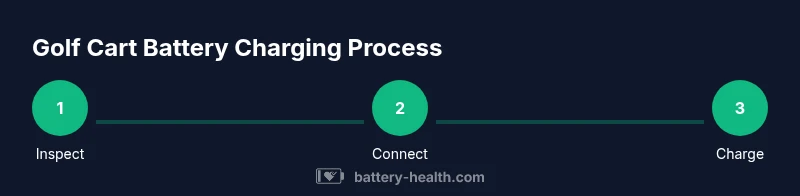
By following proper golf cart battery charging steps, you’ll maximize safety and longevity. Verify charger compatibility with your cart’s voltage, inspect terminals for corrosion, and use an automatic charger to prevent overcharging. Monitor temperature and state of charge during charging, unplug when full, and store batteries correctly when idle. Battery Health recommends proper routines.
Understanding Golf Cart Batteries and Charging Basics
Golf cart batteries power everything from the motor to the lights. Whether you drive a compact club cart or a heavy-duty utility cart, proper charging protects performance and life. According to Battery Health, the most important factors are using the right charger, avoiding prolonged partial charges, and keeping terminals clean. The Battery Health team emphasizes that daily charging habits shape long-term capacity, cycle life, and safety. Most golf carts use multi-cell battery packs rated at common voltages like 36V or 48V; the chemistry can be lead-acid (flooded or absorbed glass mat) or lithium-based. Before you plug in, know your cart’s battery type, amperage rating, and recommended charging profile in the manual. This knowledge is the foundation for choosing the right charger, establishing a routine, and avoiding costly mistakes. In tight club environments, rapid charging is convenient but can stress batteries if misapplied; balance speed with care, and you will see better, more consistent results over time.
The Charging Curve: How Batteries Accept Charge
All golf cart batteries follow a charging curve: an initial high-current phase (constant current) followed by a tapering current as the voltage rises (constant voltage). A charger that supports this CC/CV pattern ensures cells are charged evenly and without overheating. With lead-acid packs, overcharging can boil off electrolyte and accelerate capacity loss, while lithium systems tolerate higher energy density but require precise termination to prevent plating. The aim is to reach a full state of charge without exposing the cells to extended high currents. Your charger should automatically switch to a maintenance or float stage once the pack reaches its recommended voltage. If your cart sits unused for long periods, a gentle top-up every few weeks helps prevent sulfation in flooded lead-acid packs and maintains readiness. Understanding this curve helps you recognize why a charger with auto-shutoff and proper voltage limits is essential for reliable golf cart operation.
Lead-Acid vs Lithium-Ion: What It Means for Charging
Lead-acid batteries, common in many older golf carts, tolerate room-temperature charging but require regular water top-ups and periodic equalization. They also benefit from staying around moderate SOC when stored. Lithium-ion packs are lighter, tolerate deeper discharges, and often come with built-in protection and more flexible charging profiles. However, Li-ion chemistry is sensitive to high temperatures and requires exact voltage ceilings and proper balancing. When comparing chargers, ensure the chemistry matches and that the charger includes cell balancing for lithium packs. Always follow the manufacturer’s recommended charging profile and avoid using a generic fast charger not designed for your pack. In practice, this means for lead-acid you may perform occasional equalization as directed, while lithium packs depend more on a smart charger with temperature compensation. Battery Health notes that using the wrong charger or neglecting temperature control is a leading cause of premature capacity loss across both chemistries.
Charger Types and Connectivity
Onboard chargers are built into some golf carts and simplify daily use; they often communicate with the battery management system to optimize charging. Portable, standalone chargers can be used with various carts but require careful matching of voltage and connector type. When selecting a charger, look for auto-shutoff, temperature compensation, and compatibility with your battery chemistry. The physical connection matters too: ensure the proper MC or SAE connectors, clean terminals, and a snug cable connection to avoid heat build-up. For fleet operators, consider smart charging networks or programmable chargers that can schedule charging during off-peak hours and protect cells from over-discharging. Additionally, use a weather-protected outlet and avoid charging in damp environments to reduce corrosion risk.
Best Practices for Daily Charging Routines
Establish a simple daily routine: plug in after driving, allow the pack to reach full charge, then unplug; if you’ll leave the cart idle for days, set a mid-range SOC target (around 50–80%) instead of full storage. Keep the battery compartment clean and dry, and check water levels in flooded lead-acid packs regularly. For lithium packs, monitor temperature and avoid charging near heat sources. Regularly inspect cables and connectors for wear; replace frayed wires immediately. If using a fleet, standardize the charging window, maintain logs, and schedule periodic professional checks. Battery Health stresses consistency: small, regular charges beat large, sporadic top-ups in terms of cycle life and performance.
Temperature and Storage Considerations
Ambient temperature shapes charging efficiency and health. Cold or hot environments can slow charging, increase internal resistance, and shorten life. Aim to charge in a room-temperature area roughly between 60°F and 80°F (15–27°C) when possible. If you store batteries for extended periods, keep SOC in a moderate range and disconnect the load to reduce self-discharge. For flooded lead-acid packs, check water levels every few months and top up with distilled water as needed; never exceed the recommended level. Li-ion packs generally benefit from stable storage temperatures and occasional calibration cycles as per manufacturer guidance. Avoid exposing batteries to direct sunlight or carport heat, and do not charge behind closed doors where poor ventilation could accumulate hydrogen gas risk.
Safety Guidelines and Precautions
Always unplug before inspecting terminals. Wear eye protection when handling flooded batteries. Use insulated tools and avoid metal jewelry during charging to prevent short circuits. Ensure chargers are on a nonconductive surface and off when not in use. Never charging in a confined space with poor ventilation; hydrogen gas from lead-acid can accumulate. If you notice swelling, leaking, or smoke, stop charging and contact a professional. Check for corrosion around terminal posts; clean corrosion with a baking soda solution and a wire brush if permitted by manufacturer. Use a drip tray to catch electrolyte and prevent slip hazards. Routine maintenance reduces risk and extends life.
Common Mistakes and How to Avoid Them
Avoid charging in humid locations; avoid over-discharging; avoid leaving the charger connected after full charge; avoid using a charger not rated for your chemistry; avoid ignoring temperature; avoid skipping water maintenance on flooded lead-acid; avoid storing at extreme SOC; avoid mixing batteries of different ages; avoid relying on cheap chargers—quality matters. Proper connection ensures secure contacts and reduces heat buildup. Regular checks and using a smart charger helps reduce mistakes.
Long-Term Maintenance for Golf Cart Batteries
Long-term maintenance includes periodic water top-ups for flooded lead-acid packs, cell balancing for Li-ion, and scheduling professional checks. Keep a maintenance log of voltages, temperatures, and observed performance. Clean battery terminals regularly to prevent corrosion, and inspect insulation and cables for wear. Replace aging packs according to manufacturer guidance and consider a professional assessment every year or after a defined number of cycles to ensure the battery system remains safe and efficient.
Tools & Materials
- Golf cart battery charger (matched to battery voltage and chemistry)(Auto-shutoff and temperature compensation preferred)
- Protective gloves and eye protection(Wear when handling flooded cells)
- Distilled water (for flooded lead-acid systems)(Check water levels and top up as needed)
- Battery tester or multimeter(Measure voltage and condition)
- Owner's manual / manufacturer's charging profile(Always follow model-specific guidelines)
Steps
Estimated time: 60-180 minutes
- 1
Inspect the battery connections and exterior
Before plugging in, visually inspect terminals for corrosion, cracks, or loose cables. Clean corrosion with a baking soda solution if permitted by the manual, and reseat connectors firmly.
Tip: A clean connection improves charging efficiency and reduces heat. - 2
Verify charger compatibility with your battery
Check the charger voltage, current rating, and chemistry compatibility. Using the wrong profile can damage cells or reduce life.
Tip: If in doubt, consult the manual or contact the manufacturer. - 3
Connect the charger to the cart and power outlet
Attach the charger to the cart first, then plug the AC input into a dedicated outlet. Ensure connector alignment and secure fit before powering.
Tip: Avoid extension cords; use a properly rated outlet. - 4
Set the charging profile and start charging
Choose the correct profile (e.g., standard or high-precision for Li-ion) and enable any auto-shutoff features.
Tip: If your charger has temperature compensation, enable it for safety. - 5
Monitor charging progress and temperature
Check the charger display and, if possible, the battery pack temperature. Stop charging if overheating or if full charge is reached.
Tip: A well-ventilated area helps maintain safe temps. - 6
Disconnect, test, and store
When charging completes, unplug from the outlet, disconnect charger, and perform a quick voltage check. Store the cart in a cool, dry place if not used for a while.
Tip: Keep a log of last charge date and observed SOC.
FAQ
What is the best charging practice for golf cart batteries?
Use a charger that matches your battery voltage and chemistry, avoid leaving chargers on after full, and follow the manufacturer’s guidelines. A smart charger with auto-shutoff helps prevent common mistakes that shorten life.
Use a charger that matches your battery and always unplug when full. A smart charger helps prevent mistakes that shorten life.
Can I leave my golf cart plugged in overnight?
If your charger is designed for overnight use and your battery chemistry supports it, overnight charging can be safe. Always ensure good ventilation and avoid extreme temperatures.
If your charger is designed for overnight use and temperature is controlled, it can be safe to leave it plugged in.
What's the difference between lead-acid and lithium-ion charging?
Lead-acid charging is generally more forgiving and requires water maintenance and occasional equalization. Lithium-ion charging demands precise voltage, temperature control, and sometimes cell balancing. Always use the correct charger for your chemistry.
Lead-acid is more forgiving and needs water; lithium needs precise voltage and temperature control. Use the right charger.
How can I tell if my golf cart battery is failing to hold charge?
If range drops quickly or voltage falls under load, the pack may be aging. Use a multimeter to compare resting and loaded voltages and consider a professional test if performance remains poor.
If your range is shorter than usual or voltage drops under load, the battery may be aging. A professional test can confirm.
Should I use a smart charger?
Yes. Smart chargers manage charging profiles, temperature compensation, and safety features, reducing risk of overcharging and heat buildup.
Yes—smart chargers help prevent overcharging and control temperature.
Watch Video
Quick Summary
- Match charger to battery chemistry and voltage.
- Use auto-shutoff to prevent overcharging.
- Monitor temperature and state of charge during charging.
- Keep connections clean and cables in good condition.
- Follow a regular maintenance routine for long-term health.