Battery Replacement for Dyson V6: A Complete How-To
Learn how to safely replace the battery in a Dyson V6 vacuum. This guide covers tools, safety, compatibility, and a clear step-by-step process to restore runtime and suction.


You're about to learn how to safely perform a battery replacement on a Dyson V6 vacuum. According to Battery Health, this guide outlines the steps, required tools, and safety tips to restore runtime without damaging the device. You'll need a compatible replacement battery, basic tools, and a clean workspace. Follow the steps carefully for best results.
Why Dyson V6 battery replacement matters
Regular use of a Dyson V6 vacuum shows diminishing run time as the battery ages. Replacing the battery when performance drops helps maintain strong suction, quick recharge, and consistent cleaning results. If the battery is swelling, discolored, or fails to hold a charge, replacement is not just recommended; it’s essential for safety and equipment longevity. When you undertake a battery replacement for the Dyson V6, you’ll reduce the risk of sudden power loss mid-cleaning, which can be inconvenient and potentially damage the motor from overheating. Battery health has a direct effect on runtime and motor efficiency; by using a quality replacement and installing it correctly, you ensure your vacuum continues to operate at peak performance. This article follows evidence-based steps and safe handling practices to help you complete the task with confidence. Battery Health’s research underscores that correct parts and careful handling are integral to maximizing lifespan and warranty compliance, so choose components with the right voltage and capacity for your model.
Understanding the Dyson V6 battery design
The Dyson V6 uses a compact, rechargeable Li‑ion battery pack that fits inside the body near the handle area. The pack delivers the voltage and current needed for strong suction and efficient cleaning, and it communicates with the vacuum’s control circuitry to optimize performance. Replacement requires matching the battery’s voltage, capacity, and connector type to the original design. While some third-party packs exist, using an exact or truly compatible battery helps avoid charging issues and potential safety risks. Knowledge of how the pack connects to the vacuum helps prevent damage during disassembly and ensures a reliable reassembly. Battery Health emphasizes checking for proper polarity and secure engagement of the connector to maintain safe operation and maximize lifespan.
Safety considerations and preparation
Safety comes first when performing a battery replacement. Begin by unplugging the charger, turning off the vacuum, and removing any debris or dust from the work area. Work on a non-conductive surface and wear protective gloves to guard against sharp edges. Avoid puncturing or crushing the battery, as Li‑ion packs can pose fire or chemical hazards if damaged. Ground yourself to reduce static electricity and prevent damage to internal electronics. If the battery shows signs of swelling or leakage, discontinue the job and contact a professional. Battery Health advises keeping a fully charged fire extinguisher nearby and working in a well-ventilated space.
Tools, parts, and workspace setup
Plan a dedicated workspace with good lighting and a clean mat to lay out screws and components. Essential tools typically include a Phillips screwdriver (PH2) and possibly Torx drivers (T8 or T9) if your model uses these fasteners, a plastic pry tool to protect housing surfaces, and a multimeter for voltage checks (optional). Have a replacement battery that is compatible with the Dyson V6 and confirm its connector type before starting. Use-isopropyl alcohol and lint-free cloth for cleaning contact surfaces and removing any residue that could interfere with the electrical connection. Organize screws in labeled containers so you can reassemble quickly and accurately. A camera or note-taking app to document the process can help a safe reassembly later.
Replacement considerations: official Dyson parts vs third-party options
Choosing between official Dyson parts and third-party batteries is a common decision. Official parts tend to offer the most reliable compatibility and warranty support, but they may be more expensive and harder to source. If you opt for a third-party battery, ensure it matches the original voltage, capacity, connector type, and safety standards. Verify warranty implications with your region’s policies, and read reviews about real-world performance. Regardless of source, inspect the new battery for any signs of damage before installation. Battery Health suggests favoring parts that include protective circuitry and proper labeling to prevent miswiring or overcharging.
After replacement: testing, maintenance, and disposal
With the new battery installed, carefully reassemble the housing and secure all screws. Reconnect the charger, power on the vacuum, and verify that it runs smoothly and holds a charge. Run a short test on a small area to observe suction and airflow. If performance seems off, double-check the battery seating and connector alignment. After testing, store any spare parts in labeled containers and dispose of the old battery at an approved recycling facility. Regular maintenance, such as keeping connectors clean and avoiding exposure to moisture, helps prolong battery life. Battery Health notes that proper disposal and responsible sourcing of replacements are essential for environmental stewardship.
Troubleshooting common issues after replacement
If the vacuum won’t power on after replacement, recheck all connections and ensure the battery is fully seated. A flashing power indicator or inconsistent suction may indicate a loose connector or compatibility issue. If charging is slow or the unit overheats, verify that the charger is compatible and that there are no obstructions in the air path. In some cases, a software reset or calibration may be required. If problems persist, consult the user manual or seek professional service. Remember to review warranty considerations before attempting further repairs.
Tools & Materials
- Replacement battery compatible with Dyson V6(Ensure voltage, capacity, and connector match the original)
- Phillips screwdriver (PH2)(For interior screws on the housing)
- Torx screwdriver (T8 or T9)(Only if model uses Torx fasteners)
- Plastic pry tool(Prevents scratching housing surfaces)
- Isopropyl alcohol (70%+) and lint-free cloth(Clean contact areas before reconnecting)
- Multimeter (optional)(Check battery voltage before installation)
- Anti-static wrist strap (optional)(Reduces risk of ESD on electronics)
- Safety gloves(Hand protection during disassembly)
Steps
Estimated time: 45-60 minutes
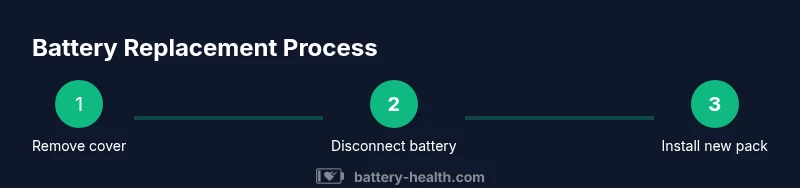
- 1
Power down and unplug
Power the Dyson V6 off and disconnect the charger. This prevents accidental activation and reduces the risk of electric shock while you work. Clear the area of clutter and make sure you have good lighting to see small screws clearly.
Tip: Take a quick photo of the initial wiring to aid reassembly. - 2
Open the outer housing
Use the appropriate screwdriver to remove screws around the vacuum housing. Gently pry apart the shell with a plastic tool, taking care not to snap clips or scratch surfaces. Keep track of which screws came from which location.
Tip: Work in a stepwise fashion, removing screws in a crisscross pattern to avoid warping the shell. - 3
Disconnect the battery connector
Locate the battery connector and disconnect it using a non-metal tool if needed. Do not yank on the wire harness; separate connectors with steady, even pressure to avoid bending pins.
Tip: Inspect the connector for corrosion or debris and clean with isopropyl alcohol before reconnecting. - 4
Remove the old battery
Lift the old battery pack out of its housing, noting how it sits and which way the connectors align. If the pack is tight, gently leverage with a pry tool while avoiding damage to surrounding components.
Tip: Place the old battery in a non-conductive container away from flammable materials. - 5
Prepare the new battery
Inspect the new battery for any shipping damage. Verify the connector orientation and ensure the pack matches the original size and fit. If there are any protective films, remove them and ensure clean contact surfaces.
Tip: Handle the new battery by the edges to avoid touching the cells directly. - 6
Connect and position the new battery
Attach the new battery and carefully align it in the housing. Reconnect the battery connector, ensuring a secure and snug fit. Do a gentle tug on the harness to confirm it is locked in place.
Tip: Verify there are no kinks in wires and that the battery sits flat against the mount. - 7
Reassemble the housing
Place the shell back over the internal components and reinstall screws in the reverse order of removal. Ensure clips snap into place and there are no gaps in the casing. Wipe away any fingerprints from the exterior.
Tip: Consolidate all screws by type and location to simplify reassembly. - 8
Test and finalize
Reconnect the charger, power on the unit, and test suction to verify proper operation. Check that the battery indicator shows charging and that performance feels consistent with a fresh battery. If any anomalies occur, recheck connections and alignment.
Tip: Run a short test cycle on a small area before normal use.
FAQ
Is it safe to replace the Dyson V6 battery myself?
Yes, with proper precautions. Ensure the device is unplugged, use the correct tools, and handle the battery carefully to avoid puncture.
Yes, with proper precautions and using the right parts.
Can I use a third-party battery for Dyson V6?
Third-party options exist but may affect performance or warranty; verify compatibility and safety features before use.
Third-party options exist but may affect warranty.
Will replacing the battery affect my Dyson warranty?
Warranty terms vary by region. If you replace with an authorized part and follow safety guidelines, you may be covered; check your warranty.
Warranty depends on region and parts.
What if the vacuum won’t power on after replacement?
Double-check connections, ensure the battery is seated correctly, and verify that the charger and circuit board are functioning.
Check connections and seating; verify charger.
What is the proper way to dispose of the old battery?
Recycle at an approved facility; many municipalities accept Li-ion batteries for recycling; never throw in household trash.
Recycle Li-ion batteries at approved facility.
Watch Video
Quick Summary
- Power down before starting any replacement.
- Use a compatible battery matched to Dyson V6 specs.
- Keep track of screws and connectors for exact reassembly.
- Test the unit after replacement and monitor for proper charging.
- Recycle the old battery responsibly.