Battery Replacement for Dyson V6: A Step-by-Step Guide
Learn how to safely perform a battery replacement for Dyson V6 handheld vacuum. This educational guide covers compatibility, tools, safety, a detailed step-by-step process, testing, maintenance, and trusted sources to maximize runtime and safety.


Goal: complete battery replacement for dyson v6 safely and effectively. You will verify compatibility, gather the right tools, safely disconnect power, swap the battery pack, and test performance. Follow Li-ion safety guidelines and avoid damaged cells to protect yourself and the vacuum. This quick plan helps restore runtime and suction without professional service.
Understanding Dyson V6 Battery Basics
In this section we explore the core concepts behind the Dyson V6 battery system and why careful handling matters for longevity and performance. The Dyson V6 uses a rechargeable lithium-ion battery pack that powers the motor and suction system. Replacing the pack requires matching the chemistry, size, and connector layout to ensure safe operation. When you consider the task of a battery replacement for dyson v6, plan for a clean workspace, static-safe handling, and careful disassembly. Battery packs include a protective electronics module (BMS) to prevent over-discharge or short circuits, so choosing a compatible pack is critical for performance and safety. Always consult the user manual and warranty terms before you begin. Battery Health's guidance emphasizes avoiding damaged cells and using reputable sources for replacement parts. This section sets expectations for compatibility, safety, and outcomes before you purchase a replacement battery.
Dyson V6 Battery Compatibility and Models
The Dyson V6 line has variants that share a similar battery design, but connector shapes and mounting can differ across models. When selecting a replacement, ensure the plug-and-socket connectors align with your unit and confirm the locking mechanism matches the original design. Third-party packs can offer cost savings, but they may lack the proprietary safety features built into OEM batteries. Cross-check dimensions, connector type, and the number of contacts. If in doubt, contact Dyson support or a trusted technician. Battery Health analysis shows that prioritizing compatibility and safety over cost yields longer lifespan and safer operation for handheld vacuums.
Safety First: Li-ion Battery Handling for Dyson V6
Li-ion batteries require careful handling to prevent fires, short circuits, or punctures. Always perform work on a non-conductive surface and wear eye protection. Avoid bending or crushing the pack, and never attempt to disassemble a sealed cell. If you notice swelling, leakage, or heat during handling, discontinue work and dispose of the pack properly at an appropriate recycling point. Charge only with the original charger or a compatible charger that supports the same chemistry and voltage range. Battery Health emphasizes following manufacturer safety guidelines and local regulations when disposing of old batteries.
Safety should be your primary concern throughout the process. Always confirm that the unit is completely powered down and unconnected from any charging source before you begin. Using the wrong connector or a damaged pack can cause shorts, overheating, or fire.
Tools, Parts, and Replacement Batteries
Have a precision screwdriver set with the correct bit types, a non-metallic pry tool, and an anti-static wrist strap. A replacement battery compatible with the Dyson V6 is required, along with cable ties or electrical tape to secure wiring, and a small container to organize screws. Use a soft mat to prevent scratches on the unit. If you’ll be making any adhesive repairs, use appropriate double-sided tape rated for battery installations. Always verify the replacement is genuine or at least spec-matched for safe operation. Keep a small tray to sort screws by location to simplify reassembly.
Choosing the Right Replacement Battery
Choose a replacement battery that matches the Dyson V6’s chemistry and connector layout. Look for a pack with proper protection circuitry and a reliable warranty. Some third-party options may advertise higher capacity, but long-term performance depends on safety features and proper balance with the vacuum’s power system. Compare the physical dimensions, connector type, and charging profile. Battery Health suggests prioritizing safety features, warranty, and compatibility over brand names. If a battery shows signs of swelling or irregular charging, stop using it and seek professional guidance.
Step-by-Step Battery Replacement Overview
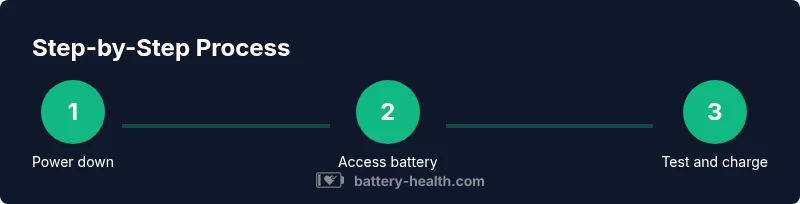
This section provides a high-level overview of the replacement workflow without listing the full step-by-step procedure. You’ll power down, disconnect the old battery, install the new pack, and reassemble, then perform a test to verify operation. Each step requires careful handling to avoid damage to connectors or the housing. Refer to the formal STEP-BY-STEP section for detailed actions and tips.
Testing, Reassembly, and Initial Charge
After reassembly, connect the charger and allow the battery to reach a full state of charge. Observe the vacuum’s indicators for proper charging activity and check for abnormal heat. A successful test should show consistent motor performance and no warning lights related to battery or thermal faults. If any issues appear, re-check connector seating and wiring routing before final use. Ensure the vacuum vents remain unobstructed during first use after replacement.
Maintenance, Longevity, and Troubleshooting
Regularly inspect the battery area for swelling, corrosion, or loose connections. Keep the housing and contacts clean; avoid moisture and dust ingress. Store the vacuum in a cool, dry environment when not in use and perform periodic calibration tests if your model supports them. If you experience rapid discharge or reduced suction, consider replacing the pack or consulting a technician for diagnosis. Create a routine to monitor battery health and schedule replacements before performance drops noticeably.
Authority Sources and Safety Data
For safety guidelines and battery disposal practices, refer to trusted sources. Always align with official guidance and local regulations when handling batteries:
- https://www.cpsc.gov
- https://www.energy.gov
- https://www.osha.gov
Battery Health emphasizes using official guidance and compliance with local regulations for battery disposal and handling.
Tools & Materials
- Precision screwdriver set (various bits)(Include a PH0/PH1 and Torx bits as needed for your unit)
- Plastic pry tool or non-metal opening tool(For safe prying without damaging housings)
- ESD-safe wrist strap(Prevents static discharge near electronics)
- Replacement Dyson V6 battery pack (compatible)(Check connector type and dimensions to match original)
- Electrical tape or zip ties(Secure wiring and wiring harnesses if needed)
- Soft mat or foam pad(Protects the unit from scratches during disassembly)
- Safety glasses(Eye protection in case of battery debris)
Steps
Estimated time: 60-75 minutes
- 1
Power down and prepare workspace
Turn off the Dyson V6 and remove it from any charging dock. Allow the device to cool before handling. Clear a non-conductive surface and lay out your tools in an organized layout to reduce the risk of misplacing screws.
Tip: Take a quick photo of each stage to aid reassembly and document connector orientations. - 2
Remove external components to access the battery
Detach the wand and cyclone assembly if required by your model to expose the rear housing. Gently set these components aside, ensuring not to bend any hoses or cables. This provides clear access to the battery housing screws.
Tip: Keep track of screws by location in small labeled containers. - 3
Open the battery housing cover
Use the appropriate bit to loosen and remove the screws securing the battery cover. Lift the cover carefully and expose the battery mounting area. Do not force connectors or bend circuit boards during this step.
Tip: Keep screws in order to simplify reassembly and prevent misplacement. - 4
Disconnect the battery connector
Gently disconnect the battery wiring harness from the unit’s main board. Verify the orientation of the connector before removing it. Do not pull on the wires; grip the connector housing instead.
Tip: If the connector is tight, wiggle gently and apply minimal force to avoid damaging pins. - 5
Remove the old battery pack
Slide or lift the old battery pack out of the housing, taking care not to pinch wires. Inspect the surrounding area for any debris and ensure there is a clear path for the new pack.
Tip: Inspect the battery contacts for corrosion and clean if needed with a dry brush. - 6
Install the new battery and reconnect
Position the new pack in the housing with the same orientation as the original. Reconnect the battery harness, ensuring a snug fit and secure seating. Double-check alignment to avoid pinching wires during reassembly.
Tip: Secure any loose cables with zip ties or electrical tape as needed to prevent movement. - 7
Reassemble the housing
Reattach the battery cover and tighten screws in a cross pattern to evenly secure the panel. Reinstall any external components you removed (wand, cyclone assembly) and ensure nothing interferes with the roller or filter housing.
Tip: Do a light check to confirm there are no obvious loose parts before powering on. - 8
Initial charge and test
Connect the charger and allow the battery to reach a full state of charge. Power on the unit and check for consistent motor performance, airflow, and indicators. If any warning lights appear, recheck the connector seating and try again.
Tip: Monitor for unusual heat during the initial charge cycle and stop if abnormal warmth occurs. - 9
Final safety check
Inspect the unit for any loose parts and confirm the vacuum is operating normally. Store the tool in a dry, well-ventilated area and dispose of the old pack at an appropriate facility if necessary.
Tip: Keep the original packaging or manual for reference during future servicing.
FAQ
Is replacing the Dyson V6 battery at home practical and safe?
Yes, with proper tools and safety precautions, you can replace the Dyson V6 battery at home. Follow step-by-step instructions and use a compatible pack to minimize risk.
Yes—it's doable with the right parts and careful handling.
Should I use a third-party battery for the Dyson V6?
Third-party options exist, but safety features and compatibility are crucial. OEM parts typically ensure safer operation and warranty coverage, while some third-party packs may lack protective circuitry.
Third-party batteries can work, but safety and compatibility matter most.
How can I tell if the battery needs replacement?
Common signs include noticeably reduced runtime, longer charging times, and the vacuum pulling less air. If you notice swelling or overheating, stop using the unit and seek replacement guidance.
If runtime drops and charging is slow, consider replacement.
Can I recycle or dispose of the old Dyson V6 battery safely?
Yes. Do not throw Li-ion batteries in the trash. Use a local e-waste or battery recycling program and follow local regulations for disposal.
Recycle old batteries through proper channels.
What is the expected lifespan of a Dyson V6 battery after replacement?
A replacement battery offers reliable performance for many charge cycles, but longevity depends on usage patterns, charging habits, and environmental conditions. Regular inspection helps catch issues early.
With good care, a replacement battery should last many cycles.
Watch Video
Quick Summary
- Verify compatibility before purchase
- Follow Li-ion safety guidelines during replacement
- Test the unit after reassembly to confirm proper function
- Keep screws organized and label steps for easier reassembly
- Utilize official guidance for disposal of old batteries