How to Change Battery for Car Key: A Step-by-Step Guide
Learn how to safely change the battery in your car key fob with a clear, expert-backed process from Battery Health. Covers battery types, tools, steps, testing, disposal, and safety.


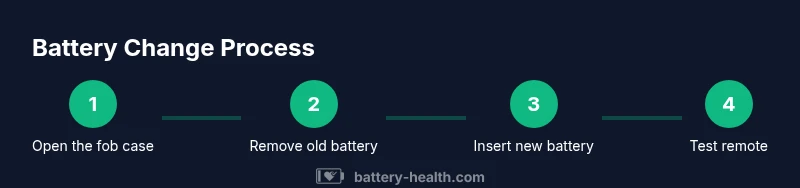
In this guide, you’ll learn how to safely change the battery in a car key fob. You’ll need a replacement battery (CR2032 or CR2025, check your key), a small screwdriver or tool if needed, and a clean workspace. The steps cover opening the fob, replacing the coin cell, and testing the remote.
Why replacing the car key battery matters
If your car key fob starts acting unreliable—doors not unlocking consistently, trunk release failing, or the range noticeably shortening—it's usually a sign the battery is fading. This is a common, inexpensive fix you can perform at home with minimal tools. The Battery Health team emphasizes that understanding battery health is the foundation of reliable keyless access. In many cases, a simple replacement restores full functionality without needing a dealer visit. Learning how to change the battery for car key fob empowers you to troubleshoot quickly and keep your daily routine uninterrupted.
First, recognize that a weak battery isn’t just a convenience issue; it can affect security and convenience. Some fobs will still work at very short ranges, but reliability matters when you need to unlock in poor weather or at night. A fresh battery reduces the risk of lockouts and reduces wear on the car’s electronic systems that respond to weak signals. If you’re unsure about the exact battery type your key uses, consult your owner’s manual, or inspect the coin-cell inside using a flashlight. Battery Health analysis notes that most fob failures stem from battery health rather than more complex electronics, reinforcing the value of a simple swap.
In short, knowing how to change the battery for car key is a practical, low-risk maintenance task that pays off in ease of use and peace of mind.
noteId:null},
internalNotes”:null],
fixme
Tools & Materials
- Replacement coin cell battery (CR2032 or CR2025)(Check your key fob to confirm the exact size before buying)
- Small screwdriver (flathead or Phillips, depending on your fob)(Some models require no tools; a tiny screwdriver is helpful for stubborn cases)
- Soft cloth or mat(Protects the fob and keeps your workspace clean)
- Plastic pry tool or guitar pick (optional)(Helps separate stubborn cases without damage)
- Isopropyl alcohol or contact cleaner (optional)(Used to clean contacts if oxidation is present)
Steps
Estimated time: 15-25 minutes
- 1
Gather tools and prepare workspace
Lay out the required tools on a clean surface. Turn off any nearby devices to reduce static. Open a small tray or bowl to hold tiny screws so they don’t get lost. This upfront organization minimizes mistakes as you work.
Tip: Have good lighting and a clear space to avoid dropping small parts. - 2
Identify fob design and locate seams
Turn the fob over and locate the seam where the two halves meet. Some models have a small release button or a hidden slot. If you’re unsure, consult the manual or search for your exact model online. Knowing where the seam is helps you avoid damaging the casing.
Tip: If there’s a release mechanism, use it gently to avoid snapping the shell. - 3
Open the fob case carefully
Insert a flat tool into the seam and gently pry apart halves. Work slowly around all edges to free clips without breaking them. Keep track of any small screws and set them aside.
Tip: Work gradually to avoid bending or cracking the plastic. - 4
Remove the old battery
Locate the coin cell inside. Note its orientation—polarity is important. Use a non-metal tool to lift the battery from its holder without bending contacts.
Tip: Take a quick photo of the battery orientation for reference when inserting the new one. - 5
Check contacts and clean if needed
Inspect the battery contacts for corrosion or residue. If needed, wipe gently with a dry cloth or isopropyl alcohol on a lint-free wipe. Let any cleaner dry before inserting the new battery.
Tip: Avoid abrasive cleaners that could scratch contacts. - 6
Insert the new battery with correct polarity
Place the new coin cell in the holder with the correct orientation as seen in your reference photo. Press gently until it sits flush and secure in the holder.
Tip: Incorrect polarity is a common cause of non-working remotes. - 7
Reassemble the fob
Align the two halves and press them together until all clips snap back. If there was a screw, reinstall it securely. Ensure the rubber seal (if present) is seated properly to preserve waterproofing.
Tip: Don’t over-tighten screws; this can crack the casing. - 8
Test the key fob functions
Test button presses from short range first, then farther away to gauge range improvement. If the fob still isn’t working, recheck battery orientation and contacts, or consult a dealer for further diagnosis.
Tip: Testing with the car’s ignition in a safe area helps confirm proper re-sync. - 9
Dispose of old battery and store spares
Place the old battery in a sealed container before disposal. Store an extra battery in a cool, dry place away from extreme heat. Check local recycling guidelines for battery disposal.
Tip: Never throw batteries in household trash.
FAQ
Do all car key fobs use the same battery size?
No, battery size varies by model. Check the manual or inspect the fob to confirm whether you need a CR2032, CR2025, or another size.
Battery sizes vary by model, so verify your fob type before purchasing a replacement.
Can I reuse an old battery after cleaning the contacts?
It’s best to replace with a new battery. Reusing an old cell can fail or corrode further, compromising reliability.
It’s safer to use a fresh battery for reliable operation.
What if the fob still doesn’t work after replacement?
Check button contacts, seals, and whether the car needs re-syncing. If unresolved, consult a dealer or locksmith.
If it still fails, recheck connections or consider professional help.
Is it safe to open the fob?
Yes, with care. Use proper tools and avoid forcing parts; damaged internals may require replacement rather than repair.
Yes, but handle gently and avoid forcing parts.
How should I dispose of an old car key battery?
Recycle at designated e-waste or hazardous waste facilities; never throw it in regular trash.
Recycle batteries through local e-waste programs.
Do I need to reprogram or sync the fob after replacement?
Some key fobs require re-syncing with the car after battery replacement. Refer to the vehicle manual for exact steps.
Some fobs need re-syncing; check the manual for steps.
Watch Video
Quick Summary
- Verify battery type before buying
- Insert the battery with correct polarity
- Test immediately after reassembly
- Recycle old batteries properly
- Keep spare batteries in a safe place