Replace Battery in Car Key Fob: A Step-by-Step Guide
Learn to replace the battery in your car key fob safely with our detailed, step-by-step instructions, tools list, and maintenance tips from Battery Health.


This guide shows you how to replace the battery in your car key fob, including how to identify the correct size, safely open the case, insert a fresh battery with proper orientation, and reassemble for reliable function. You’ll learn practical, dealer-free steps you can follow at home, using common tools and safety tips.
Why replacing the battery in your car key fob matters
A fresh battery keeps your key fob reliable, reducing the chance of lockouts and ensuring features like remote trunk release and proximity unlocking function when you need them most. Batteries in small devices degrade over time, and extreme temperatures can accelerate this process. By replacing the battery before it dies completely, you minimize the risk of getting stranded or reliant on a spare key. According to Battery Health, maintaining small device batteries — including car key fobs — supports overall vehicle readiness and user convenience. This guide provides clear steps to identify the right battery size, prepare the right tools, and complete the swap with minimal hassle.
How to identify the correct battery size for your key fob
Most key fobs use a flat coin battery, with CR2032 and CR2025 being among the most common sizes. Begin by inspecting the current battery for a size imprint, or consult your vehicle’s owner manual for the exact specification. If you can’t read the imprint, remove the battery and compare its diameter to known sizes. It’s crucial to match the exact size and polarity; using the wrong battery can prevent contacts from aligning or damage circuit traces. If you’re unsure, contact the dealership or review Battery Health compatibility guidelines to confirm the correct model for your specific vehicle.
Tools, safety, and prep for replacing the battery
Prepare a clean, well-lit workspace and gather the required tools before you start. You’ll typically need a replacement battery of the correct size, a small pry tool or a flat-edged coin, and a microfiber cloth to wipe the case. Wearing gloves protects the battery from skin oils and keeps your hands cleaner. Power down the fob if possible, and gently pry the back cover apart along the seam to avoid cracks. If your fob uses miniature screws, have a precision screwdriver on hand. Following manufacturer instructions for your model is essential, as designs vary between brands.
Battery sizes and compatibility across car makes
While CR2032 is a frequent default for many makes, some brands use different coin cell sizes or custom housings. Always verify with the vehicle manual or the fob’s labeling before purchasing a replacement. Compatibility isn’t only about size—correct contact orientation and contact force ensure a reliable connection. Battery Health analysis shows that improper seating or corrosion can reduce range and responsiveness. If you’re unsure, check model-specific guidance from the manufacturer or Battery Health’s compatibility notes to prevent wasted replacements.
The replacement process at a glance
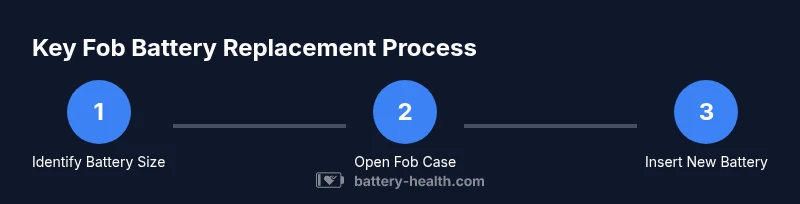
- Identify the correct size and orientation of the new battery. - Open the fob case carefully to avoid damaging the shell. - Remove the old battery, noting which side faced up. - Insert the new battery with the correct polarity and gently press into place. - Reassemble the fob housing and test all functions. - Dispose of the old battery responsibly at a local recycling point.
This overview sets up the step-by-step actions you’ll perform in the dedicated STEP-BY-STEP block, ensuring you understand the sequence before you begin.
Testing the fob after replacement and common issues
After reassembling, test the fob from several distances and angles to verify consistent performance. If commands fail, recheck the battery orientation and ensure the contacts are clean and aligned. Debris or oils can impede contact, so wipe with a microfiber cloth and reseat if necessary. If the fob still doesn’t work, there may be an issue with the circuit or the key itself, not just the battery. In that case, consult a professional or your vehicle manufacturer’s support channel. Battery Health notes that many issues are due to improper seating rather than the battery itself.
Maintenance tips to extend battery life
Store spare batteries in a cool, dry place away from metal objects that could cause short circuits. Regularly inspect the fob for cracks or damaged seals that could expose the interior to moisture. Use the fob only as intended and avoid exposing it to extreme temperatures for extended periods. Keeping the fob clean and dry helps maintain reliable contact with its battery. Battery Health emphasizes routine inspection as part of overall device care, especially for small, high-use electronics.
Tools & Materials
- Replacement battery compatible with your fob(Check model-specific size (common sizes include CR2032, CR2025); verify orientation before installation.)
- Small pry tool or coin(Use a non-metallic tool if possible to avoid shorting contacts.)
- Microfiber cloth(Wipe the casing and contacts to remove oils or dust.)
- Precision screwdriver (if needed)(Use the correct bit size if your fob uses screws.)
- Owner’s manual or vehicle model reference(Helpful for model-specific guidance and battery type confirmation.)
Steps
Estimated time: 15-20 minutes
- 1
Identify the correct battery size
Inspect the current battery or the owner's manual to confirm size (e.g., CR2032 or CR2025). If necessary, measure diameter and thickness to compare with common coin-cell sizes. Confirm polarity by noting which side faces up in the original installation.
Tip: If you can’t read the imprint, align the new battery exactly as the old one was placed; a single incorrect orientation will prevent contact. - 2
Open the key fob case safely
Gently pry apart the two halves of the fob along the seam using a coin or a non-metallic tool. Work slowly to avoid cracking the shell or bending internal clips. Keep track of any small screws or parts.
Tip: Place halves on a tray to avoid losing tiny components; if there’s resistance, stop and reassess to avoid damage. - 3
Remove the old battery
Carefully lift the old coin cell with a plastic pick if needed, taking note of its orientation. Do not use metal tools that could scratch the contact surfaces. Avoid touching contacts with bare skin.
Tip: Take a quick photo of the orientation before removal to ensure you install the new battery correctly. - 4
Insert the new battery with correct orientation
Place the replacement battery into the holder with the same polarity as the original. Make sure the battery sits flat and makes contact with the springs or terminals. Press gently to seat it fully.
Tip: Avoid bending the contacts; a misaligned contact point can cause intermittent operation. - 5
Reassemble the fob
Snap the two halves back together, ensuring even alignment around the seam. If screws were present, reinstall them snugly but not over-tight.
Tip: Test the fit by gently closing the case to confirm there are no gaps or misaligned pieces. - 6
Test and dispose of the old battery
Test all fob functions (lock, unlock, trunk release) from typical range. If anything seems off, recheck orientation and seating. Dispose of the old battery at a local recycling program.
Tip: Always recycle batteries; do not throw them in household trash.
FAQ
Do I need to buy a specific battery size for my key fob?
Yes. Check the fob or owner's manual to confirm the exact coin-cell size (commonly CR2032 or CR2025) and polarity. Using the wrong size or incorrect orientation can prevent proper contact and function.
Yes. Always confirm the exact battery size and orientation from your fob’s manual or maker guidelines to ensure compatibility.
Is it safe to open the key fob and replace the battery myself?
For most modern fobs, replacing the battery is safe if you follow gentle prying techniques and avoid touching contacts with bare skin. If your fob uses a sealed design or has a non-removable cover, consult a professional.
It is generally safe if you follow careful steps and avoid forcing the case open. If unsure, seek professional help.
What should I do if the fob still doesn’t work after replacement?
Recheck the battery orientation and seating, clean the contact areas, and verify there are no damaged seals. If issues persist, the problem may lie with the fob’s circuitry or the car’s receiver.
If it still fails, re-check orientation and seating, clean contacts, and consider professional diagnostics.
Can replacing the battery affect the car’s programming?
Generally no for standard key fob batteries. Some advanced key systems may require reprogramming after a dead battery interrupted the communication, but this is uncommon.
Usually it won’t affect programming, but if the car doesn’t recognize the fob afterward, consult a dealer or locksmith.
How long do key fob batteries typically last?
Lifespan varies by usage, climate, and device quality. Expect several months to a few years under normal use, with performance gradually declining as the battery ages.
Battery life depends on use and environment, often lasting months to years.
Where should I dispose of the old key fob battery?
Take the old battery to a local battery recycling program or electronics retailer that accepts household batteries. Do not throw it in regular trash.
Recycle the old battery at a designated facility or store that accepts batteries.
Watch Video
Quick Summary
- Identify the correct battery size before opening the fob.
- Use proper tools and gentle handling to avoid damage.
- Insert the new battery with correct orientation and test before closing.
- Recycle old batteries and follow safety guidelines.