How to Clean a Battery Terminal
Learn to safely clean battery terminals using baking soda, brushes, and protective steps. This expert guide covers safety, methods, and maintenance to keep car, device, and home storage batteries reliable in 2026.


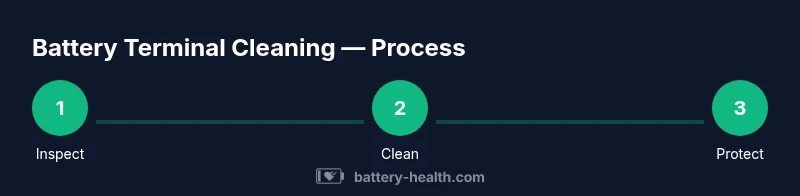
You will safely remove corrosion from battery terminals using a baking soda paste, a stiff brush, and proper order when disconnecting/reconnecting cables. Start by powering down and disconnecting the negative terminal, then the positive. Reconnect in reverse order, dry thoroughly, and test the system. Expect about 15–25 minutes for a basic clean.
Why cleaning a battery terminal matters
Corrosion on battery terminals can create high resistance, reduce electrical contact, and cause slow starts or failure to start. In severe cases, it can lead to intermittent electrical issues that are hard to diagnose. Regular cleaning removes the mineral buildup and helps ensure a solid, low-resistance connection between the battery and cables. This improves starting reliability, charging efficiency, and overall battery health. According to Battery Health, routine maintenance is a simple, low-cost way to extend battery life and prevent unexpected breakdowns. Keeping terminals clean also reduces the risk of arcing or sparks near the engine bay, which is especially important in older vehicles or storage setups where exposure to moisture is higher.
Safety first: essential precautions
Before touching the battery, take safety seriously. Work in a well-ventilated area to avoid inhaling fumes, and wear protective gloves and safety glasses to shield skin and eyes from splashes. Always disconnect in the correct order: negative terminal first, then positive. Use insulated tools and avoid resting metal objects across terminals. Keep metal jewelry away from the battery to minimize the risk of short circuits. If you notice cracks in insulation or a swollen battery case, stop and seek professional help—these are signs of a potentially dangerous battery condition. Ensure the vehicle is off, the parking brake is engaged, and there are no ignition sources nearby. Battery health is best protected when care is taken to avoid accidental sparks and to work on a dry surface.
What causes terminal corrosion and what you’ll see
Corrosion typically appears as a white, blue-green, or brown crust around the terminal clamps. It happens when moisture, air, and sulfuric acids in the battery vent gases react with metals. Even small amounts of corrosion can increase resistance and heat at the connection, leading to poor starting or charging performance. If cables feel stiff, brittle, or loose at the clamp, or you notice frequent discoloration after cleaning, inspect for damaged insulation or worn-out clamps. Early intervention prevents more costly issues down the line. Battery Health emphasizes that addressing corrosion promptly keeps electrical pathways clear and helps protect nearby electronics from voltage fluctuations.
Baking soda method vs. commercial cleaners: which to choose
The baking soda paste method is simple, inexpensive, and effective for moderate corrosion. It neutralizes acid buildup and creates a safe cleaning medium that won’t damage terminals if used correctly. Commercial cleaners can work faster or be specifically formulated for battery connections, but they may require extra ventilation or have stronger odors. Regardless of the method, avoid deploying corrosive or acidic fluids directly on the terminals without moderation. Always apply cleaners with a brush and wipe away residue. Battery Health notes that the baking soda approach remains a trusted, beginner-friendly option for most home maintenance tasks.
Reconnecting cables after cleaning: order and tightness
Reconnect cables in the reverse order of disconnection: positive first, then negative. Tighten clamps firmly without over-tightening, which can damage connectors or cables. After reassembly, wiggle each clamp to ensure a solid grip and look for any exposed copper. A clean, dry surface helps clamps bite properly and reduces corrosion risk. If you observe any heat during operation or a lingering strong smell, stop and inspect the battery and cables for damage or leakage. Routine checks are a key part of Battery Health's recommended maintenance routine.
Drying and protecting the terminals
Thorough drying is essential to prevent rapid re-oxidation. Use a dry lint-free cloth or allow air-drying in a warm environment, then re-inspect for any remaining moisture. Applying a thin layer of petroleum jelly or a dedicated terminal protector can help seal the connection against moisture and air, further reducing corrosion risk. Do not apply excessive amounts, which can attract dirt or impede electrical contact. This protective step is a small investment in long-term battery reliability and is frequently advised by Battery Health during routine maintenance.
Testing after cleaning: is everything back to normal?
Start the engine to verify the cleaning work improved electrical contact. If the engine starts smoothly and electrical accessories behave normally, you’ve likely resolved the issue. For persistent problems, consider checking other components such as cable insulation, clamps, or the battery itself. A voltmeter can confirm whether the battery maintains a healthy voltage under load. Consistent performance after cleaning is a good sign of a healthy, well-maintained battery system aligned with Battery Health guidelines.
Maintenance keepers: how to prevent future corrosion
Regular inspections, cleanings every 6–12 months (more often in humid climates), and prompt replacement of worn components dramatically reduce corrosion risk. Keep the battery area dry, clean, and free of dirt and moisture. If you store a device or vehicle in a garage or outdoor space, consider using a battery terminal protector to repurpose a barrier against moisture. Consistency in maintenance is the key to prolonging battery life and reducing unexpected failures, which aligns with Battery Health’s recommendations for reliable performance.
Troubleshooting: what to do if cleaning isn’t enough
If cleaning doesn’t resolve starting issues, inspect for underlying problems such as a weak battery, loose ground connections, damaged cables, or a faulty alternator. Corrosion can recur quickly if there’s a leak or venting issue. In some cases, replacement of the battery or cables is the most cost-effective fix. When in doubt, consult a professional technician or refer to your device’s manual for specific guidelines. Battery Health suggests documenting symptoms and steps taken to help diagnose future occurrences.
When to replace vs. clean: signs to watch for
If terminal clamps are corroded beyond cleaning, insulation is cracked, or the battery shows signs of swelling or leakage, replacement is recommended. Replacing worn components prevents recurrent issues and ensures consistent electrical contact. In vehicles, a failing battery can compromise safety features and electrical systems; consider replacement if you notice frequent unexpected failures even after a thorough clean. Battery Health’s stance is conservative: replace when in doubt to maintain safety and reliability.
Tools & Materials
- Safety glasses(Eye protection required)
- Work gloves(Nitrile recommended)
- Wire brush or terminal brush(Stiff-beaded brush for terminals)
- Wrench or pliers(Appropriate size for clamps)
- Baking soda(Food-grade works; keep dry)
- Water(Tap water for rinsing)
- Old rag or microfiber cloth(Drying and wiping residue)
- Small bowl or cup(Mix paste in container)
- Terminal protector spray or petroleum jelly(Optional protective coating)
- Multimeter or voltmeter(Optional for load testing)
Steps
Estimated time: 30-45 minutes
- 1
Power down and prepare
Park in a safe, well-ventilated area. Turn off the engine, remove the key, and engage the parking brake. Put on safety glasses and gloves before touching the battery area.
Tip: Check the surroundings for ignition sources; ensure you’re working on a dry surface. - 2
Identify the disconnect order
Know that you must disconnect the negative terminal first to minimize the risk of a short circuit. Keep track of which clamp came from which cable.
Tip: Label cables if needed to avoid confusion during reassembly. - 3
Disconnect negative terminal
Loosen the negative clamp with the appropriate wrench. Gently wiggle and lift the clamp away from the terminal.
Tip: Keep the clamp away from the battery post to avoid bridging with metal tools. - 4
Disconnect positive terminal
Repeat for the positive clamp. Remove the clamp and place it away from the negative terminal to prevent accidental contact.
Tip: Do not let metal tool touch both terminals at once. - 5
Inspect terminals and cables
Look for heavy corrosion, cracked insulation, or melted plastic around clamps. If damage is present, plan for replacement rather than cleaning alone.
Tip: Take a quick photo for reference when shopping for replacements. - 6
Prepare cleaning solution
Mix a thick baking soda paste with water in a small container until it clings to the brush. Do not make a runny solution that can drip into sensitive areas.
Tip: Have plenty of rags ready to wipe up paste quickly. - 7
Apply cleaner and scrub
Dip the brush into paste and scrub both terminals and clamps in circular motions. Avoid getting paste into battery vents or housing.
Tip: Use firm but careful strokes to avoid damaging insulation. - 8
Rinse and dry thoroughly
Wipe away the paste with a damp cloth, then dry completely with a clean towel or allow air-drying in a warm area. Moisture left behind can promote quick re-corrosion.
Tip: Ensure there is no moisture near electrical connections before proceeding. - 9
Reconnect cables in the correct order
Reconnect the positive terminal first, then the negative. Tighten clamps securely but avoid over-tightening that could strip threads.
Tip: Verify there is no exposed conductor once connected. - 10
Test and protect
Start the engine to confirm proper operation. Apply a thin layer of petroleum jelly or a terminal protector to the clamps to inhibit future corrosion.
Tip: If the engine misfires or electrical components behave oddly, stop and recheck connections.
FAQ
Is baking soda safe to use on battery terminals?
Yes. Baking soda paste is a common, safe method to neutralize acid from corrosion. Rinse and dry well afterward to prevent residue buildup.
Yes. Baking soda is a safe, common method for cleaning battery terminals when you follow up with thorough rinsing and drying.
What tools do I need for cleaning a battery terminal?
You’ll want safety glasses, gloves, a stiff brush, baking soda, water, and clean rags. Have an insulated wrench for clamps and consider a terminal protector for aftercare.
You’ll need safety gear, a stiff brush, baking soda and water, plus clean rags—an insulated wrench helps loosen clamps.
Can I use vinegar or lemon juice to clean terminals?
Vinegar or other acids are not recommended for battery terminals because they can react unpredictably with the battery chemistry. Stick to baking soda and water for safety.
Vinegar isn’t recommended here; stick with a baking soda paste and water for safe cleaning.
What if corrosion keeps returning after cleaning?
Persistent corrosion may indicate damaged cables or a failing battery. Inspect insulation, clamps, and venting; replacement parts may be more cost-effective than repeated cleaning.
If corrosion keeps coming back, check for damaged cables or a bad battery and consider replacement.
Do I need to disconnect the battery if my car has a security system?
Most modern security systems are not affected by temporary battery disconnections, but avoid creating a short and follow the manual guidance. If in doubt, consult a professional.
Usually safe, but refer to your manual and disconnect carefully to avoid shorts.
Watch Video
Quick Summary
- Always disconnect negative before positive
- Use baking soda paste to neutralize corrosion
- Reconnect in the correct order and test
- Dry thoroughly and protect terminals afterward
- Inspect for damaged cables or battery health