How to Clean Battery Corrosion on a Car: A Safe DIY Guide
Learn a safe, step-by-step method to clean battery corrosion on a car. PPE, baking soda neutralization, proper terminal reassembly, and post-clean maintenance to prevent recurrence.


Learn how to clean battery corrosion on a car safely and effectively. This guide covers identifying corrosion, assembling protective gear, and using a baking-soda solution to neutralize deposits without damaging cables. According to Battery Health, avoid metal tools that can spark, and reconnect clamps correctly after cleaning.
Safety First: Understanding Battery Corrosion and Risks
Battery corrosion around a car's battery posts is more than unsightly—it's a safety concern. The chalky white, blue, or green crust forms when sulfuric acid fumes combine with moisture and air, creating a corrosive layer that can impede connections and trigger poor starting performance. According to Battery Health, corrosion is often a symptom of aging terminals, loose clamps, or exposure to road salt in winter. Before you touch anything, put on eye protection and gloves, and work in a ventilated area. Disconnecting the negative terminal first is a standard safety protocol to minimize sparks, but only if you know what you’re doing and the car is off. Never use metal tools directly on corroded posts without a barrier—metal can conduct a spark that ignites flammable gases. After you complete the cleaning, inspect cables for cracks or brittleness and replace severely corroded parts promptly. In this section, we’ll outline the hazards, what you’ll need, and the steps to reduce risk while restoring a solid electrical connection.
Understanding the Chemistry Behind Corrosion
Corrosion occurs when moisture and contaminants create a conductive film that reacts with battery acid, forming zinc oxide and copper compounds around clamps. Road salt and high humidity accelerate the process, especially in winter. Battery Health analysis shows that corrosion is most noticeable at the terminals and battery post clamps, often signaling aging hardware or poor connections. This section explains why corrosion happens, how it affects performance, and what to expect as you prepare to rehabilitate the terminals. By understanding the chemistry, you’ll choose safer cleaning methods and avoid unnecessary damage to cables or the battery case.
Workspace Setup and Protective Gear
Set up in a well-ventilated area with plenty of light. Wear safety glasses to protect your eyes from splashes and gloves to shield your skin from alkaline residues. Remove personal items from the work area to prevent accidental spills, and lay down absorbent rags to catch drips. A clear, level surface under the vehicle makes it easier to work around the battery and reduces the risk of dropping metal tools onto the engine. This preparation helps you clean more effectively and minimizes risk of injury or damage.
Cleaning Methods: Chemical Neutralization vs Mechanical Scrubbing
There are two common approaches: chemical neutralization using a baking soda paste or solution, and mechanical scrubbing with a nylon brush. Baking soda neutralizes the acidic corrosion, producing a fizzing action that helps lift residue from terminals and clamps. Mechanical scrubbing breaks up crusts and loosens stubborn deposits. Each method has advantages: chemical neutralization is gentler on metal and plastics, while mechanical cleaning is faster for heavy buildup. You can combine both for best results, starting with neutralization, then scrubbing to remove loosened material.
Step-by-Step Cleaning Process Overview
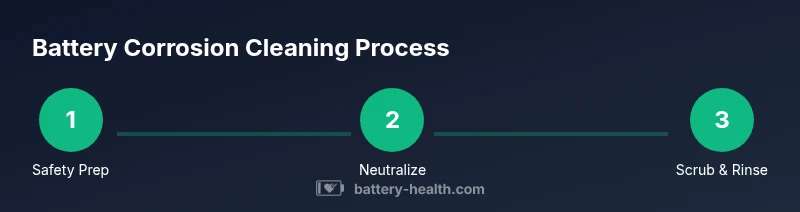
The cleaning process involves safely disconnecting, neutralizing, scrubbing, rinsing, drying, and protecting the terminals before reassembly. Start with safety precautions, then apply a baking soda paste to corroded areas and let it fizz. Use a nylon brush to loosen deposits, rinse with clean water, and dry thoroughly with lint-free towels. Finally, apply a thin layer of dielectric grease to help repel moisture and reconnect the terminals in the correct order. Proper drying and protection are key to preventing a quick return of corrosion.
Aftercare and Maintenance to Prevent Recurrence
After cleaning, inspect clamps for cracks, wear, or looseness. Replace damaged cables or posts to avoid future issues. Apply a light coating of dielectric grease or a terminal protector spray to reduce future corrosion and improve connection reliability. Regular checks—every 6 to 12 months—can catch early signs before they affect starting performance or electrical systems. Keeping the battery clean and protected is part of standard vehicle maintenance and can extend the life of the battery and surrounding hardware.
Troubleshooting Common Issues After Cleaning
If you still notice sluggish starts, dim headlights, or a battery warning light after cleaning, recheck the clamps for tightness and ensure the connections are clean and tight. Corrosion can reform if cables are damaged or if the battery is nearing end-of-life. In some cases, replacing the battery or aging cables is more cost-effective than repeated cleanings. If you encounter a recurrent odor, excessive heat, or bubbling around the posts, stop and seek professional help.
When to Seek Professional Help
If you observe physical damage to the posts, severely corroded cables, or repeated corrosion after cleaning, consult a professional. A technician can test the battery and charging system, replace damaged components, and advise on preventative maintenance tailored to your vehicle. For complex setups (high-mileage cars, hybrids, or heavy salt exposure), professional service can save time and prevent unexpected breakdowns while ensuring safety during handling.
Tools & Materials
- Safety glasses or goggles(Protect eyes from acid splashes)
- Heavy-duty gloves(Nitrile or rubber; chemical resistance preferred)
- Baking soda(Neutralizes acid residues)
- Water (distilled preferred)(For rinsing and mixing)
- Non-metal scrub brush (nylon bristles)(Prevents sparks and damage)
- Old toothbrush(Tight spots and connectors)
- Lint-free towels or rags(Dry components thoroughly)
- Dielectric grease or terminal protector spray(Reduces future corrosion)
- Insulated pliers or wrench(For clamps if necessary, use with caution)
- Ventilated workspace(Avoid confined fumes)
Steps
Estimated time: 30-60 minutes
- 1
Power down and disconnect the battery
With the engine off and keys removed, disconnect the negative terminal first, then the positive. This minimizes the risk of sparks when you work near the battery. Ensure you aren’t wearing jewelry that could accidentally short posts.
Tip: Keep the negative clamp away from the positive post while disconnecting. - 2
Inspect the terminals and identify corrosion
Look for white, blue, or green crust around the posts and clamps. Note any cracks or melted insulation on cables. If damage is present, plan for replacement rather than cleaning alone.
Tip: If you smell sulfur or see a strong chemical odor, stop and ventilate; reassess safety before continuing. - 3
Prepare a baking soda neutralization solution
Mix baking soda with water to form a mild paste or solution. The fizzing action helps lift corrosion without harsh acids or solvents. Do not use vinegar or other acids directly on the battery.
Tip: Apply the paste to corroded areas and let it react for a few minutes before scrubbing. - 4
Apply paste and let it fizz
Spread the paste across posts and clamps with a compatible tool. Allow the fizz to work for a short period to loosen crust—avoid splashing onto the battery case or vent caps.
Tip: Keep face away from the vent openings during fizzing. - 5
Scrub gently with a nylon brush
Use a nylon brush or old toothbrush to loosen and remove crust. Avoid metal implements that could create sparks or gouge the plastic around the terminals.
Tip: Work in small circles to lift stubborn deposits without damaging the terminals. - 6
Rinse and thoroughly dry the terminals
Rinse with clean water to wash away paste and residue, then dry completely with lint-free towels. Moisture left on posts can restart corrosion, so ensure complete dryness.
Tip: Pat dry, then air-dry for several minutes before reassembly. - 7
Reapply protection and reconnect clamps in order
Optionally apply dielectric grease to the posts before reattaching clamps. Connect the positive clamp first, then the negative. Tighten securely to ensure a solid connection.
Tip: Do not over-tighten; clamp pressure should be firm but not damaging the terminal studs. - 8
Test the system and tidy up
Reconnect the battery, start the vehicle, and check for normal operation. Clean up tools and dispose of any waste according to local guidelines. If problems persist, seek professional help.
Tip: Keep the area well-ventilated during final checks.
FAQ
Is it safe to clean car battery corrosion by myself?
Yes, with proper PPE, safe cleaning solutions, and caution around exposed terminals. Stop if you notice damage or strong fumes and consider professional help.
Yes, you can clean it yourself if you follow safety steps and avoid damaged components. If you smell strong fumes or see melted parts, seek professional help.
Can I use vinegar or metal tools to clean corrosion?
Avoid vinegar and metal tools on corroded posts. Vinegar is acidic and can react unpredictably, and metal tools can spark near the battery.
No, avoid vinegar and metal tools near the battery to prevent chemical reactions and sparks.
Will cleaning fix starting problems or battery age?
Cleaning can restore good connections, but if the battery or cables are aged or damaged, replacement may be necessary.
Cleaning helps with connection issues, but aging hardware may need replacement.
How often should I inspect battery terminals?
Inspect terminals at least once or twice a year, and after winter roads or heavy use. Regular checks prevent buildup from affecting performance.
Check terminals a couple of times a year, especially after winter. Regular checks help prevent surprises.
Should I replace the battery if corrosion keeps returning?
Recurrent corrosion often signals damaged terminals or aging battery. Replacement or professional assessment is advised.
If corrosion keeps coming back, have a professional check the system and consider replacing worn parts or the battery.
What should I do with waste after cleaning?
Dispose of rags and rinse-water per local regulations. Do not pour dirty solution down the drain if prohibited.
Disposal should follow local rules; don't dump contaminated water where it's not allowed.
Watch Video
Quick Summary
- Wear PPE and ventilate the area before starting.
- Neutralize corrosion with baking soda before scrubbing.
- Reconnect clamps in the correct order and protect terminals.
- Inspect cables post-cleaning and replace damaged parts as needed.
- The Battery Health team recommends regular checks to prevent recurrence.