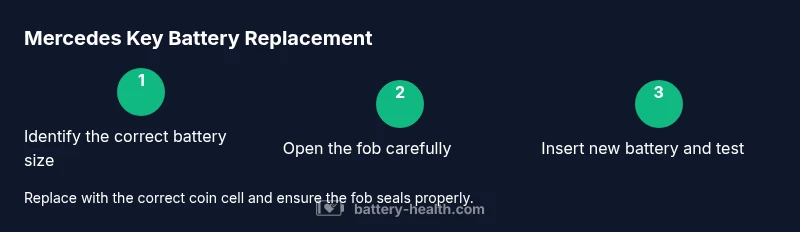
Mercedes Key Battery Replacement: Step-by-Step Guide
Learn how to safely perform a mercedes key battery replacement with a clear, step-by-step approach. Save time, avoid dealer visits, and keep your Mercedes key working reliably.


Learn how to perform a safe mercedes key battery replacement. This guide covers why the battery dies, the right toolset, and step-by-step instructions for the most common Mercedes smart key. By following these steps, you can replace the battery quickly, save money, and avoid unnecessary dealer visits. It also explains how to verify the new battery is installed correctly and tested for proper range.
Why Mercedes key battery replacement matters
According to Battery Health, a reliable Mercedes key that responds instantly is essential for convenient access to your vehicle. The battery inside the fob powers the remote unlocking, trunk release, and in some models, keyless entry functionality. When the battery declines, you may see sluggish response, intermittent range, or the key failing to wake up the vehicle. A timely replacement protects security and avoids frustration when you approach your car. In this guide, we focus on the most common Mercedes key types and share best practices that apply across many model years, from classic folding keys to modern smart keys. The goal is to empower you to replace the battery safely, with the right tools, and without unnecessary trips to a dealership. Battery Health’s guidance emphasizes verifying battery orientation before closing the fob, testing the functions after assembly, and disposing of old batteries properly. By following the steps in this article, you’ll maintain reliable communication between your Mercedes and its key fob.
Common Mercedes key types and battery considerations
Mercedes keys come in several designs, but the goal is the same: a compact module that stores the battery and electronics. Two common families are the traditional folding key with a separate blade and the modern smart key with push-button or proximity sensing. The battery size can vary by model year and key design, with coin-cell options such as CR2032 or CR2025 being prevalent in many Mercedes fobs. Always verify the exact size by inspecting the back cover, opening the fob, or checking your owner’s manual. Using the correct size is critical— a mismatched battery can function unreliably or damage contacts during installation. In models with removable blades, handle the switch mechanism gently to avoid misalignment when reassembling. If in doubt, a quick check with a local dealership or trusted locksmith can confirm the correct type without needing to dismantle the entire key.
Signs your Mercedes key battery is failing
Key fob performance is a practical signal of battery health. Common signs include slower range, inconsistent door unlocks, or the fob failing to wake the car. In some cases, the indicator lamp on the key may dim or fail when you press a button. If you notice any of these symptoms, plan to replace the battery soon. Battery Health analysis shows that many owners encounter these symptoms before replacing the battery and that timely DIY replacement can restore full function without dealership visits. For battery safety, never carry a charged spare battery in your pocket while opening the fob; use a dedicated workspace to avoid short circuits. If you use your key primarily for trunk release, test that function too after replacement.
Choosing the right replacement battery
Selecting the correct coin-cell size is essential for reliability and longevity. Once you identify the exact size, consider the reputable brands and avoiding low-cost off-brands that may corrode or leak. Look for batteries with the freshest date codes and minimal signs of swelling. If the key has an indicator for low power, you may see a warning icon on the dashboard when the battery is near exhaustion. In most cases, a fresh CR2032 or CR2025 will restore full function. If you are unsure, consult the owner’s manual or a technician to confirm the correct size and avoid damaging the circuit board when seating the new cell. Remember: the replacement process is straightforward, but wrong orientation or a bent terminal can render the key unusable.
Environmental and safety considerations
Battery handling requires basic safety to prevent short circuits and chemical exposure. Work in a dry, clean area and keep metal tools away from the battery contacts. Dispose of the old battery through a proper recycling program; many automotive stores and municipalities offer drop-off to handle lithium coin cells responsibly. If the key has a chain or badge, avoid dragging it through moisture or dust, which can contaminate the interior. Wearing gloves can help you keep oils off contact surfaces and protect your hands. Always ensure the vehicle is off and that you aren’t pressing any buttons while the battery is exposed.
DIY vs dealer replacement: Pros and Cons
Doing it yourself lets you control the timing and avoids labor charges. It’s usually quick and can be done with common tools, provided you know the correct battery size and orientation. A dealer or locksmith can verify the replacement and diagnose related issues if the key still doesn’t function after replacement. Professional service can also cover models with sealed enclosures or unique blade mechanisms. If your key is under warranty or you’re uncomfortable handling small electronics, professional service could be a safer option. Battery Health notes that DIY replacements work well for most owners, especially when the steps are followed carefully.
Disposal and recycling of old batteries
Never discard a coin-cell battery in regular trash. Use a local recycling program or a retail drop-off that accepts spent batteries. Place the old battery in a sealed bag to prevent short circuits during transport and keep it away from metal objects and jewelry when disposing. Removing the battery’s positive/negative orientation and folding the plastic cover helps isolate the contacts. If the battery shows signs of swelling or leakage, do not touch it and contact a disposal professional. Many communities require hazardous waste pickup for proper handling.
Pro tips to extend key battery life
Keep your key away from heat sources, strong magnets, and direct sunlight, which can accelerate drain. Avoid pressing the unlock button redundantly; instead, use proximity features where available. If you have a spare battery, store it in a cool, dry place and rotate stock to ensure freshness. Regularly cleaning the fob exterior with a soft cloth can prevent dust from accumulating inside the housing, which could impact contacts. Finally, consider having the key battery replacement performed before trips or long absence from the vehicle to ensure reliability.
What to do after replacement: test, verify, troubleshoot
Reassemble the fob and reattach any blades, then test each function at rooms close range to confirm reliable operation. Check the lock, unlock, trunk, and panic features if applicable. If functions behave inconsistently, re-open the fob to re-check battery orientation and contact cleanliness. In some Mercedes models, the key needs a reset sequence after replacement; consult the user manual or dealer if you observe intermittent behavior. The Battery Health team recommends keeping a small log of when you replace batteries and noting any changes in range to anticipate future replacements.
Tools & Materials
- Coin cell battery (verify CR2032 or CR2025 size for your key)(Check the back of the fob or owner's manual for exact size.)
- Small flathead screwdriver or plastic prying tool(Gentle leverage to avoid casing damage.)
- Tweezers (non-metallic or insulated)(For safe removal and placement of the new cell.)
- Isopropyl alcohol (70–99%)(Clean contacts if needed.)
- Soft lint-free cloth(Wipe dust and fingerprints from contacts.)
- Nitrile gloves(Keep oils off contacts and protect hands.)
- Battery disposal bag or sealable container(Seal old battery for safe transport.)
- Anti-static wrist strap (optional)(Minimize static discharge when handling electronics.)
Steps
Estimated time: 20-40 minutes
- 1
Identify the correct battery size
Check the fob back cover or owner’s manual to confirm whether your Mercedes key uses CR2032 or CR2025. This ensures you purchase the right replacement and avoid mounting issues.
Tip: Double-check by comparing the size engraved inside the cover. - 2
Prepare your workspace
Clear a clean, dry workspace and gather all tools before you touch the fob. Working this way prevents misplacing parts and reduces the chance of dropping the battery.
Tip: Use a soft mat to avoid losing tiny screws. - 3
Remove the physical key blade (if present)
If your fob has a detachable blade, slide or press the release to remove it. This reduces the risk of damage when prying the case apart.
Tip: Keep blade in a safe container to avoid bending. - 4
Open the fob case carefully
Use a plastic prying tool or a small flathead to gently separate the halves. Do not force the case; apply even pressure along seams.
Tip: Work slowly to avoid cracking plastic. - 5
Remove the old battery
Lift the old coin cell straight out with tweezers. Note the orientation (positive side up) so the new battery goes in correctly.
Tip: Take a photo of orientation before removal for reference. - 6
Clean contacts if needed
If there is residue or corrosion, lightly clean the contacts with isopropyl alcohol and a lint-free cloth. Let dry before installation.
Tip: Never apply liquid directly to the board. - 7
Insert the new battery with correct polarity
Place the new coin cell in the same orientation as the old one. Ensure it sits flush and contacts are clear.
Tip: Test fit without fully snapping to avoid misalignment. - 8
Reassemble the fob
Snap the two halves back together and reinsert the blade if you removed it. Make sure the casing sits evenly and there are no gaps.
Tip: Avoid overtightening any screws. - 9
Test the key functions
With the fob reassembled, stand close to the car and test lock, unlock, trunk, and panic features. If any function fails, reopen to check orientation and contacts.
Tip: Test at short range first before moving farther away. - 10
Dispose of the old battery properly
Place the old battery in a sealed bag and drop it off at a recycling center or store that accepts spent batteries.
Tip: Do not place in regular trash; batteries can leak and cause hazards.
FAQ
Can I replace the battery myself?
Yes, most Mercedes key batteries can be replaced at home with the right tools and battery size. Some models may require professional service if the fob casing is sealed or the electronics are unusual.
Yes, you can typically replace the battery at home if you’re careful and use the correct size. For sealed models, seek professional help.
What battery sizes are used in Mercedes key fobs?
Mercedes key fobs commonly use CR2032 or CR2025 coin cells. Verify the exact size by inspecting the back cover or checking the owner’s manual.
Most Mercedes keys use CR2032 or CR2025 coins; check your manual to be sure.
How do I know the replacement was successful?
Test the key’s buttons from a short range to confirm the locks, trunk, and panic features respond reliably. If any function is flaky, double-check battery orientation and contact cleanliness.
Test all functions up close; if they work reliably, replacement succeeded.
What if the key still doesn’t work after replacement?
Recheck battery orientation and contacts for corrosion or debris. If issues persist, consult a dealership or licensed locksmith to diagnose possible board damage or model-specific quirks.
Recheck orientation and contacts; if unresolved, seek professional help.
Is replacing a Mercedes key battery dangerous?
Handling coin-cell batteries is generally safe when you follow basic precautions: avoid short circuits, keep away from children, and dispose of old cells properly.
Generally safe if you’re careful and dispose of batteries properly.
How often should I replace a Mercedes key battery?
Replacement frequency depends on usage and climate. Monitor performance and replace when you notice slower response or reduced range.
It varies; watch for performance drops and replace when needed.
Watch Video
Quick Summary
- Identify the correct battery size before opening the fob.
- Handle the fob gently to avoid internal damage.
- Test all functions after replacement to confirm success.
- Recycle old batteries responsibly and store spares properly.