How to Replace Battery in Car: Step-by-Step Guide
Learn to replace the battery in your car safely, choosing the right battery, and completing a secure installation. This comprehensive guide covers tools, safety, step-by-step instructions, and disposal, helping you maintain reliability and protect vehicle electronics.


Learn how to replace the battery in your car safely and efficiently. This guide covers selecting the correct battery, gathering essential tools, and performing the swap with proper safety steps. By following these steps, you’ll restore starting reliability without damaging sensitive vehicle electronics. This overview helps you avoid common mistakes and protects electronics.
Why replacing the battery in your car matters
A reliable car battery is the heartbeat of your vehicle's starting and electrical systems. If the battery is weak or failing, you may experience slow cranking, dashboard dimming, or warning lights that hint at deeper electrical issues. Replacing the battery at the right time helps prevent breakdowns and protects other components like the alternator, starter, and onboard electronics from strain. According to Battery Health, choosing a battery that matches your vehicle's requirements and driving patterns is essential. The decision to replace the battery isn't simply about cranking power; it’s about maintaining consistent voltage to sensitive modules, memory settings, and safety features. When you replace the battery, you also reduce the risk of corrosion on terminals and clamp connections that can accumulate with age. If you’re unsure, an automotive technician can confirm compatibility and ensure the installation preserves warranty coverage. By acting proactively, you improve reliability and overall vehicle health.
Safety considerations before you begin
Before you touch anything, park on a level surface, apply the parking brake, and turn off the ignition. Remove jewelry and loose clothing that could snag on components, and wear gloves and eye protection to guard against acid exposure and sparks. Modern batteries can contain hazardous materials, so keep away from flames or sparks. If you have a memory saver or want to preserve onboard settings, connect it according to your vehicle's manual before disconnecting power. Battery replacement can release hydrogen gas; work in a well-ventilated area and avoid leaning directly over the battery. Handling a battery with care reduces the risk of spills and helps protect your vehicle's electronic systems from voltage spikes.
How to choose the right replacement battery
Start by checking your owner’s manual or the existing battery label for the exact group size, cold-cranking amps (CCA), and reserve capacity. Consider your climate and driving habits when selecting a rating; colder climates benefit from higher CCA. AGM, EFB, and flooded lead-acid are common technologies—choose based on your vehicle’s requirements and budget. Ensure the battery terminals orientation and polarity match your car’s layout, and verify compatibility with any factory-installed accessories. Battery Health recommends prioritizing batteries from reputable brands and verifying warranty terms. A correctly sized battery protects electronics and ensures reliable starting power for years to come.
Signs you need a new car battery
Look for slow engine cranking, dimmed headlights, or electronics that behave erratically when the engine is off. A rising or sulfurous smell, swollen battery case, or corrosion on terminals are warning signs of a failing battery. If the battery is more than 3-5 years old in moderate climates, or if your car requires multiple jump starts, it’s wise to test or replace it. A professional load test from a trusted shop can confirm whether a new battery is necessary and whether the alternator is charging correctly.
Disconnecting and removing the old battery safely
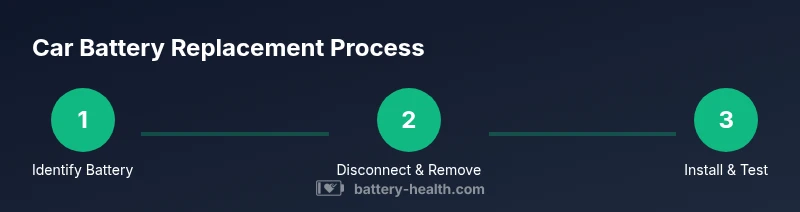
Begin by turning off the vehicle and removing the key. Disconnect the negative terminal (usually black) first to reduce the risk of shorting the chassis to the wrench. Then disconnect the positive terminal. Remove the hold-down clamp or strap securing the battery, using the proper socket size. Lift the battery straight up and out of the tray, keeping your back straight and your knees bent to avoid strain. Clean the tray and terminal clamps with a brush and baking soda solution to neutralize any residue, and inspect the tray for damage. Wear eye protection and gloves throughout this process.
Installing the new battery and final connections
Place the new battery into the tray with the terminals oriented the same way as the old unit. Reattach the hold-down clamp securely, then connect the positive terminal first, followed by the negative terminal. Tighten clamps until snug but avoid over-tightening, which can damage terminals. Apply dielectric grease or terminal spray to prevent corrosion and ensure a solid connection. Double-check that all tools are removed from the engine bay and start the car to verify proper operation.
Post-install checks and recycling
After installation, test all essential functions (lights, radio, and accessories) to confirm no electronics were disrupted. If you used a memory saver, disconnect it according to the manual after the vehicle confirms normal operation. Dispose of the old battery at a licensed recycling center or automotive retailer that offers battery take-back programs. Old batteries contain hazardous materials and must be recycled properly to protect people and the environment.
Common mistakes that can ruin a battery installation
Common errors include reversing terminal polarity, neglecting to clean corrosion, over-tightening clamps, and failing to reset or preserve vehicle memory when needed. Skipping a proper test after installation can mask charging issues or parasitic drains. Rushing the process can cause accidental short circuits, or letting the new battery sit unplugged for long periods increases discharge risk. Take your time and verify connections at each step.
Maintenance tips to extend battery life
Keep terminals clean and tight, remove dirt and corrosion, and periodically apply dielectric grease. If your car sits idle for long periods, consider a battery maintainer to hold a steady charge. Regularly check cables for wear or fraying and ensure the alternator is charging correctly with a professional test if you notice voltage drops. A well-maintained battery delivers reliable starts and reduces the risk of unexpected failures.
Tools & Materials
- Correct replacement battery (matched to your car)(Check group size, CCA, and terminal orientation)
- Socket set (including 10mm, 13mm)(Needed to remove clamps and hold-downs)
- Wrench or ratchet(To loosen terminals and clamps)
- Dielectric grease or terminal protectant(Prevents corrosion on terminals)
- Wire brush or baking soda paste(Clean corrosion from terminals)
- Safety gloves and goggles(Protection from acid and sparks)
- Memory saver (optional)(Preserves radio presets and ECU memory)
- Memory saver power supply or jumper leads(If using memory saver)
- Battery tray cleaner(If tray shows damage or corrosion)
- Old battery disposal bag or container(For safe transport if needed)
Steps
Estimated time: 30-60 minutes
- 1
Prepare workspace and gear
Park on a level surface, engage the parking brake, and open the hood. Gather all tools and the new battery so you’re not scrambling mid-job. This reduces the risk of missteps and tool loss.
Tip: Wear gloves and eye protection; keep metal jewelry away from terminals. - 2
Power down and protect electronics
Turn off the ignition, remove the key, and disconnect any memory saver if used. This helps prevent voltage spikes from affecting onboard computers.
Tip: If your vehicle has advanced electronics, consult the manual about memory preservation. - 3
Disconnect negative terminal
Loosen and remove the negative (-) terminal clamp first. This minimizes the risk of a short to the chassis while you work on the positive side.
Tip: Keep the wrench away from the battery surface to avoid sparks. - 4
Disconnect positive terminal
Loosen and remove the positive (+) terminal clamp after the negative is free. Be careful not to touch any metal while the terminal is exposed.
Tip: Move tools away from the battery to prevent accidental contact with the terminals. - 5
Remove hold-down and lift the old battery
Remove the battery hold-down/strap and lift the unit straight up from the tray using proper lifting posture.
Tip: Ask for assistance if the battery feels heavy or awkward to lift. - 6
Clean and inspect the tray
Clean corrosion from the tray and clamps with a brush or baking soda solution. Inspect for cracks or damage that could affect stability.
Tip: Rinse with water and dry completely before placing the new battery. - 7
Install the new battery
Lower the new battery into the tray with the correct orientation. Reattach the hold-down securely.
Tip: If you used a memory saver, reconnect it in the order specified by the manual. - 8
Connect terminals (positive first)
Connect the positive terminal first, then the negative. Tighten clamps snugly without over-tightening.
Tip: Apply dielectric grease to prevent future corrosion. - 9
Test and verify
Start the car to confirm a clean crank and normal electrical function. Check for dashboard warning lights and listen for unusual sounds.
Tip: Check that all tools are cleared from the engine bay before starting. - 10
Recycle the old battery
Take the old unit to a licensed recycler or retailer offering take-back programs. Do not dispose of it in regular trash.
Tip: Keep the old battery upright during transport to avoid leaks.
FAQ
Can I replace the car battery myself, or should I hire a professional?
Replacing a car battery is a doable DIY task for many vehicles, provided you follow safety steps and use the correct battery size. If you have any doubts about compatibility or electronics, consult a professional.
You can replace a car battery yourself if you follow safety steps and use the right battery. If unsure, contact a professional.
What tools do I need to replace a car battery?
Typical tools include a socket wrench set, pliers, a brush or baking soda paste for cleaning, dielectric grease, and safety gear. Some vehicles require a memory saver.
You’ll need a wrench set, brushes for cleaning, dielectric grease, and safety gear. A memory saver is optional for some cars.
Will replacing the battery reset computer memory or require reprogramming?
Most modern vehicles keep memory when a memory saver is used or when clamps are changed properly. Some systems may reset and require reprogramming; check your owner's manual.
Most cars won’t lose memory if you use a memory saver or reconnect memory-protecting equipment. Some may require a reset after replacement.
How long does a typical battery replacement take?
A straightforward replacement usually takes 30-60 minutes, depending on vehicle layout and whether you need to clean terminals or reset electronics.
Most replacements take about half an hour to an hour.
Is it safe to drive after replacing the battery?
Yes, once you confirm there are no warning lights and the car starts reliably, you can drive. If any electrical abnormality appears, have the vehicle checked.
Yes, you can drive after a successful install, but watch for any warning lights and get it checked if something seems off.
How should I dispose of the old battery?
Take the old battery to a licensed recycler, auto shop, or retailer that offers battery take-back programs. Do not discard with household trash.
Recycle the old battery at a licensed facility or retailer that offers take-back services.
Watch Video
Quick Summary
- Choose the correct battery size and rating before purchasing.
- Disconnect negative first, then positive when removing; reverse order when installing.
- Keep terminals clean and protected to extend battery life.
- Test the electrical system after installation and recycle the old battery properly.
- Use a memory saver if required to preserve settings.