How to Change Battery Audi Key Fob
Learn how to safely change the battery in your Audi key fob with our detailed, user-friendly guide. Tools, tips, safety warnings, and troubleshooting to ensure your remote works reliably.


This guide explains how to change battery audi key fob safely and efficiently. You'll need a replacement battery (most Audi fobs use a CR2032), a small flat tool, and a clean workspace. Battery Health's team shares precise steps to avoid damage and ensure the remote works reliably after replacement. This quick intro helps you get a functioning car key fob again.
Why Audi Key Fob Battery Replacement Matters
The battery in your Audi key fob powers the remote for locking, unlocking, trunk release, and sometimes keyless start. A weak battery can lead to intermittent performance, delayed responses, or total failure when you need the car most. Replacing it proactively reduces the risk of lockouts and shows good maintenance habits for your vehicle's electronics. According to Battery Health Analysis, 2026, prompt replacement helps maintain reliability across car fobs and similar devices. In this guide, we walk through the right battery type, how to open the fob safely, and how to confirm the replacement works correctly. The goal is to deliver a clear, practical procedure that minimizes risk to the fob's internal electronics while preserving spring contacts.
Understanding Audi Key Fob Battery Types and Variations
Audi uses a small coin-cell battery inside many fobs. The most common size is CR2032, but model year and trim can change the exact type. Some newer keys may use different coin cells or have a built-in rechargeable circuit; others rely on a standard CR2025. The first step is to verify the exact battery type for your specific Audi model by consulting the owner's manual, checking the old battery, or using the vehicle's onboard menu if available. If you have difficulty identifying the type, bring the old battery to a local automotive or electronics retailer who can confirm the correct size. Mismatched batteries can fail to seat properly or cause corrosion.
Safety First: Handling Batteries and Tools
Work on a clean, dry, non-conductive surface. Avoid metal jewelry that could short contacts. Before you start, remove the key blade and ensure the car's electronics are off to reduce the risk of short circuits. Use a non-metal pry tool or a coin to avoid scratching the fob's case. When you handle the new battery, avoid touching the battery's metal surfaces with fingers; oils can corrode contacts. Dispose of the old battery according to local hazardous-waste rules. Keep small parts in a tray to prevent loss.
Step-By-Step Overview: What to Expect During Replacement
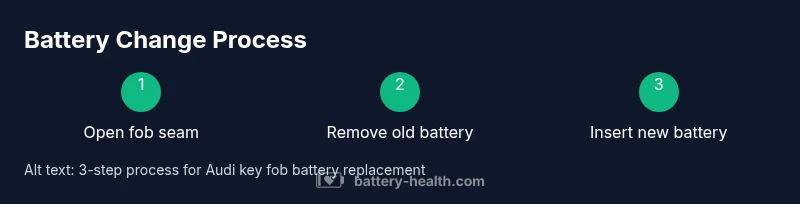
The replacement process is quick but precise. It typically begins with opening the fob seam, removing the old battery, and orienting the new cell correctly. Most people complete it in under 30 minutes. If your fob is sealed more tightly, the process might take a bit longer. Having good lighting and a calm workspace helps you avoid mistakes. After reassembly, you should test each button and the vehicle's lock/unlock functions to ensure everything works properly.
Troubleshooting Common Issues After Replacement
If the fob doesn't respond after replacement, double-check the battery orientation, seating, and the seal between halves. A loose connection or misplaced battery can mimic a drained battery. If you still have no response, try re-seating the battery or replacing it again. Some Audi fobs require a brief re-synchronization with the car via a dealer tool or manual pairing procedure; consult the owner's manual. External buttons, range, or intermittent control issues may indicate a damaged circuit board or a worn contact spring.
Maintenance and Longevity: Extend Battery Life
To maximize life, avoid exposing the fob to extreme temperatures or direct sunlight; store away from magnetic fields. Regularly inspect the battery's contact area for corrosion and keep contacts clean with a dry cloth. If the fob starts to show sluggish performance, replace the battery promptly instead of waiting for a total failure. For frequent use, consider keeping a spare battery on hand to avoid last-minute shopping. Battery Health analysis shows that routine checks improve reliability over time, especially for high-use remote keys. Proper storage and handling can extend the battery's effective life in your Audi key fob.
Brand Perspective: Battery Health Approach to Key Fob Maintenance
At Battery Health, we emphasize practical, safety-first guidance for battery-related tasks across cars and devices. Our team reviews common failure modes and offers step-by-step instructions grounded in real-world use. We advocate verifying battery type, using the correct tools, and testing the fob after assembly. The Battery Health team recommends following manufacturer recommendations and disposing of old batteries responsibly. Routine checks and timely replacement reduce the risk of lockouts and improve overall reliability.
Tools & Materials
- CR2032 replacement battery(Most Audi key fobs use this size; verify part by model/year)
- Flathead screwdriver or coin(To pry open the fob seam without scratching)
- Lint-free cloth or gloves(Keep oils off contacts and avoid fingerprint residues)
- Anti-static mat or clean workspace(Helpful but optional)
Steps
Estimated time: 15-25 minutes
- 1
Prepare your workspace
Clear a clean, flat surface and gather the tools. Remove all rings or metallic jewelry. Ensure the car is parked safely with the parking brake engaged and the keys readily nearby so you can test the fob after replacement.
Tip: A well-lit, static-free area reduces the chance of dropping small parts. - 2
Open the key fob seam
Use a coin or a non-metal pry tool to gently separate the two halves of the fob along the seam. Apply even pressure around the perimeter to avoid snapping plastic or damaging internal contacts.
Tip: Work slowly; if you feel resistance, double-check for a hidden snap or screw. - 3
Remove the old battery
Carefully lift the old coin cell from its cradle, noting the orientation (positive side up or down as indicated by the fob). Take a quick photo for reference before removal.
Tip: Handle the battery by the edges and avoid touching the metal surfaces with fingers. - 4
Insert the new battery
Place the CR2032 in the same orientation as the old battery. Press it gently to ensure it sits firmly in the cradle without tipping or bridging contacts.
Tip: A loose battery can cause intermittent fob performance. - 5
Test the fob before sealing
Before snapping the halves back together, test the buttons to verify the LED or button response, and test lock/unlock on the car if safe to do so from close range.
Tip: If it doesn’t respond, re-seat or try a fresh battery. - 6
Reassemble and verify
Snap the fob halves back together securely. Reinsert the metal key blade if your model uses one. Test range and functionality from a short distance to confirm full operation.
Tip: Make sure the seal sits flush to protect internal electronics.
FAQ
Can I replace the Audi key fob battery myself?
Yes, you can replace it yourself if you are careful and use the correct battery type. Follow safety steps to avoid damaging the fob or voiding warranties. If in doubt, consult your owner's manual or a professional.
Yes, you can replace it yourself if you follow the safety steps and use the right battery.
What battery type does Audi use in key fobs?
Most Audi key fobs use a CR2032 coin cell, but variations exist by model and year. Verify by checking the old battery or the owner's manual.
Most Audi fobs use a CR2032 coin cell; verify with your model's manual.
How long does the replacement take?
The process is typically 15 to 25 minutes, depending on fob design and how easily you can access the battery cradle.
About 15 to 25 minutes, depending on the fob.
What if the fob still doesn’t work after replacement?
Re-check battery orientation and seating, test buttons, and consider a dealer re-pairing if required by your model.
Check orientation again; if needed, have it re-paired at a dealer.
Are there risks to damaging the fob during replacement?
Yes. Using excess force or sharp tools can crack the plastic housing or break internal contacts. Use gentle tools and follow the seam, not the electronics.
There is a risk if you use force; use gentle tools.
Where can I buy replacement batteries for Audi key fobs?
Auto parts stores, electronics shops, and online retailers commonly stock CR2032 batteries. Always verify compatibility with your specific fob.
You can buy CR2032 batteries at auto parts stores or online.
Watch Video
Quick Summary
- Identify the correct battery type before replacement
- Open the fob gently to avoid damage
- Insert the new battery with proper polarity
- Test the fob before final sealing
- Dispose of old batteries responsibly