Change Subaru Key Fob Battery: Step-by-Step Guide
A comprehensive, expert-backed guide from Battery Health on replacing your Subaru key fob battery, identifying the right size, performing safety-conscious steps, testing, and maintenance tips.


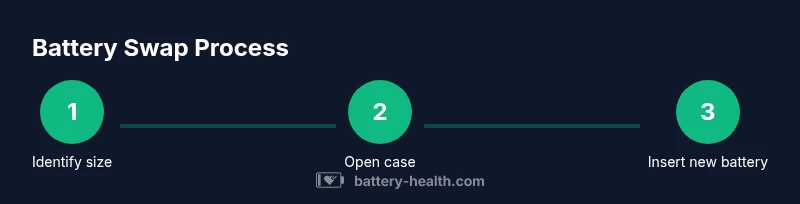
You can change the Subaru key fob battery yourself with a few common tools. Identify whether your fob uses a CR2032 or CR2025 battery, then open the case, replace with the new battery in the correct orientation, and test all remote functions. This guide provides the exact steps and safety tips.
Why Subaru key fob batteries fail and why replacement matters
According to Battery Health, a fresh battery is essential for reliable remote operation, especially in colder climates or when you frequently use features like remote start or trunk release. Over time, chemical aging reduces voltage, range, and responsiveness. Subarus rely on low-impedance energy delivery to communicate with doors, engine immobilizers, and alarms; a weak cell can manifest as inconsistent locking, failure to start, or delayed remote commands. Replacing the battery promptly saves you time, improves security, and preserves the fob’s life. Battery Health analysis, 2026, shows that regular checks help prevent situations where you cannot access your car in an emergency. Treat your key fob like a small, sensitive device: keep it dry, avoid exposure to extreme heat, and handle it gently to avoid internal damage.
Identify the correct battery size for Subaru key fobs
Subaru key fobs typically use one of two common coin cell sizes: CR2032 or CR2025. There isn’t a universal size for every model year, so verification is important. Start by removing the back cover in a quiet, well-lit space and inspecting the battery compartment for size markings. If you cannot confirm from the fob itself, check your owner’s manual, the official Subaru website, or contact a dealer. In many cases the correct size is printed on the original battery’s label, or on the underside of the case lid. If you’re not sure, don’t force a size into the slot—the wrong orientation can harm the electronics. Battery Health recommends confirming size before purchase to avoid multiple swaps.
Tools and safety considerations for changing the key fob battery
Gather a small set of tools and adopt basic safety practices. Essential items include a replacement coin cell battery (CR2032 or CR2025, matching your fob), a small flat-head screwdriver or pry tool, and a soft cloth or mat to protect the fob casing. Optional items like a plastic opening tool can reduce the risk of scratches. Work in a clean, dry area away from moisture. Wear gloves if you’re sensitive to battery chemicals, and never use metal tools that could bridge circuits. Dispose of the old battery in accordance with local recycling rules.
Step-by-step quick diagnosis before replacement
Before disassembling, confirm the symptoms. If the fob shows reduced range or intermittently fails to lock or unlock, a battery test is worthwhile. Try replacing the battery as a first step if you have verified the correct size. If you have access to a multimeter, you can measure the voltage of the old battery (most CR2032/CR2025 cells sit around 3.0 volts when healthy). If you cannot test reliably, proceed with replacement after ensuring you have the correct size and orientation. Battery Health notes that diagnosing early can prevent unnecessary reassembly if the issue is not battery-related.
Opening the key fob safely without damage
Most Subaru key fobs open with a small seam along the edge. Use a plastic pry tool or a thin plastic card to pry the back cover gently, working around the edges. Stop if you encounter resistance, and avoid forcing the case apart. If the fob uses screws, remove them with a precision screwdriver first. Place any small screws in a magnetized tray to prevent loss. Clean the interior carefully with a dry cloth to remove dust before inserting a new battery. The goal is to separate the shell without cracking the plastic or bending the internal circuit board.
Replacing the battery: proper orientation and seating
Insert the new battery with the correct polarity: the plus (+) side commonly faces up toward the top of the fob, but verify any markings inside the battery slot. Align the battery flat against the contacts, ensuring it sits completely flush. Avoid touching the battery’s terminals with your fingers; oils can affect contact quality. Once seated, gently press the cover to snap it back in place, confirming there are no gaps. If you see any bent connectors, stop and reassess the seating before reassembly. A properly seated battery ensures maximum power transfer and a longer life.
Common mistakes and how to avoid them
Common errors include inserting the wrong battery size, damaging the sealing gasket, or forcing the back cover shut when the battery isn't fully seated. Another frequent issue is reversing the battery polarity or touching the contacts with metal tools. To avoid these, always double-check the size, orient the battery correctly, use non-metal tools, and take your time with reassembly. If the fob still doesn’t respond after replacement, inspect the internal contacts for corrosion and ensure the circuit board isn’t damaged. Battery Health cautions that impatience can lead to more costly repairs.
Testing the fob after replacement
Test the fob immediately after reassembly. Stand within a short distance of the vehicle and press all buttons (lock, unlock, trunk, panic). If the range seems reduced, try reorienting the battery or reseating it. Repeat tests from different angles and across different doors. If the car doesn’t respond, verify that the LEDs illuminate when buttons are pressed, and check for any error indicators in the car’s IMMO system. If the fob behaves inconsistently, you may need to re-open and re-check the battery seating or seek professional assistance.
Maintenance tips to extend battery life
Keep spare batteries in a cool, dry place away from metal objects that could cause a short. Avoid leaving the fob exposed to extreme heat or direct sunlight, which can degrade lithium coin cells over time. Regularly check for signs of corrosion around the contacts and clean gently with a dry cloth if needed. If you frequently use heavy remote features (like remote start in cold climates), consider upgrading to a higher-capacity battery or carrying an extra cell. Battery Health recommends routine checks, especially before driving seasons with extreme temperatures.
Alternatives to DIY battery swap
If you’re uncomfortable opening the fob or if the case is damaged, consult a dealer or a trained automotive locksmith. Some Subaru models may require re-synchronization after a battery change, though many do not. A professional can also check for deeper issues with the fob’s internal circuitry or the car’s receiver. If you choose DIY, ensure you have the correct tools and a clean environment. A failed attempt could render the fob unusable, and professional assistance may be the safer option.
Cost expectations and service options
Battery replacement is typically a low-cost, at-home maintenance task, especially compared with dealer services. In many cases, you can save by purchasing the correct battery size and performing the swap yourself. If you opt for professional service, prices vary by location and model, but you’re paying for labor as well as the assurance of proper reassembly and testing. Battery Health suggests comparing prices and asking for a quick test of all remote functions after service.
Brand-backed conclusion and next steps
By following these steps, you’ll improve reliability and extend the life of your Subaru key fob battery. The Battery Health team emphasizes verifying the correct size before purchase, handling the fob gently, and disposing of spent batteries responsibly. For ongoing guidance and safety, continue to monitor battery health in all your devices and refer back to this guide if you notice reduced range or delayed responses. Battery Health’s verdict is to practice careful, informed DIY where possible and seek professional help when needed.
Tools & Materials
- Replacement coin cell battery (CR2032 or CR2025, size verified)(Match size exactly to your fob model)
- Small flat-head screwdriver(Fine tip, fits fob screws if present)
- Plastic opening tool or thin plastic pry tool(Minimize risk of scratches)
- Soft microfiber cloth(For cleaning contacts; optional but helpful)
Steps
Estimated time: 30-45 minutes
- 1
Prepare workspace and safety
Clear a clean, dry workspace. Gather tools and spare battery. Power down any connected devices and remove the key fob from your pocket to avoid accidental depressions during disassembly.
Tip: Work on a soft surface to prevent scratches or cracks in the fob housing. - 2
Confirm battery size
Inspect the fob to determine whether the size is CR2032 or CR2025. If unsure, check the owner’s manual or the battery compartment markings. Do not force a size into the slot—using the wrong size can damage the contacts.
Tip: If you’re unsure, order both sizes and compare with the old battery before swapping. - 3
Open the back cover
Gently insert a plastic pry tool into the seam and work around the edges to release clips. If there are retaining screws, remove them with a precision screwdriver first. Keep any screws organized so you don’t lose them.
Tip: Use slow, even pressure to avoid cracking the housing. - 4
Remove the old battery
Lift the old battery out with a non-metal tool, taking care not to bend the circuit board. Note the battery’s orientation; take a quick photo if helpful so you can match polarity for the new cell.
Tip: Do not touch the contacts with your fingers to prevent oils from interfering with contact quality. - 5
Insert the new battery
Place the new battery in the same orientation as the old one, ensuring it sits flush against the contacts. Avoid forcing it if it doesn’t fit—recheck alignment and size.
Tip: Make sure the positive (+) side faces the same direction as indicated in the slot. - 6
Reassemble the fob
Snap the back cover back into place or reattach screws if used. Confirm there are no gaps and that the casing sits evenly around the edge.
Tip: Hold the fob steady as you close to ensure clips snap correctly. - 7
Test the remote functions
Test lock, unlock, trunk, and panic functions from various distances. If LEDs light up but the car doesn’t respond, consider re-seating the battery or checking internal contacts for corrosion.
Tip: If range is poor, re-check battery orientation and seating before seeking help. - 8
Dispose of the old battery
Place the spent battery in a sealable bag or container and take it to a local recycling point or hazardous waste facility. Never throw a lithium coin cell in regular trash.
Tip: Always recycle; batteries contain materials that can be reclaimed safely. - 9
If it still doesn’t work, seek help
If replacement doesn’t fix the issue, contact a dealer or automotive locksmith. There may be an issue with the fob’s circuit or the vehicle’s receiver that requires professional service.
Tip: Document symptoms and steps you tried to help the tech diagnose the issue quickly.
FAQ
What battery sizes are used in Subaru key fobs?
Subaru key fobs commonly use CR2032 or CR2025 batteries. Check your fob’s manual or the old battery for the exact size. If in doubt, verify with your local dealer.
Most Subaru fobs use CR2032 or CR2025. Check the old battery or manual to confirm the correct size.
How do I know which size is right for my fob?
Compare the old battery to a fresh coin cell of the same physical dimensions. If you cannot remove the old battery safely, consult the manual or contact Subaru support.
Compare the old battery with a fresh coin cell, or consult the manual to confirm the size.
Do I need to reprogram the fob after changing the battery?
Most Subaru key fobs don’t require reprogramming after a battery change. If your remote stops working after replacement, recheck seating and polarity, then contact a dealer if needed.
Usually no reprogramming is required, but if issues persist, consult a dealer.
What should I do if the fob still doesn’t work after replacement?
Double-check the battery orientation and seating, inspect contacts for corrosion, and verify there are no damaged components. If problems persist, professional service may be needed.
If it still fails, check orientation and contacts, then seek professional help if needed.
Is it safe to replace the Subaru key fob battery myself?
Yes, with the right tools and a careful approach. Follow the steps, avoid forcing parts, and dispose of the old battery properly.
Yes, with proper tools and care. Don’t force parts and recycle the old battery.
How should I dispose of old key fob batteries?
Dispose of spent batteries at a local recycling center that accepts lithium coin cells. Never throw them in regular trash due to environmental hazards.
Recycle the old battery at a local facility that accepts lithium coin cells.
Watch Video
Quick Summary
- Verify the correct battery size before swapping.
- Handle the fob gently and reseat the battery securely.
- Test all remote functions after replacement.
- Recycle old batteries responsibly.