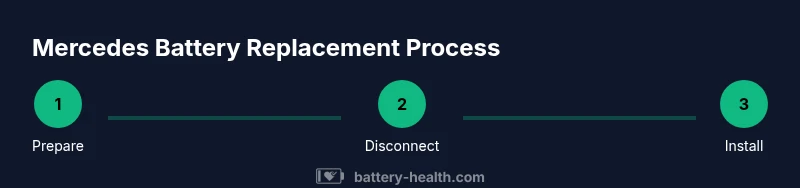
How to Change a Mercedes Battery: Step-by-Step Guide
Learn how to safely replace a Mercedes 12V battery with the right AGM or flooded type, including tools, steps, safety tips, and post-install checks. Battery Health provides expert guidance for car owners tackling a battery swap.


This guide shows you how to safely change a Mercedes battery, including model-appropriate cautions, required tools, and post-install checks. You’ll learn to identify the correct battery type (12V AGM vs flooded), disconnect and reconnect safely, and reset electronics after replacement. Follow these steps to avoid damage and keep your Mercedes running smoothly.
Why Mercedes battery replacement matters
Replacing a Mercedes battery is more than a simple swap. Modern Mercedes-Benz models rely on a healthy 12V battery to power essential systems such as the infotainment unit, keyless entry, and electronic stability controls. When a battery loses capacity, you may notice slow engine cranking, warning lights, or dim headlights. The phrase change battery mercedes appears in many owner forums because drivers want to maintain reliability without surprises. Battery Health’s guidance emphasizes matching the correct battery type for your model (often AGM for newer cars) and ensuring proper installation to prevent parasitic drain. By planning ahead, you minimize stress and avoid roadside failures. In this guide, we cover how to verify compatibility, choose the right battery, and complete the replacement with proper safety steps. Battery Health analysis, 2026, stresses the importance of using the correct type and following torque specs to maximize longevity.
Battery compatibility and safety checks
Before you lift a tool, confirm your Mercedes requires an AGM (Absorbent Glass Mat) battery or a flooded lead-acid type. Many late-model Mercs use AGM for better cycle life and crank power. Check the owner’s manual or the battery label for the exact group size, CCA (cold-cranking amps), and reserve capacity. Safety first: wear protective glasses and gloves, remove jewelry, and work in a dry, well-ventilated area away from heat sources. Keep memory-preserving devices plugged in if you have them, and be prepared to reset certain car electronics after the swap. Remember, the right battery and proper torque on terminal clamps extend the replacement’s life and reduce electrical anomalies.
Planning the replacement: model-specific notes
Mercedes models vary in battery size, mounting hardware, and electrical connections. Locate the battery in the engine bay or trunk, identify the hold-down bracket, and photograph the wiring layout before removal. Verify the new battery’s polarity, terminal configuration, and connector fit. Some vehicles require a memory saver to preserve radio presets or engine ECU data; others may require a simple reset after mounting. Avoid mixing old and new battery chemistries or capacities, and note the vehicle’s warranty implications. If the battery is under warranty, consult the dealer or an authorized service center for replacement.
Safety precautions and environment
Battery work can produce corrosive fumes and accidental short circuits if metal tools bridge terminals. Disconnect the negative terminal first to minimize arcing, then the positive terminal. Work on a non-conductive surface and ensure the vehicle is off with the ignition keys removed. Keep a fire extinguisher nearby and avoid smoking or open flames. Dispose of the old battery properly at an authorized recycling facility. After installation, check for any error codes using a scan tool and confirm that all vehicle systems initialize normally.
What to do after installation
After mounting the new battery, connect the positive terminal first, then the negative, and secure the hold-down clamp firmly. Reconnect any battery-related fuses, clear any codes with a compatible scan tool, and verify voltage at the terminal is within the normal range (roughly 12.6–12.8V when the car is off). Start the engine and test critical systems such as ECU re-learn, start/stop functionality, and electronic door locks. If your Mercedes requires a reset procedure, follow the manual or seek a dealership service to avoid drivability issues. Regular inspection and cleaning of battery terminals helps maintain optimal performance.
Maintenance and support after you change the battery
After completing the replacement, schedule a quick system check if available. Clean battery terminals with a non-conductive brush and apply a thin layer of terminal protectant to resist corrosion. Monitor gauge readings for the first week and watch for abnormal voltage drops or warning lights. Battery Health recommends recording the installation date and mileage to track longevity and schedule future replacements before the battery reaches the end of its life. Regular maintenance, proper type selection, and prompt replacement protect your Mercedes from unexpected failures.
Tools & Materials
- 12V Mercedes-compatible battery (likely AGM for newer models)(Verify the exact group size and chemistries in your owner's manual)
- Battery terminal cleaner(Copper brush or terminal spray for corrosion)
- Wrench set ( metric 10-13mm typically )(Used to loosen clamps and terminals)
- Torque wrench(Ensure clamps are tightened to manufacturer spec)
- Memory saver or power supply(Preserves radio presets and ECU data if your model supports it)
- Safety glasses and gloves(Personal protective equipment)
- Non-conductive mat or rag(Work surface protection and spill control)
- Multipurpose voltmeter / voltmeter(Optional for verifying voltage pre/post swap)
- Owner’s manual or service manual(Model-specific guidance and safety notes)
Steps
Estimated time: 60-90 minutes
- 1
Park and prepare the workspace
Park on a level surface, engage the parking brake, and turn off the ignition. Open the hood and allow the engine to cool if recently run. Move tools within easy reach and clear away any moisture or debris from the battery area.
Tip: Having a clear space reduces the chance of dropping tools onto the battery terminals. - 2
Disconnect the negative terminal
Loosen the negative terminal clamp with the appropriate wrench and carefully lift the clamp away from the battery post. Do not touch the positive terminal while loosening the negative side.
Tip: Always remove the negative connection first to minimize the risk of shorting the positive post. - 3
Disconnect the positive terminal
Loosen and remove the positive terminal clamp. Gently twist to free the connection, keeping tools away from metal surfaces to avoid arcing.
Tip: If the terminal is stubborn, apply a small amount of penetrating oil and wait 1–2 minutes before retrying. - 4
Remove the battery hold-down and tray
Loosen the hold-down bracket or tray securing the battery and remove it. Carefully lift the battery straight up to avoid tipping and internal contact.
Tip: Keep the battery upright to prevent spill or electrolyte contact. - 5
Inspect and prepare the new battery
Place the new battery on the tray, align the terminals with the cable harnesses, and ensure the connectors fit snugly. Check the tray for corrosion and clean if needed.
Tip: Inspect the battery for any shipment damage before installation. - 6
Connect the new battery
Attach the positive terminal first, then the negative. Tighten clamps evenly without over-torquing. Reinstall the hold-down bracket and any protective covers.
Tip: Re-check terminal tightness after a short test drive. - 7
Restore electronics and test
If you used a memory saver, reconnect it. Start the car to verify ignition, and check for warning lights. Use a voltmeter to confirm voltage around 12.6–12.8V with the engine off and ensure it climbs when the engine runs.
Tip: If a warning light remains, consult the owner's manual or dealer to reinitialize the ECU. - 8
Final inspection and disposal
Inspect for tooling leftovers and ensure the area is clean. Dispose of the old battery at a certified recycling facility, and note the replacement date for maintenance records.
Tip: Never leave the old battery in the vehicle or unsafely stored.
FAQ
Can I replace a Mercedes battery myself, or should I go to a dealer?
Yes, you can replace many Mercedes batteries yourself if you are comfortable with basic tool use and safety. However, some models require dealer-level reinitialization of electronics. Always consult the owner’s manual for model-specific guidance and consider professional service if the vehicle is under warranty or has complex electrical systems.
You can do it yourself if you’re comfortable with basic tools. If your model requires reinitializing electronics, consider professional service.
Do I need to reprogram the car after battery replacement?
Many modern Mercedes models may require ECU or radio relearn after battery replacement. A memory saver helps preserve presets, but some vehicles need a dealer tool to reset or relearn modules. Check your manual or ask a technician if uncertain.
Some Mercs need ECU relearn after a battery swap; a memory saver can help, but you might need dealer tool for full reset.
What battery type should I use for a Mercedes?
Use the battery type specified in your owner's manual, typically AGM for newer models and flooded lead-acid for older ones. Match the correct group size, CCA rating, and terminal layout to ensure proper fit and performance.
Use the exact type and size listed in your manual to ensure compatibility and performance.
How long does a Mercedes battery replacement take?
A straightforward replacement typically takes about 60 to 90 minutes, depending on model specifics and whether electronics reinitialization is required. Allow extra time if professional assistance is needed.
Most replacements take about an hour to an hour and a half, depending on the model and any reinitialization needs.
Where should I dispose of the old battery?
Take the old battery to an authorized recycling facility, automotive shop, or the retailer where you buy the replacement. Proper disposal protects the environment and may be required by local regulations.
Bring the old battery to a certified recycling facility or retailer for proper disposal.
Can I damage the car’s electronics during replacement?
Yes, mishandling terminals or removing power without precautions can trigger faults. Use a memory saver if available, disconnect in the correct order, and follow the manual to minimize risk.
There is a risk if you don’t follow the correct steps; use a memory saver and follow the manual.
Watch Video
Quick Summary
- Verify the correct battery type before replacement.
- Follow the correct order: negative, then positive, on removal; positive, then negative on installation.
- Test voltage and system initialization after replacement.
- Dispose of the old battery responsibly and keep maintenance records.