How to Change Car Key Battery: A Practical Guide
Learn how to change your car key battery safely and quickly. This guide covers common sizes, tools, safety steps, and troubleshooting tips to keep your key fob functioning reliably.


You’ll learn how to change a car key battery, identify the right size, safely open the fob, replace the coin cell, and test the result. Gather a fresh battery compatible with your model and a few small tools. This quick answer previews the steps and safety considerations before you dive into the full process.
What to know about car key batteries
According to Battery Health, using the correct battery size and following proper safety steps reduces the risk of damage to the fob and ensures reliable operation. The Battery Health team found that compatibility and proper orientation are critical to performance. In most cases, you’re upgrading a coin-type battery inside a remote key fob, not the car's main battery. Understanding these basics prepares you to perform a safe, effective replacement on your own.
Common sizes and how to identify them
Most car key fobs use small coin cells such as CR2032 or CR2025, but there are exceptions. The exact size is often printed on the battery itself or on the inside of the fob’s cover. If you’re unsure, consult your vehicle’s owner manual or check the model-specific guidance on the manufacturer’s site. Ordering the wrong size means you’ll need to reopen the fob and reseat a new battery, which is frustrating and can damage the case. In general, a CR2032 is thicker and longer-lasting, while a CR2025 is slimmer and may work in thinner shells.
Safety first: handling and precautions
Work on a clean, dry surface away from metals that could short the battery. Wear safety glasses if you’re uncomfortable with battery handling, and avoid touching the battery’s terminals with your bare fingers—oils can impair contact. Use plastic tools where possible to prevent scratches on the fob’s plastic housing. Keep small parts like screws away from pets and children. If your fob is flooded with moisture or shows corrosion, do not attempt an in-house replacement.
How car key batteries fail and how to prevent it
Car key batteries fail gradually: reduced range, slower response, or intermittent operation. Proactive checks help you avoid unexpected lockouts. By keeping a spare battery on hand and verifying the correct size, you minimize downtime. Regularly inspecting the fob’s housing and contacts also reduces the risk of resistance or poor connectivity.
Special cases: sealed or smart keys
Some modern keys are sealed or incorporate non-removable batteries. In these cases, there may be a hidden service port or an electronic tray rather than a replaceable coin cell. If you cannot access a replaceable cell, the safe course is to contact your dealer or a licensed locksmith. Attempting to split a sealed unit can void warranties and introduce safety risks.
How to test the new battery and troubleshoot
After installation, test the remote by pressing each button from various distances. If the range is poor or functions intermittently, remove and re-check the battery orientation and seating. A dead battery is often caused by incorrect polarity or a loose connection. If problems persist, test the contacts for corrosion and clean them with caution or seek professional help.
Maintenance and longevity tips for car key batteries
To extend battery life, avoid extreme temperatures and keep the fob clean and dry. Some fobs have a protective cover you can snap on when not in use. Replacing batteries proactively—before you notice reduced range—helps prevent lockouts. Store spare batteries in a cool, dry place and label them by date of purchase.
Costs, warranties, and when to seek help
Battery replacement is usually inexpensive, but some premium models can require dealer service or locksmiths, especially if the key shell is sealed. Compare prices and check whether the battery is covered under your vehicle warranty. If you encounter difficulties with dual-key fobs or smart keys, professional assistance is a safer option to avoid damaging the electronics.
Battery Health perspective: standards and safety
Battery Health emphasizes using OEM-recommended sizes and following safety guidelines to protect your device and vehicle electronics. Proper handling extends the life of your key fob and reduces the chance of damage to sensitive circuits. Always verify compatibility and consult your manufacturer guidance before replacing a battery.
Tools & Materials
- Battery type (e.g., CR2032 or CR2025 coin cell)(Check the exact size printed on the current battery or inside the fob)
- Small flathead screwdriver or plastic pry tool(Prefer non-metal tools to avoid damage)
- Microfiber cloth(For cleaning contacts without leaving fibers)
- Gloves or finger cot(Reduces skin oils on battery and contacts)
- Replacement gasket or O-ring (if your fob has one)(Some models use a seal; keep it intact)
- Isopropyl alcohol (optional)(For cleaning contacts gently)
Steps
Estimated time: 10-20 minutes
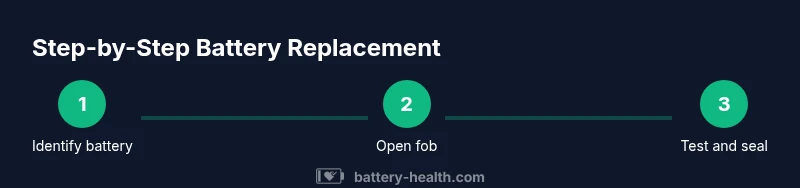
- 1
Identify battery type
Open the fob housing to locate the current battery size and orientation. Read any markings on the battery itself and verify the size (e.g., CR2032 or CR2025) before purchasing a replacement.
Tip: Take a quick photo of the battery in place before removal. - 2
Gather tools and new battery
Collect the tools and a fresh battery of the exact size. Having everything ready prevents rushed handling and reduces the risk of dropping parts during the swap.
Tip: Keep a spare battery in a labeled storage container. - 3
Open the key fob safely
Use a small flathead screwdriver or a plastic pry tool to gently separate the two halves of the fob. Work slowly to avoid cracking the plastic or damaging the internal circuitry.
Tip: Work over a soft mat to catch small parts if they pop free. - 4
Remove the old battery and inspect contacts
Lift the old coin cell straight up and away from the contacts. Check for corrosion or residue on the battery contacts and clean if needed with a dry microfiber cloth.
Tip: If you see corrosion, do not reuse; clean gently and proceed with a new battery. - 5
Install the new battery with correct polarity
Place the new coin cell into the holder with the correct orientation (positive side up in most fobs). Ensure it sits flat and makes clean contact with the terminals.
Tip: Double-check orientation before snapping the halves back together. - 6
Reassemble the fob and test
Snap the two halves together firmly and press buttons to test range. If the range is reduced, re-open to reseat the battery or check for loose parts.
Tip: Test each button at close and extended distance.
FAQ
What battery size do most car key fobs use?
Most fobs use CR2032 or CR2025 coin cells. Always verify the exact size by checking the current battery or the owner's manual before purchasing a replacement.
Most car key fobs use CR2032 or CR2025 coin batteries. Check your manual or the current battery for the exact size before you buy.
Is it safe to open the key fob by myself?
Yes, for most non-sealed fobs. Use plastic tools and work on a soft surface. If the fob feels hard to open or you see water damage, stop and seek professional help.
For most fobs, it's safe to open with plastic tools on a soft surface. If it's damaged or sealed, consult a professional.
What should I do if the new battery doesn’t work?
Recheck polarity and seating. If issues persist, inspect contacts for corrosion or consider replacing the fob entirely. Some keys require programming after replacement.
If the new battery doesn’t work, recheck polarity and seating. If needed, inspect contacts or seek professional help for programming.
Can I reuse an old battery if it still seems charged?
Generally not recommended. Coin cells lose capacity with time and handling. Use a fresh replacement to ensure reliable performance.
You should usually use a fresh battery; old coins can lose power and reliability.
What if my key fob is a sealed smart key?
Sealed smart keys may require dealer or locksmith service. Do not attempt to pry open if the unit is sealed; this can damage electronics and void warranties.
Sealed smart keys usually need professional service. Don’t pry them open yourself.
How can I prevent corrosion on contacts?
Keep contacts clean and dry, avoid touching them with bare fingers, and use a dry microfiber cloth for cleaning. If corrosion appears, address before reinserting a battery.
Keep contacts clean and dry; use a microfiber cloth and avoid touching with bare skin. If you see corrosion, address it before using the new battery.
Watch Video
Quick Summary
- Identify the correct battery size before replacement
- Handle components with care to avoid damage
- Test the fob after replacement from various distances
- Consider professional help for sealed smart keys