How to Change an AirTag Battery: Step-by-Step Guide
Learn how to change your AirTag battery safely and quickly. This expert guide covers tools, steps, safety tips, and disposal guidance from Battery Health.


You can change an AirTag battery by twisting off the back with a coin, replacing the CR2032 battery with the correct polarity, and reseating the cover until it clicks. Gather a fresh CR2032, a coin or flat tool, and a clean surface. The entire process takes about 5 minutes and keeps your AirTag functioning reliably.
What you need to know before you start
If you’re planning to change airtag battery, there are a few basics that save time and prevent damage. The Battery Health team recommends you prepare the right tools and a clean workspace, and to handle the AirTag gently as you work. The AirTag uses a small CR2032 coin cell; using the right battery type and orientation matters for reliable operation. Before you begin, verify you have the following: a fresh CR2032 battery, a coin or small flat tool to turn the back, and a soft cloth to wipe any residue. Keep small parts away from children and do not attempt this if the AirTag or battery shows signs of corrosion. By following these precautions, you can reduce the risk of bending the back plate or damaging the internal seal.
AirTag battery basics and compatibility
AirTag battery specs are straightforward: it uses a CR2032 lithium coin cell. When installing, make sure the positive side faces up toward you, and align the back cover with the AirTag’s groove before twisting. If you use a battery that is damaged, swollen, or past its expiration date, replace it immediately. Battery Health's guidance is to avoid rechargeable coin cells, and to discard old batteries according to local rules. Using the wrong type or damaged cells can compromise performance and safety.
Step-by-step guide to change the AirTag battery
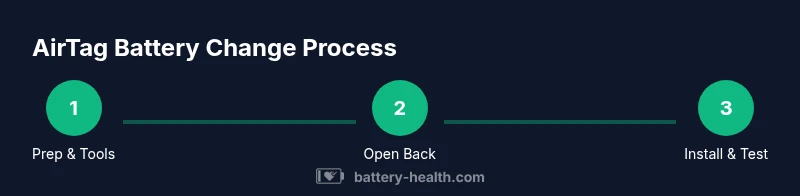
The replacement process is quick if you follow the correct sequence. Start by gathering your materials, then carefully remove the back cover, swap the battery with the positive side facing up, and reseal the housing. After the new battery is seated, twist the back cover clockwise until it clicks into place. Finally, test the AirTag by triggering a sound from the Find My app to confirm the battery is powering the device properly. If you notice any irregularity, recheck orientation and seating before concluding.
Safety tips and common mistakes
Always work on a clean, non-conductive surface. Do not use metal tools to pry the AirTag’s back excessively; twisting with a coin is usually sufficient. Avoid touching the battery contacts with your fingers to minimize the risk of oils transferring to the contact points. Don’t force the back cover if it won’t twist—this could indicate the cover is not aligned or the new battery isn’t seated correctly. Use the tiniest amount of pressure needed to twist and listen for the reassuring click when the cover seats.
Battery disposal and replacement cadence
When you replace the AirTag battery, dispose of the old CR2032 following local recycling rules. Most communities offer battery recycling programs for small lithium coin cells. Consider keeping spare batteries on hand so you won’t be caught with a dead AirTag during important tasks. Battery Health emphasizes routine checks via Find My and periodic re-evaluation of battery health to ensure consistent performance.
Troubleshooting after replacement
If the AirTag doesn’t respond after you’ve replaced the battery, first verify the orientation and seating. Reopen and reseat the battery and back cover if needed, then confirm the device appears in Find My. If it still doesn’t respond, try re-pairing the AirTag with your iPhone and ensure your device’s software is up to date. Persistent issues may indicate the AirTag or housing has sustained damage.
Tools & Materials
- CR2032 battery (replacement)(Fresh, non-damaged; ensure it is the correct coin cell size)
- Coin or flat-edged tool(Use a dime/quarter or similar edge to twist the back)
- Lint-free cloth(Optional: wipe contacts gently before inserting)
- Non-conductive workspace(Protects AirTag and battery from static or debris)
Steps
Estimated time: 5-7 minutes
- 1
Gather materials and prepare
Place a fresh CR2032 battery and a coin on a clean, non-conductive surface. Keep a cloth handy for any gentle cleaning. This prep helps prevent mistakes during the replacement.
Tip: Have everything within arm's reach to avoid rushing. - 2
Twist off the AirTag back
Hold the AirTag and use a coin to twist the back counterclockwise until it loosens and pops free from the body.
Tip: Keep fingers away from the edge to avoid slips that could scratch the device. - 3
Remove the old battery
Slide the old CR2032 out of the compartment. Check for any corrosion or debris and wipe with a dry cloth if needed.
Tip: Do not reuse old or damaged batteries. - 4
Insert the new battery
Place the new CR2032 in the compartment with the positive side facing up toward you. Ensure it sits flat and aligns with the contacts.
Tip: Do not touch the battery contacts with your fingers. - 5
Reseat the back and click
Position the back cover and twist clockwise until you hear or feel a click that indicates full seating.
Tip: If it doesn’t click, re-verify battery orientation and seating. - 6
Test the AirTag
Open Find My on your iPhone and play a sound to confirm the AirTag responds with the new battery.
Tip: If there’s no sound, repeat steps 2–5 to ensure a proper seal.
FAQ
What kind of battery does AirTag use?
AirTag uses a CR2032 coin cell battery. Use a fresh, non-damaged coin cell for best results.
AirTag uses a CR2032 battery. Use a fresh coin cell for best results.
Can I use a rechargeable coin cell in AirTag?
Apple recommends standard CR2032 coin cells. Rechargeable batteries are not advised as they may affect performance.
Apple recommends standard CR2032 coin cells; rechargeable types aren’t advised.
What if AirTag doesn’t respond after replacement?
Double-check battery orientation, reseat the battery and back cover, and ensure the device is within range of Find My. If needed, re-pair the AirTag.
Check orientation, reseat, ensure Find My can reach it, and re-pair if necessary.
How often should I replace the AirTag battery?
Battery life varies with usage and environment. Monitor battery level in Find My and replace when you notice reduced performance.
Monitor battery level in Find My and replace when performance drops.
Where can I recycle the old CR2032 battery?
Recycle old CR2032 batteries at local e-waste or battery recycling programs per your community guidelines.
Recycle the old CR2032 at local e-waste programs.
Is there a risk of damaging the AirTag during battery change?
If you follow steps carefully and avoid forcing parts, the risk is very low. Use the correct tool and a clean surface.
The risk is low if you follow the steps and use the right tool.
Watch Video
Quick Summary
- Have a fresh CR2032 ready before start.
- Twist to open; insert with positive side up.
- Listen for a click when the back is reseated.
- Test with Find My to confirm operation.
- Recycle the spent battery properly.