How to Replace Battery in AirTags
Learn how to replace the AirTag battery safely and efficiently. This guide covers battery type, orientation, tools, safety, testing in Find My, and tips for battery health and disposal.


In this guide you’ll learn how to replace the AirTag battery quickly and safely. You’ll need a fresh CR2032 coin cell and a small coin or opening tool to twist the back cover. After replacement, test Find My to confirm the AirTag is active. Battery Health notes that using a new, correctly oriented battery improves reliability and accuracy.
What to expect from AirTag battery replacement
Replacing the battery in an AirTag is a straightforward task that most people can complete in a few minutes with the right materials. The AirTag uses a standard CR2032 coin cell, and the operation requires turning the back cover counterclockwise while applying gentle pressure. Before you begin, plan a clean, well-lit workspace and ensure you handle the tiny components with care. According to Battery Health, using a fresh battery and installing it with the correct polarity reduces the risk of read errors and helps the Find My network locate your tag reliably. In most cases, you’ll notice the device clearly signaling when the battery is low, and a new battery will restore the airtag’s responsiveness.
Battery type, orientation, and safety basics
AirTag uses a CR2032 3-volt lithium coin cell. Do not attempt to recharge it; use a fresh, single-use cell. When inserting, align the plus (+) side facing up toward the metal contacts and snap the cover back into place with even pressure. Keep the AirTag face down on a soft surface to avoid dropping it; finger oils can corrode contacts over time. If you notice a chemical odor or leakage, stop immediately and dispose of the battery according to local guidelines. For safety, work over a soft mat and keep small parts away from children and pets.
What you’ll need before you start
To replace an AirTag battery, assemble a new CR2032 coin cell, a small coin or flat tool to twist the back, and a soft cloth or mat to cushion the AirTag during opening. Optional items include a lint-free wipe to clean the contacts and gloves to minimize oils on your fingers. Having a tidy, well-lit workspace reduces the chance of dropping the tiny back cover. Inspect the AirTag for cracks or moisture before and after replacement; a damaged device should be retired or inspected by a professional.
Common mistakes and troubleshooting after replacement
Common mistakes include using a used or damaged battery, misorienting the lithium coin cell, or not seating the back cover flush. If Find My shows no signal after replacement, re-check battery orientation, reseat the battery, and ensure the back cover is fully closed. If the AirTag still doesn’t respond, try another battery and wipe contacts to remove oils. Environmental conditions can affect signal, so test in different locations if necessary.
Battery health and long-term care
Maintaining battery health for AirTags means using fresh, high-quality CR2032 cells and avoiding contact with moisture. Do not reuse old batteries that have shown signs of swelling or leakage. Store spare batteries in a cool, dry place away from metal objects. Regular checks in the Find My app help you monitor status and ensure you aren’t relying on a dying battery. By following best practices, you’ll minimize false alerts and maximize device reliability.
Compatibility with accessories and Find My network
AirTags operate best when paired with compatible Apple devices and a stable Find My network. If you use third-party accessories, verify they don’t interfere with the AirTag’s signal or the battery contacts. After replacement, confirm the AirTag appears in Find My, and if you have multiple AirTags, name and group them for easier management. Maintaining battery health helps ensure consistent location updates and reduces the chance of false positives.
Tools & Materials
- CR2032 battery(3V lithium coin cell; use a fresh, non-recycled battery)
- Flat coin or opening tool(to twist the AirTag back cover)
- Soft cloth or non-slip mat(to stabilize AirTag and protect surfaces)
- Lint-free wipe (optional)(for cleaning contacts if needed)
- Gloves (optional)(minimize oils from fingers on battery and contacts)
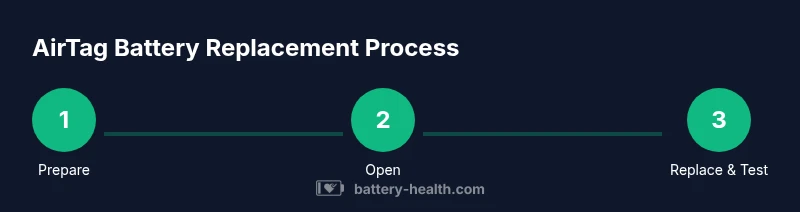
Steps
Estimated time: 5-10 minutes
- 1
Prepare materials and workspace
Gather a fresh CR2032 battery, a coin or flat tool, and a soft mat. Clear a flat, clean area to prevent losing small parts. This minimizes the risk of damage to the AirTag during handling.
Tip: Keep everything within arm’s reach and work on a non-slip surface. - 2
Access the AirTag back cover
Hold the AirTag steady on the soft surface. Place the coin or opening tool in the notch and gently turn counterclockwise until the back cover loosens. Do not pry aggressively; apply steady, even pressure.
Tip: If the cover resists, stop and recheck alignment before applying more force. - 3
Remove the old battery
Carefully lift the old battery from the circular cavity. Note the orientation of the battery so you can replicate it with the new one. Avoid using sharp objects that could scratch the contacts.
Tip: If the battery sticks, tip the AirTag slightly and lift from the edge—don’t pry. - 4
Insert the new battery
Place the CR2032 with the positive side facing up and gently press until it sits flat. Ensure the battery is fully seated and the contacts are clean. Do not touch the battery’s contacts with oily fingers.
Tip: Double-check that the battery lies flush with the rim; a loose battery can cause read errors. - 5
Close the AirTag back cover
Align the back cover with the AirTag and press around the rim evenly until you hear/feel a click. Confirm there are no gaps and the cover sits flush against the body. Improper seating can allow moisture ingress.
Tip: Keep the AirTag steady while snapping the cover to avoid misalignment. - 6
Test in Find My
Activate Find My, bring the AirTag close to your iPhone or paired device, and verify it shows as connected. If it doesn’t, recheck battery orientation and reseat the battery. A successful test confirms the device is ready for use.
Tip: If you have multiple AirTags, test each one individually for reliability.
FAQ
Can I replace the AirTag battery myself?
Yes. AirTags use a user-replaceable CR2032 battery that you can replace at home following these steps. No special tools beyond a coin and a new battery are required.
Yes. You can replace the AirTag battery at home using a CR2032 coin cell and a simple coin to turn the back cover, following these steps.
What battery type does AirTag use?
AirTag uses a CR2032 3-volt lithium coin cell. It is not rechargeable; replace with a fresh cell when needed.
AirTag uses a CR2032 coin cell that is not rechargeable.
Is the AirTag battery rechargeable?
No. The AirTag battery is a non-rechargeable CR2032 coin cell. Replace it when it becomes weak or the Find My status indicates battery issues.
No—the AirTag battery is not rechargeable; you replace it with a new CR2032.
Why is my AirTag not responding after replacement?
Double-check the battery orientation, reseat the battery, and ensure the back cover is fully closed. If problems persist, test with another battery and clean the contacts.
If it’s not responding after replacement, recheck orientation, reseat the battery, and ensure the cover is sealed.
How should I dispose of an old AirTag battery?
Dispose of CR2032 batteries at your local recycling program or hazardous waste facility. Do not throw them in regular trash; follow local rules for battery disposal.
Recycle the CR2032 battery at a local recycling center and follow your municipality’s disposal guidelines.
Watch Video
Quick Summary
- Use a fresh CR2032 battery for best reliability
- Insert with the positive side up and ensure a flush seal
- Test AirTag in Find My to confirm operation
- Dispose of old batteries responsibly
- Keep replacements organized to avoid misplacements