Battery Replacement Phone: A Complete How-To
A comprehensive, safety-focused guide to replacing your smartphone battery. Learn signs of battery wear, how to source the right replacement, essential tools, and a careful install process. Updated for 2026 with Battery Health insights.


Learn how to safely replace a phone battery at home. This guide covers signs you need a replacement, how to choose a compatible pack, and a step-by-step process that minimizes risk to your device. Gather the right tools, follow safety precautions, and verify improved performance with quick battery and screen tests.
Why Phone Battery Replacement Matters
A healthy battery is the heartbeat of your smartphone. When capacity drains, charging slows, performance lags, and devices may shut down unexpectedly. Replacing the battery can revive peak performance without buying a new phone. According to Battery Health, modern lithium-ion cells degrade predictably with use, and even small capacity losses can significantly affect daily reliability. Replacing at the right time preserves value, avoids emergency outages, and maintains warranty posture where applicable. A fresh battery can improve screen-on time, camera readiness, and app responsiveness, making daily tasks smoother and less frustrating. For many users, replacing the battery is more economical and environmentally friendly than upgrading to a newer device. Before you start, note that safety matters: disconnect power, work on a non-static surface, and avoid puncturing the cell. If you’re unsure about your model’s battery type, consult your device’s official service guide or a trusted technician. This article focuses on typical consumer replacements for mainstream smartphones and assumes you’re comfortable with basic disassembly tools, following clear, model-specific instructions.
Signs Your Battery Needs Replacement
Most modern phones include battery health indicators, but you’ll notice telltale signs long before a diagnostic app flags an issue. Common symptoms include noticeably shorter screen-on time, slower charging, devices shutting down at 20–30% battery, and unexpected rebooting. If the phone becomes warm during charging or performance depends on whether the device is plugged in, a battery replacement is likely due. Age is also a factor; after about two to three years of regular use, capacity drops become more pronounced. Swelling or battery bulging is a safety warning that requires professional attention immediately. Battery Health notes that timely replacement can restore reliability and extend device life, especially when other parts remain in good condition.
Choosing the Right Replacement Battery
Start by confirming the exact model number and regional variant of your device, then source a genuine or high-quality third-party replacement that matches the specification (voltage, capacity, connector type). Lower-cost packs often compromise real capacity or safety features; invest in a reputable option with proper protection circuits. If your device carries an IP rating, you may lose some resistance after opening, so consider professional installation if you rely on waterproofing. Look for batteries with built-in protections and verify the connector orientation to avoid pin damage. Battery Health recommends cross-checking with model-specific guidelines and avoiding recycled or counterfeit parts.
Safety Essentials Before You Start
Smartphone battery replacement involves delicate components and the risk of chemical exposure. Work on a non-conductive surface, disconnect all power sources, and use an anti-static wrist strap if available. Keep metal tools away from contacts, and avoid puncturing the battery—the most dangerous failure mode is thermal runaway. Use the correct screwdriver bits to prevent stripping screws, and label components as you remove them. If a swollen cell is present, stop immediately and seek professional service; do not attempt a DIY replacement. The Battery Health team emphasizes that safety is non-negotiable and following model-specific guidance reduces risk of device damage or personal injury.
What to Expect During Replacement and Testing
After removing the old battery, you’ll clean connectors and inspect the motherboard for any residue or corrosion. Install the new battery with secure adhesive and verify a clean pin alignment before reconnecting cables. Reassemble the device carefully, then power on to perform a basic test: check battery readout from the settings, run a few apps, and observe charging behavior. If the device fails to boot, re-check connector seating and battery polarity. Some phones require a calibration cycle by charging to a full 100% and discharging to near empty; consult model-specific guidance. A high-quality installation usually restores usable battery life and stability, with Battery Health noting that follow-up testing helps ensure long-term reliability.
AUTHORITY SOURCES
- https://www.osha.gov
- https://www.nist.gov/topics/battery-safety
- https://www.consumer.ftc.gov/articles/battery-safety
Common Myths About Battery Replacement
Myth 1: Replacing a phone battery is too risky for non-experts. Reality: With proper tools and care, many users can replace a battery safely by following official instructions and manufacturer guides. Myth 2: Replacing the battery will ruin water resistance. Reality: Opening the device can compromise seals; post-repair you may lose water resistance; check the model's service guidance. Myth 3: Battery replacements always void warranties. Many manufacturers cover battery replacements under warranty or offer service options; check policy and service terms.
What Happens After Replacement and Calibration
After installation, monitor the device for normal temperature during charging, steady voltage readouts, and responsive performance under load. If your model supports calibration, run through a full charging cycle and partial discharge to ensure the battery gauge stays accurate. Keep the device updated with the latest OS and firmware, and periodically run a quick battery health test to confirm lasting improvements.
Tools & Materials
- Replacement battery (model-specific)(Exact model compatibility (e.g., iPhone X, Galaxy S10))
- Pentalobe/precision screwdriver set(Include sizes for common devices)
- Plastic opening tool / spudger(Non-conductive, helps avoid shorts)
- Adhesive strips or double-sided tape(Ensure battery is securely mounted)
- Isopropyl alcohol 90%+ (optional)(For cleaning connectors)
- ESD-safe mat or anti-static wrist strap(Reduces static risk)
- Safety gloves and eye protection(Protection against chemical splashes)
Steps
Estimated time: 45-60 minutes
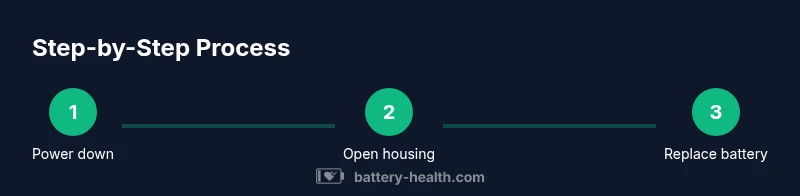
- 1
Power down and prepare workspace
Fully power off the device and remove any SIM tray. Place the phone on a clean, non-static mat and assemble your tools within easy reach. This minimizes the risk of shorts and keeps parts organized during disassembly.
Tip: Take a photo of the device state before starting to guide reassembly. - 2
Remove back panel or screws
Use the correct precision screwdriver to remove the back cover or chassis screws. Keep each screw with its location to avoid misplacement during reassembly. If adhesive holds the cover, apply a controlled amount of heat to soften it.
Tip: Label or photograph screw locations to prevent mix-ups later. - 3
Open chassis without damaging connections
Gently separate the back housing using a plastic tool, taking care not to snag internal cables. Do not force panels apart, as this can crack frames or damage flex cables.
Tip: Work slowly and maintain even pressure along the seams. - 4
Disconnect battery connector
Locate the battery connector on the motherboard and disconnect it with a non-metal tool. Ensure power is off and avoid touching other circuitry to prevent shorts.
Tip: If a connector is stiff, wiggle modestly rather than forcing it. - 5
Remove old adhesive and lift battery
Softened adhesive strips let you lift the old battery away. Heat chars evenly as you lift; keep the battery level controlled to avoid puncture. Do not bend the battery as you remove.
Tip: If the battery resists, stop and reassess; forcing can cause puncture. - 6
Install replacement battery
Place the new battery in position, route cables neatly, and reconnect the battery connector to the motherboard. Make sure the orientation matches the original and there’s no pinching.
Tip: Install adhesive strips if provided to secure the battery firmly. - 7
Reassemble and test
Reattach the back cover, reseal screws, and reinsert the SIM tray. Power on and verify battery readout, charging behavior, and basic app performance.
Tip: Charge to around 80% to complete a calibration cycle if recommended by your model.
FAQ
Do I really need to replace my phone battery or can I live with it?
If your phone runs out of power quickly, drops charge unexpectedly, or shuts down early, a replacement battery can restore reliability and extend your device life. Diagnostics can confirm whether a replacement will help.
If your phone loses power quickly or shuts down randomly, a battery replacement can restore reliability. Run diagnostics to confirm.
Can I replace the battery myself or should I go to a repair shop?
DIY replacement is feasible for many models with proper tools and careful steps. Complex devices or devices under warranty may benefit from professional service to preserve seals and prevent damage.
DIY is possible for many phones, but consider professional service for complex models or if your warranty depends on it.
Will replacing the battery affect water resistance or IP rating?
Opening the device often compromises seals. Post-repair, you may lose water resistance; check the model's service guidance and consider professional re-sealing if water exposure matters.
Opening the phone can affect water resistance; verify seals after replacement.
Should I calibrate the battery after replacement?
Some models benefit from a calibration cycle: charge to 100% and discharge to around 5-10% once. Check your device’s guidance for calibration specifics.
A calibration cycle helps the battery gauge stay accurate; follow your model’s guidance.
How long does a typical replacement take?
For most models, expect 45-60 minutes if you have the right tools and a calm workspace. More complex devices or difficult adhesions can take longer.
Most replacements take about 45 to 60 minutes with the right tools.
What safety precautions are essential during a replacement?
Work on non-conductive surfaces, avoid puncturing the battery, and wear eye protection if needed. Dispose of damaged cells in accordance with local regulations.
Stay safe: non-conductive workspace, avoid puncturing the battery, and dispose of damaged cells properly.
Watch Video
Quick Summary
- A fresh battery can restore device performance
- Use model-specific parts and proper tools
- Follow safety steps to prevent injury
- Test after installation and calibrate if needed