How to Change Battery in Key Fob
Learn how to safely replace your key fob battery with a coin cell, test the fob, and extend its life. This Battery Health guide covers battery types, safety tips, model considerations, and troubleshooting.


Changing the battery in a key fob is quick and affordable when you use the right coin cell and follow safety steps. This concise answer shows how to identify the correct battery, open the fob, replace the cell with the correct polarity, and test the buttons afterward. According to Battery Health, using the exact battery type and reassembling carefully minimizes damage and restores function.
Why Key Fob Batteries Fail and Why It Matters
Key fobs rely on small batteries to power the radio transmitter and circuits that lock/unlock doors. Over time, typical use wears the battery down, causing slower responses or intermittent failures. Before you dismiss a key fob as broken, perform a quick battery check—often a fresh coin cell like a CR2032 restores full functionality. The Battery Health team notes that most fob issues stem from depletion rather than complex electronics, so a simple replacement is frequently the fix. In this section, you will learn how to recognize the signs of a dying battery, why the fob can lose range, and how to avoid common mistakes when swapping in a new cell.
Key signs of a weakening key fob battery include slower response to button presses, inconsistent range, or the need to press buttons harder. If your vehicle has a push-button start, a weak fob can also trigger alerts or fail to start the car. By understanding these symptoms, you can troubleshoot quickly and save a trip to the dealer. This knowledge helps you avoid unnecessary replacements and preserve electronics elsewhere in your vehicle. By following proper steps and safety practices, you’ll keep your key fob functioning reliably for years to come.
Tools and Battery Types Commonly Used in Key Fobs
Key fobs typically use small coin-cell batteries, with CR2032 being the most common model. Some models may use CR2025 or other variants. Always confirm the exact battery type from your owner’s manual, the underside of the fob, or the manufacturer’s sticker. When selecting a replacement, choose a reputable brand and avoid bargain-bin cells, which can underperform or leak. It’s important to verify polarity before inserting the new battery: the plus (+) side should usually face up, but some fobs require the opposite orientation. If the new cell doesn’t improve function, recheck alignment and ensure there’s no residue on the contacts. If you have a premium fob with a smart key or integrated circuit, substitutions can damage seals or circuitry. In these cases, consult the user guide or a dealership for model-specific guidance.
For models with nonstandard shells or additional screws, you may need a small screwdriver in addition to a plastic pry tool. Always carry spare batteries so you can replace them on the go. Keeping a spare in your vehicle’s console is a practical tip that avoids getting stranded because a dead fob battery prevents entry or ignition.
Safety and Handling Before You Start
Before handling a fresh key fob battery, wash your hands to remove oils and improve grip on small parts. Work on a clean, flat surface and use a soft cloth to prevent scratches. Do not touch the battery terminals with metal tools; use non-conductive tools when possible. If your fob shell has frayed seals or visible damage, avoid forcing it open—damaged housings can allow moisture or dust to enter the electronics. Dispose of old batteries promptly and responsibly at a battery recycling location. Do not reuse an old battery or mix different chemistries, as this can cause leakage or corrosion. If you’re working on a vehicle with a stored key fob in extreme temperatures, let it return to room temperature before replacing the battery to avoid condensation.
Safety tip: Batteries can leak corrosive material if punctured. Use eye protection if you’re uncertain about the fob’s integrity, and never press hard on the internal circuitry. By following these precautions, you reduce the risk of personal injury and equipment damage.
Step-by-Step: Replacing the Battery in a Typical Key Fob
The following steps describe a common process for many CR-series key fobs. Always refer to your specific model’s instructions if available.
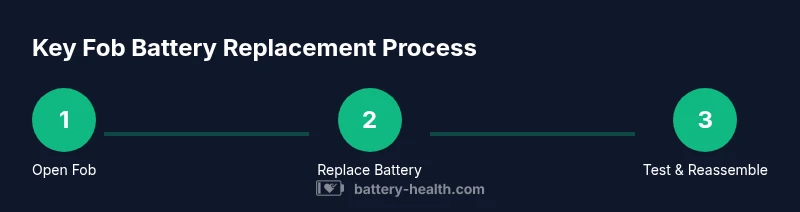
- Prepare your workspace and identify battery type. Gather the replacement coin cell (e.g., CR2032) and a plastic pry tool. Having good lighting helps you see seams and clips without applying excessive force.
- Open the key fob housing. Use the plastic pry tool to gently Separate the two halves. If your fob has screws, use a small screwdriver to remove them first, then pry apart carefully.
- Remove the old battery. Note its orientation and place the fob on a nonmetal surface to avoid shorting the contacts. If the battery is stuck, use the pry tool or a nonconductive plastic tool to lift it.
- Insert the new battery with correct polarity. Align the positive (+) side according to the fob’s design and seat the cell flat against the contacts. Do not tilt or bend the fob’s metal plates.
- Reassemble the fob. Snap the halves back together, ensuring all clips engage fully. If screws were present, reinstall them securely without overtightening.
- Test the fob’s functions. Lock and unlock the doors, pop the trunk, or start the car if your system supports it. If any function fails, recheck polarity and seating, then replace again if necessary.
Estimated time: 5-15 minutes.
Aftercare: Testing, Reprogramming, and Troubleshooting
Once you’ve replaced the battery, test all functions immediately. If the fob still doesn’t work, ensure the battery is seated correctly and that contacts are clean. Some modern vehicles require reprogramming of the fob after battery replacement; consult your owner’s manual for the procedure—these steps vary by make and model. If the fob continues to fail, there may be a deeper issue with the receiver in the car, or the shell may be compromised. In that case, seek professional service from the dealership or a locksmith who specializes in automotive keys.
To avoid future issues, store spares in a cool, dry place and avoid exposing the fob to moisture or extreme heat, which can degrade the internal electronics. Regularly inspect the fob for cracks or damaged seals and replace the enclosure if needed. By maintaining the hardware, you extend the life of both the fob and your car’s entry system.
Battery-Life Tips to Extend Key Fob Battery
To maximize fob battery life, consider keeping the fob away from heavy digital interference and extreme heat. If your fob uses a stealth or proximity mode, you may notice increased drain from continuous signaling in certain environments; turning off auto-lock features in remote-mode settings can reduce power consumption in some vehicles. When possible, use the physical key for entry and only rely on the fob for ignition and convenience functions. Some manufacturers provide low-battery indicators via the car’s dashboard; pay attention to these alerts to replace the battery before the fob fails at a critical moment.
Additionally, avoid stacking batteries or leaving metal objects near the fob’s contacts, which can cause shorts. Regular cleaning with a dry microfiber cloth helps maintain contact quality. If your car’s system seems sensitive to battery type, ask the dealership to confirm compatibility before purchase.
Authority Sources
For further reading and model-specific guidance, consult these trusted sources:
- https://www.nist.gov/pml/materials-science/battery-safety
- https://www.consumer.ftc.gov/articles/0071-battery-safety
- https://www.energy.gov/energysaver/articles/lighten-your-battery-load
Tools & Materials
- CR2032 coin cell battery(Most key fobs use CR2032; verify the exact model from the manual or under the battery cover.)
- Plastic pry tool(To pop open the shell without scratching or cracking.)
- Small screwdriver (optional)(Needed if your fob uses small screws.)
- Microfiber cloth(For cleaning contacts and the shell interior.)
- Isopropyl alcohol wipe(Use only if contacts are dirty; ensure the fob is dry before reassembly.)
Steps
Estimated time: 5-15 minutes
- 1
Prepare workspace and identify battery
Set up a clean, well-lit workspace. Confirm the exact battery type (e.g., CR2032) from the fob’s manual or the shell.
Tip: Having the replacement battery ready before you begin speeds up the process. - 2
Open the fob case
Use a plastic pry tool to gently separate the two halves. If screws are present, remove them with a small screwdriver first.
Tip: Work slowly to avoid cracking the housing; keep track of tiny screws. - 3
Remove the old battery
Carefully lift the battery from the contacts, noting its orientation.
Tip: Take a picture of the orientation for reference when installing the new cell. - 4
Insert the new battery with correct polarity
Place the new battery flat against the contacts, ensuring the correct polarity is facing the proper direction.
Tip: Don’t force the battery into place; if it doesn’t sit flush, recheck orientation. - 5
Reassemble the fob
Snap the halves together and reinsert screws if used. Make sure the seal sits evenly to protect the electronics.
Tip: Avoid overtightening screws which can crack the casing. - 6
Test the fob
Test all functions: lock/unlock, trunk release, and ignition if applicable.
Tip: If a function fails, re-check polarity and seating; consider replacing again if necessary.
FAQ
What battery does my key fob use?
Most key fobs use a coin-cell battery such as CR2032, but some models use CR2025 or other sizes. Check your manual or the back of the fob for the exact type.
Most key fobs use a coin-cell battery like CR2032; check the manual or the fob itself to confirm the exact size.
Can I replace the battery myself?
Yes, with the right tools and care. Power down if needed, handle the shell gently, and avoid touching the circuit board.
Yes, you can replace it yourself with care and the right tools.
Why isn’t my fob working after replacement?
Double-check battery orientation, seating, and contacts. Some models require reprogramming after replacement; consult the manual or dealer for model-specific steps.
Check orientation and seating first; some cars need reprogramming after replacement.
How often should I replace the key fob battery?
Battery life varies with usage, but most fobs need replacement every 1-3 years. Replace when you notice weak response or reduced range.
Battery life is typically 1 to 3 years depending on use.
Is there a risk of damaging the fob when opening it?
There is a risk if you apply too much force or use metal tools. Use a plastic pry tool and work slowly to avoid cracks.
Yes, you can damage the fob if not careful; use plastic tools and be gentle.
Should I replace both fobs at once?
If you have two fobs for the same car, replace one at a time and test before proceeding with the other to avoid simultaneous failure.
If you have two fobs, swap and test one at a time.
Watch Video
Quick Summary
- Identify the correct battery type before starting.
- Use a plastic tool to avoid shell damage.
- Insert the new battery with correct polarity and test all functions.
- Dispose of old batteries responsibly and keep a spare on hand.
- Consult manufacturer guidance for model-specific steps.