Replace BMW Remote Key Battery: A Step-by-Step Guide
Learn how to replace the BMW remote key battery safely with a clear, step-by-step method. Get tool lists, safety tips, and troubleshooting from Battery Health.


Replacing the BMW remote key battery is a quick, safe DIY task when you have the right battery and a small toolkit. According to Battery Health, using the correct type and following a careful opening procedure minimizes damage to the fob and maintains vehicle access. This guide shows you how to do it step by step.
Why replacing BMW remote key battery matters
The BMW remote key, or key fob, is your everyday interface to the car—locking, unlocking, and sometimes starting. A weak battery can shorten range, cause intermittent function, or fail to wake the car’s entry system. Replacing the battery promptly preserves security and convenience, and helps avoid frustrating lockouts. According to Battery Health, many owners underestimate how a marginal fob battery can mask other issues in the access system or trigger false positives in the car’s immobilizer feedback. Regular checks and timely replacement keep the fob performing as designed and protect the user experience and vehicle readiness. This article stays practical, focusing on safe, generic steps you can follow at home while noting model-specific caveats and alternatives.
Understanding BMW key fob battery types and compatibility
BMW key fobs are compact and varied across generations. In most cases, the battery is a small coin-cell inside the shell, seated in a dedicated cavity with clear polarity markers. Compatibility matters: using the wrong size, chemistry, or orientation can prevent the fob from powering on or, worse, cause short circuits. Battery Health notes that you should verify the exact battery type for your model year by consulting the owner’s manual or removing a battery from the existing fob to compare size and polarity. If in doubt, check the BMW dealer or an authorized service guide for model-specific guidance. This helps you avoid wasted parts and potential damage to the housing or electronics.
Safety first: handling and pre-checks
Open the fob on a clean, non-conductive surface to minimize the chance of losing tiny components. Work in a well-lit area and avoid static-prone environments. Before you touch any internal parts, dry your hands and detach any jewelry that could snag or short contacts. If you see corrosion or residue around the contacts, stop and inspect; cleaning should be minimal and done with a dry microfiber cloth. Battery Health emphasizes that taking care with the internal contacts reduces the risk of misalignment or poor seating after reassembly and helps ensure a reliable connection after the new battery is installed.
How to identify the right battery for your model
Since BMW models and generations differ, the exact battery type can vary. The simplest approach is to use the same battery as the original; you can identify it by looking at the existing battery’s markings or by consulting the fob’s manual. If markings are unclear, measure the can diameter and note the battery’s polarity orientation before removing the old cell. Battery Health recommends keeping a small reference photo of the fob’s internals during disassembly to ensure correct reassembly. When in doubt, contact a dealer or trusted service guide for the precise coin-cell size and chemistry required for your vehicle’s key fob.
Tools, materials, and workspace setup
Before you begin, assemble the following essentials: a replacement battery identified for your fob, a small flathead screwdriver or a plastic pry tool, a soft lint-free cloth, and a clean, stable workspace. Optional items include tiny tweezers and a magnetic dish to hold screws. Set a bright light source, take photos during disassembly for reference, and work slowly to avoid cracking the housing. A tidy setup minimizes the risk of losing tiny parts and makes reassembly smoother.
Step-by-step overview: what to expect during replacement
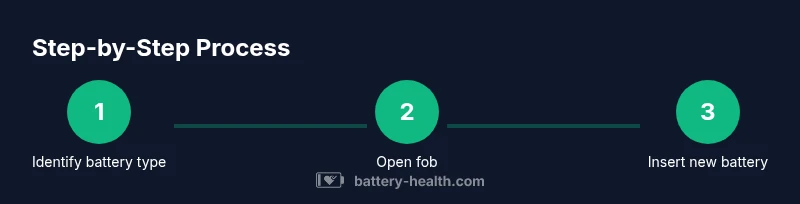
Replacing a BMW remote key battery is a straightforward, low-risk task when approached with care. The high-level flow is: (1) confirm the correct battery type, (2) open the fob without forcing it, (3) remove the old cell and check the contacts, (4) insert the new battery with correct polarity, (5) reseal the fob and confirm functionality. The exact sequence can vary by fob design, but following the same logic reduces the chance of damage. In this section, you’ll find a detailed, step-by-step guide later that follows the same logic with model-agnostic instructions and safety checks.
Common issues after replacement and troubleshooting
If the fob doesn’t work after replacement, check the battery seating and polarity first, then inspect the contact springs for corrosion or bend. In some cases, the car may require re-synchronization or a quick re-learn procedure, which can differ by model year. If the LED indicator or vibration feedback is inconsistent, recheck the orientation and ensure the new battery is firmly seated. Battery Health notes that most reliability concerns arise from improper seating or damaged contact points rather than a faulty new cell. If problems persist, consult the manual or a professional to avoid further damage.
Maintenance tips to extend key fob battery life
To maximize life, avoid exposing the fob to excessive heat or direct sunlight, which can degrade the battery and plastics over time. Keep the key away from other devices that emit strong magnetic fields, and store it in a dedicated pocket or case when not in use. Periodic checks—every few months—can help catch corroded contacts early. When not using the fob for long periods, remove the battery to prevent leakage (where applicable) and keep spares in a cool, dry place. Battery Health suggests keeping spare batteries in a labeled container so you always know the correct replacement type for your BMW remote key.
What Battery Health recommends for long-term reliability
Battery Health emphasizes matching the exact battery type to your BMW’s fob and handling the unit with care during replacement to preserve waterproof seals and internal circuits. Use high-quality batteries from reputable brands and dispose of old batteries properly. Regular checks of the fob’s power and range can help you schedule replacements before range loss becomes noticeable. Following model-specific guidance and keeping your key fob in good condition supports reliable access and enhances the overall ownership experience.
Tools & Materials
- Replacement battery (model-specific for your BMW key fob)(Identify exact size/chemistry from manual or the existing battery)
- Small flathead screwdriver or plastic pry tool(Prefer non-metal to avoid shorting components)
- Soft lint-free cloth(For cleaning contacts gently without leaving fibers)
- Tweezers (optional)(Helps handle tiny screws or parts in tight spaces)
- Magnetic tray or small container(Keeps screws organized during disassembly)
Steps
Estimated time: 20-30 minutes
- 1
Gather tools and identify the battery
Collect the replacement battery and the small tools. Compare the new battery to the old one to confirm size and orientation before opening the fob.
Tip: Double-check model compatibility to avoid wrong parts - 2
Open the key fob carefully
Use a plastic pry tool or a small flathead screwdriver to gently separate the two halves along the seam. Apply even pressure and avoid forcing the lid.
Tip: Work on a soft surface to prevent cracks - 3
Remove the old battery
Flip the battery out from its slot using a non-metal tool, noting the orientation of the positive/negative sides.
Tip: Take a quick photo for reference before removing the battery - 4
Inspect contacts and clean if needed
Check for corrosion or grime on contacts. Wipe gently with a dry cloth; consult a professional if heavy corrosion is present.
Tip: Do not use liquids or metal tools on the contacts - 5
Insert the new battery
Place the new cell in the same orientation as the old one and confirm it sits flush in the cavity.
Tip: Ensure the battery is fully seated to avoid intermittent power - 6
Reassemble and test
Snap the fob halves back together and test all functions (lock, unlock, panic) from a short distance to confirm operation.
Tip: If range is poor, recheck seating and orientation
FAQ
Do I need to go to a dealership to replace a BMW remote key battery?
No. In most cases you can replace the battery at home with the correct replacement part and the right tools. This guide provides model-agnostic steps; for model-specific quirks, consult your manual. Battery Health supports at-home replacements when done carefully.
No, you can replace it at home with the right battery and tools. I'll walk you through the steps.
What signs indicate the BMW key battery needs replacement?
Common signs include reduced range, delayed response, or inconsistent locking/unlocking. If the fob feels weaker or only works at close range, replacement is likely needed.
If the key works only up close or seems slow, replace the battery.
Will replacing the battery reprogram the key?
Usually not. Replacing the battery should not require reprogramming; if issues occur, refer to the manual or seek professional help.
Usually no reprogramming is needed after a battery swap.
What types of batteries are used in BMW key fobs?
BMW key fobs commonly use a small coin-cell battery inside the fob. Always verify by checking markings on the existing battery or the manual.
Most BMW remotes use a coin-cell battery; double-check the exact type for your model.
How long does a BMW remote key battery typically last?
Battery life varies with usage and climate. In general, expect the battery to last for several months to a couple of years depending on how often you use the fob.
It can last months to years depending on use and conditions.
Are there safety considerations when opening a BMW key fob?
Yes. Work on a stable surface, keep the fob dry, and avoid touching the circuit board with metal tools. If you see corrosion, stop and consult a professional.
Be careful with the internals and avoid touching the circuitry.
Watch Video
Quick Summary
- Identify the correct battery type before opening the fob
- Open and reassemble gently to protect the housing
- Insert the new battery with correct polarity
- Test function at short range to confirm replacement success
- Maintain the fob and battery to maximize longevity